
 Energy Shaders JavaShaderlar · 1.20 – 26.x
Energy Shaders for Java. A vanilla Minecraft shaderpack that aims on making the game more vibrant and aesthetic. Giving Minecraft a completely new Style. No…
Ücretsiz98,351 indirme
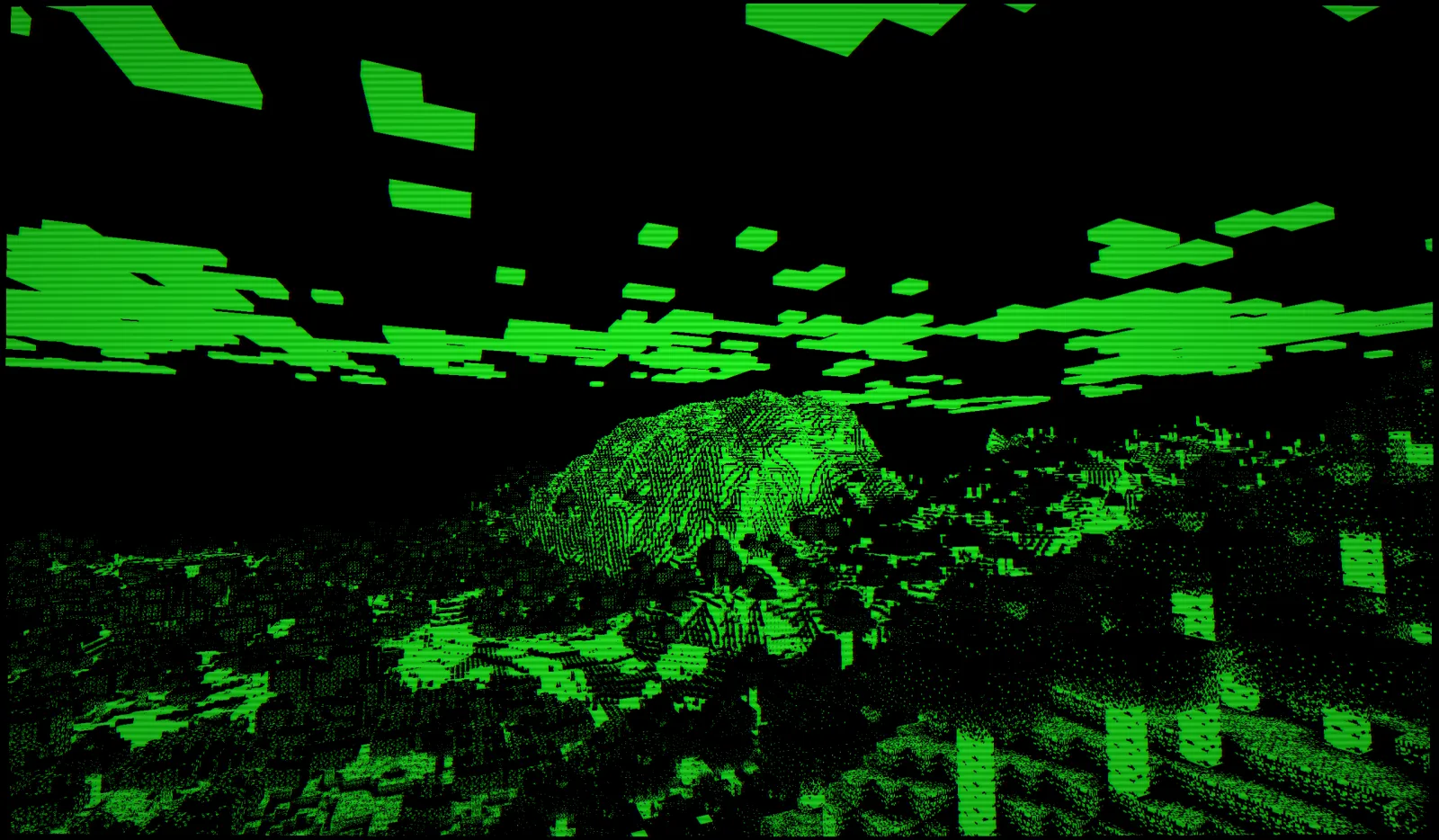
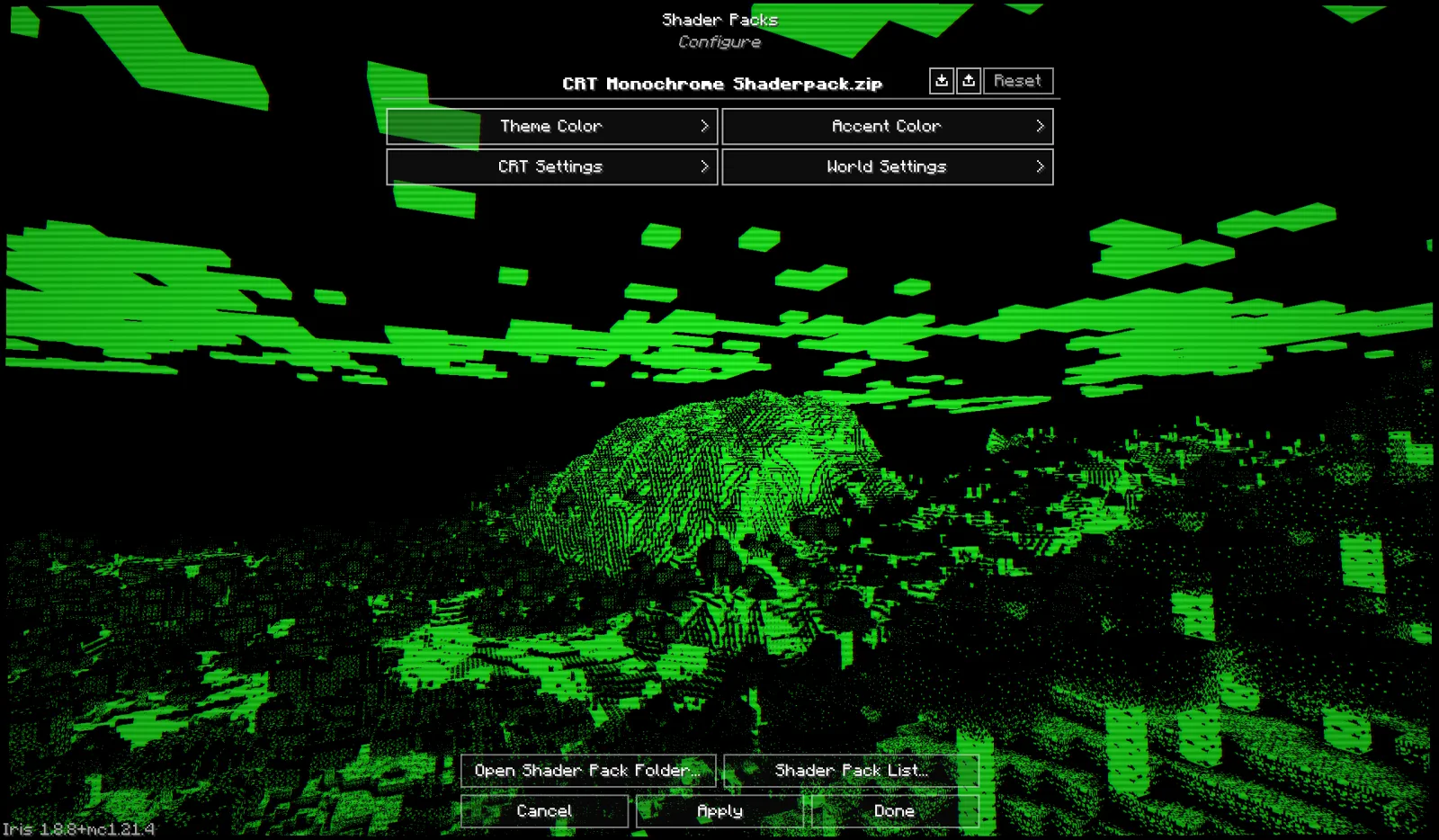
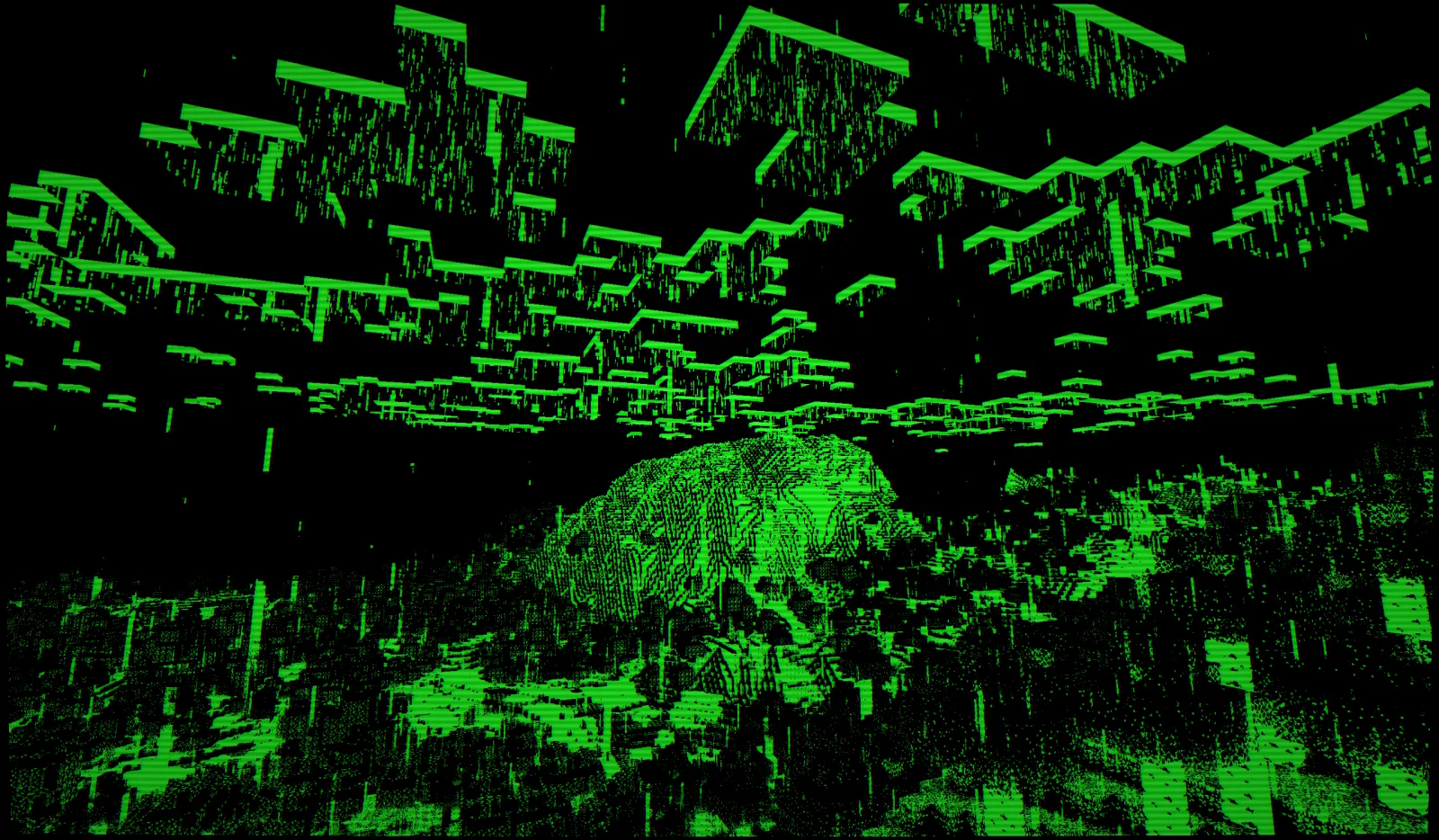
CRT Monochrome Shaderpack, h1ggsk tarafından yapılmış bir shader paketi. This shaderpack turns your game into a retro 1980s-style CRT screen.
Desteklediği sürümler: Minecraft 1.8 – 1.21. Modrinth üzerinde 11,303 kez indirildi. Son güncelleme 25.01.2026 tarihinde çıktı.
En yenisi 25.01.2026 tarihinde çıkan 1.0. Minecraft 1.10 – 1.20.3 için yapıldı. Iris ve Optifine üzerinde çalışır. İndirme boyutu 9 KB.
| Sürüm | Yayın tarihi | Minecraft | Tür |
|---|---|---|---|
1.0 | 25.01.2026 | 1.10 – 1.20.3 | Kararlı |
CRT Monochrome Shaderpack açık kaynaklıdır. GitHub'daki en yeni sürümü 25.01.2026 tarihinde yayınlanan CRT Monochrome Shaderpack 1.0.
Release 1.0 of CRT Monochrome Shaderpack. Add to .minecraft/shaderpacks folder and make sure Iris/OptiFine is installed to load the shader.
Full Changelog: https://github.com/H1ggsK/crt-monochrome-shaderpack/commits/1.0
"End of Line."
CRT Monochrome Shaderpack is a lightweight GLSL shader pack for Minecraft Java Edition (Iris/OptiFine) that replicates the high-contrast, phosphor-display aesthetic of early 80s computing.
It replaces standard rendering with a strict two-tone wireframe/threshold visualization, simulating a monochromatic CRT monitor inside the game.
By default, the pack utilizes the "P1 Apple Green" (#33FF33) color scheme, mimicking the high-persistence green phosphor monitors of the Apple II era. The world is rendered as a stark contrast between illuminated geometry and a pure black void.
The pack includes a fully procedural CRT post-processing stack:
While the default is Green, the pack is fully configurable via the Shader Options menu in-game.
You can manually mix the phosphor color using 0-255 sliders.
If you see the screen "smearing" or trails following your movement, your Depth Buffer is not being cleared correctly.
If hand items look like solid blocks of color:
Note: For the best experience, ensure "Render Regions" is enabled if using OptiFine.
If you feature this shader pack in a stream or video, please provide credit by linking to the official project page or mentioning h1ggsk. I’d love to see what you create with it!
Copyright © 2026 h1ggsk. All Rights Reserved.
This software is the intellectual property of h1ggsk.
Yazan: h1ggsk. Resimli halini Modrinth sayfasında oku.
Minecraft sürümün için Iris (Sodium ile) ya da OptiFine kur: shaderlar bunlardan birine ihtiyaç duyar.
.zip dosyasını Modrinth üzerinden indir. Zipten çıkarma.
Minecraft'ta Seçenekler, Görüntü Ayarları, Shader Paketleri'ni aç ve Shader Paketi Klasörünü Aç'a tıkla.
.zip dosyasını o klasöre bırak, listeden CRT Monochrome Shaderpack seç ve Bitti'ye tıkla.
Shaderlar ekran kartını zorlar. Oyun yavaşlarsa shader ayarlarından daha düşük bir profil seç.
| Kaynak | İndirmeler | Sürümler | Son güncelleme | Fiyat |
|---|---|---|---|---|
 CRT Monochrome Shaderpackbaktığın | 11K | 1.8 – 1.21 | 25 Oca 2026 | Ücretsiz |
| Energy Shaders Javalinusdev | 98K | 1.20 – 26.x | 28 Eyl 2026 | Ücretsiz |
 Fabulous VHSneddiebones | 35K | 1.20 – 26.x | 20 Nis 2026 | Ücretsiz |
 CRT ShaderBouncingElf10 | 25K | 1.8 – 26.x | 18 Ağu 2024 | Ücretsiz |
Henüz değil. Desteklediği en yeni sürüm Minecraft 1.21.
Evet. CRT Monochrome Shaderpack, Modrinth üzerinden ücretsiz indirilebilir.
Evet. Son güncelleme son 24 saat içinde çıktı.
En yakın olanlar Energy Shaders Java, Fabulous VHS ve CRT Shader. Tüm alternatifleri karşılaştır
Energy Shaders JavaShaderlar · 1.20 – 26.xEnergy Shaders for Java. A vanilla Minecraft shaderpack that aims on making the game more vibrant and aesthetic. Giving Minecraft a completely new Style. No…
Fabulous VHSShaderlar · 1.20 – 26.xThis shaderpack adds a VHS style to the good old game minecraft!
CRT ShaderShaderlar · 1.8 – 26.xA stylized shader aimed to make your game look retro!
 MellowShaderlar · 1.8 – 26.x
Shaderpack with a painterly aesthetic made for people who want to actually play the game. It's easy on your eyes and on your computer!
 CTR VCRShaderlar · 1.12 – 26.x
Retro stylized shader that brings artifacts from CRT and VCR / VHS
 Amethyst ShadersShaderlar · 1.8 – 1.21
[WIP] A Semi-Realistic Minecraft Shaderpack, with a Vibrant Visuals Style. Based on Complementary Reimagined.
Yorum yazmak için giriş yap.