
 Sarp ShadersShader · 1.17 – 26.x
A cozy shaderpack, soft light, moody skies, living water.
Kostenlos4,173 Downloads
A lightweight, highly optimized shaderpack focusing on soft procedural 3D clouds, immersive underwater distortion, cozy light-source blooming, and beautifully…
Direkter Download von Modrinth · 3,841 Downloads


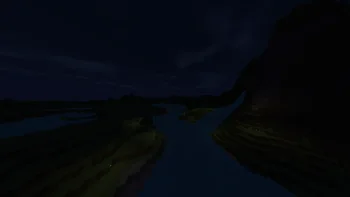
Zenith Shaders (Shaderpack) stammt von BeboNaiem. A lightweight, highly optimized shaderpack focusing on soft procedural 3D clouds, immersive underwater distortion, cozy light-source blooming, and beautifully…
Unterstützt wird Minecraft 1.16 – 26.x. Auf Modrinth gibt es 3,841 Downloads. Das letzte Update erschien am 25.06.2026.
Die neueste ist 1.0.0, erschienen am 25.06.2026. Sie ist für Minecraft 1.16.5 – 26.2 gemacht. Sie läuft auf Iris und Optifine. Der Download ist 7 KB groß.
| Version | Veröffentlicht | Minecraft | Typ |
|---|---|---|---|
1.0.0 | 25.06.2026 | 1.16.5 – 26.2 | Release |
Welcome to Zenith Shaders, a lightweight, highly-optimized, and cinematic shaderpack built from the ground up for standard/mid-range gaming PCs.
Designed to enhance the vanilla Minecraft experience with soft, natural lighting, Zenith Shaders delivers a beautifully balanced, cozy, and atmospheric world without sacrificing your frame rates.
Zenith Shaders is built to run smoothly on standard mid-range PCs and is compatible with both Iris and OptiFine pipelines.
Geschrieben von BeboNaiem. Mit Bildern auf Modrinth lesen.
Installiere Iris (mit Sodium) oder OptiFine für deine Minecraft-Version: Shader brauchen eins davon.
Lade die .zip-Datei von Modrinth herunter. Entpacke sie nicht.
Öffne in Minecraft Optionen, dann Grafikeinstellungen, dann Shaderpacks und klicke auf Shaderpack-Ordner öffnen.
Lege die .zip-Datei in diesen Ordner, wähle Zenith Shaders in der Liste und klicke auf Fertig.
Shader belasten die Grafikkarte. Wird das Spiel langsam, wähle in den Shader-Einstellungen ein niedrigeres Profil.
| Ressource | Downloads | Versionen | Letztes Update | Preis |
|---|---|---|---|---|
| Zenith Shadersdie du angesehen hast | 3,841 | 1.16 – 26.x | 25. Juni 2026 | Kostenlos |
| Sarp Shadersxsoras | 4,173 | 1.17 – 26.x | 10. Juli 2026 | Kostenlos |
 Sildur's Vibrant ShadersSildur | 729K | 1.8 – 26.x | 15. Sept. 2026 | Kostenlos |
 Glacier ShadersGamesofDev | 38K | 1.16 – 26.x | 8. Juni 2026 | Kostenlos |
Ja. Zenith Shaders unterstützt Minecraft 26.x. Alle unterstützten Versionen: 26.x, 1.21, 1.20, 1.19, 1.18, 1.17, 1.16.
Ja. Zenith Shaders kannst du kostenlos bei Modrinth herunterladen.
Ja. Das letzte Update kam innerhalb des letzten Tages.
Am ähnlichsten sind Sarp Shaders, Sildur's Vibrant Shaders und Glacier Shaders. Alle Alternativen vergleichen
Sarp ShadersShader · 1.17 – 26.xA cozy shaderpack, soft light, moody skies, living water.
Sildur's Vibrant ShadersShader · 1.8 – 26.xVery optimized shaderpack for MC: Java edition, around since 2012! Runs on any hardware and supports every MC version since 1.7.10.
Glacier ShadersShader · 1.16 – 26.xGlacier Shader - Low-End Edition Glacier Shader is a highly optimized low-end shader designed for maximum performance on weaker PCs. It features a minimalist…
 Potato Lite ShaderShader · 26.x
Ultra-lightweight shaderpack for low-end PCs with waving foliage, optimized performance, and zero lag.
 Pixelated ShadersShader · 1.20 – 26.x
Pixelated Shaders brings natural lighting, soft colors, and smooth performance to Minecraft. Lightweight, clean, and beautiful on any device.
 Kinetic-shaderShader · 1.18 – 26.x
Realistic visuals with highly optimized features, designed to stay lightweight and deliver smooth performance.
Logg dich ein, um eine Bewertung zu schreiben.