
 Sarp ShadersShaders · 1.17 – 26.x
A cozy shaderpack, soft light, moody skies, living water.
Gratis4,178 descargas
A lightweight, highly optimized shaderpack focusing on soft procedural 3D clouds, immersive underwater distortion, cozy light-source blooming, and beautifully…
Descarga directa desde Modrinth · 3,862 descargas


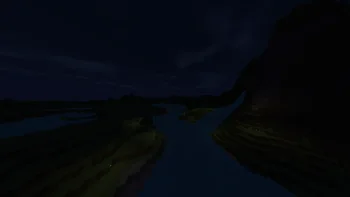
Zenith Shaders (pack de shaders) es obra de BeboNaiem. A lightweight, highly optimized shaderpack focusing on soft procedural 3D clouds, immersive underwater distortion, cozy light-source blooming, and beautifully…
Es compatible con Minecraft 1.16 – 26.x. Se ha descargado 3,862 veces en Modrinth. La última actualización salió el 25/06/2026.
La más reciente es 1.0.0, publicada el 25/06/2026. Está hecha para Minecraft 1.16.5 – 26.2. Funciona en Iris y Optifine. La descarga ocupa 7 KB.
| Versión | Publicado | Minecraft | Tipo |
|---|---|---|---|
1.0.0 | 25/06/2026 | 1.16.5 – 26.2 | Estable |
Welcome to Zenith Shaders, a lightweight, highly-optimized, and cinematic shaderpack built from the ground up for standard/mid-range gaming PCs.
Designed to enhance the vanilla Minecraft experience with soft, natural lighting, Zenith Shaders delivers a beautifully balanced, cozy, and atmospheric world without sacrificing your frame rates.
Zenith Shaders is built to run smoothly on standard mid-range PCs and is compatible with both Iris and OptiFine pipelines.
Escrita por BeboNaiem. Léela con imágenes en Modrinth.
Instala Iris (con Sodium) u OptiFine para tu versión de Minecraft: los shaders necesitan uno de ellos.
Descarga el archivo .zip desde Modrinth. No lo descomprimas.
En Minecraft, abre Opciones, luego Gráficos, luego Shader Packs y pulsa Abrir carpeta de shaders.
Suelta el archivo .zip en esa carpeta, elige Zenith Shaders en la lista y pulsa Listo.
Los shaders exigen mucho a la tarjeta gráfica. Si el juego va lento, elige un perfil más bajo en sus ajustes.
| Recurso | Descargas | Versiones | Última actualización | Precio |
|---|---|---|---|---|
| Zenith Shadersel que estabas viendo | 3,862 | 1.16 – 26.x | 25 jun 2026 | Gratis |
| Sarp Shadersxsoras | 4,178 | 1.17 – 26.x | 10 jul 2026 | Gratis |
 Sildur's Vibrant ShadersSildur | 732K | 1.8 – 26.x | 15 sept 2026 | Gratis |
 Glacier ShadersGamesofDev | 38K | 1.16 – 26.x | 8 jun 2026 | Gratis |
Sí. Zenith Shaders es compatible con Minecraft 26.x. Todas las versiones compatibles: 26.x, 1.21, 1.20, 1.19, 1.18, 1.17, 1.16.
Sí. Zenith Shaders se puede descargar gratis desde Modrinth.
Sí. La última actualización salió en el último día.
Los más parecidos son Sarp Shaders, Sildur's Vibrant Shaders y Glacier Shaders. Comparar todas las alternativas
Sarp ShadersShaders · 1.17 – 26.xA cozy shaderpack, soft light, moody skies, living water.
Sildur's Vibrant ShadersShaders · 1.8 – 26.xVery optimized shaderpack for MC: Java edition, around since 2012! Runs on any hardware and supports every MC version since 1.7.10.
Glacier ShadersShaders · 1.16 – 26.xGlacier Shader - Low-End Edition Glacier Shader is a highly optimized low-end shader designed for maximum performance on weaker PCs. It features a minimalist…
 Potato Lite ShaderShaders · 26.x
Ultra-lightweight shaderpack for low-end PCs with waving foliage, optimized performance, and zero lag.
 Pixelated ShadersShaders · 1.20 – 26.x
Pixelated Shaders brings natural lighting, soft colors, and smooth performance to Minecraft. Lightweight, clean, and beautiful on any device.
 Kinetic-shaderShaders · 1.18 – 26.x
Realistic visuals with highly optimized features, designed to stay lightweight and deliver smooth performance.
Inicia sesión para dejar una reseña.