
 Sarp ShadersShaders · 1.17 – 26.x
A cozy shaderpack, soft light, moody skies, living water.
Free4,173 downloads

A lightweight, highly optimized shaderpack focusing on soft procedural 3D clouds, immersive underwater distortion, cozy light-source blooming, and beautifully…
Opens Modrinth · 3,841 downloads there


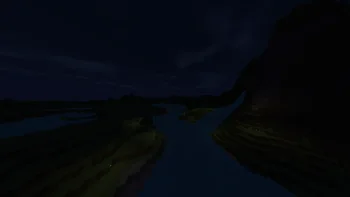
A lightweight, highly optimized shaderpack focusing on soft procedural 3D clouds, immersive underwater distortion, cozy light-source blooming, and beautifully…
Zenith Shaders is a shader pack made by BeboNaiem. It supports Minecraft 1.16 – 26.x. It has been downloaded 3,841 times on Modrinth. The last update came out on Jun 25, 2026.
The newest is 1.0.0, released on Jun 25, 2026. It is made for Minecraft 1.16.5 – 26.2. It runs on Iris and Optifine. The download is 7 KB.
| Version | Released | Minecraft | Type |
|---|---|---|---|
1.0.0 | Jun 25, 2026 | 1.16.5 – 26.2 | Release |
Welcome to Zenith Shaders, a lightweight, highly-optimized, and cinematic shaderpack built from the ground up for standard/mid-range gaming PCs.
Designed to enhance the vanilla Minecraft experience with soft, natural lighting, Zenith Shaders delivers a beautifully balanced, cozy, and atmospheric world without sacrificing your frame rates.
Zenith Shaders is built to run smoothly on standard mid-range PCs and is compatible with both Iris and OptiFine pipelines.
Written by BeboNaiem. Read it with pictures on Modrinth.
Install Iris (with Sodium) or OptiFine for your Minecraft version: shaders need one of them.
Download the .zip file from Modrinth. Do not unzip it.
In Minecraft, open Options, then Video Settings, then Shader Packs, and click Open Shader Pack Folder.
Drop the .zip file into that folder, pick Zenith Shaders in the list and click Done.
Shaders are heavy on the graphics card. If the game gets slow, pick a lower profile in the shader settings.
| Resource | Downloads | Versions | Last update | Price |
|---|---|---|---|---|
| Zenith Shadersthe one you looked at | 3,841 | 1.16 – 26.x | Jun 25, 2026 | Free |
| Sarp Shadersxsoras | 4,173 | 1.17 – 26.x | Jul 10, 2026 | Free |
 Sildur's Vibrant ShadersSildur | 729K | 1.8 – 26.x | Sep 15, 2026 | Free |
 Glacier ShadersGamesofDev | 38K | 1.16 – 26.x | Jun 8, 2026 | Free |
Yes. Zenith Shaders supports Minecraft 26.x. All supported versions: 26.x, 1.21, 1.20, 1.19, 1.18, 1.17, 1.16.
Yes. Zenith Shaders is free to download from Modrinth.
Yes. The last update came out in the past day.
The closest ones are Sarp Shaders, Sildur's Vibrant Shaders and Glacier Shaders. Compare all alternatives
Sarp ShadersShaders · 1.17 – 26.xA cozy shaderpack, soft light, moody skies, living water.
Sildur's Vibrant ShadersShaders · 1.8 – 26.xVery optimized shaderpack for MC: Java edition, around since 2012! Runs on any hardware and supports every MC version since 1.7.10.
Glacier ShadersShaders · 1.16 – 26.xGlacier Shader - Low-End Edition Glacier Shader is a highly optimized low-end shader designed for maximum performance on weaker PCs. It features a minimalist…
 Potato Lite ShaderShaders · 26.x
Ultra-lightweight shaderpack for low-end PCs with waving foliage, optimized performance, and zero lag.
 Pixelated ShadersShaders · 1.20 – 26.x
Pixelated Shaders brings natural lighting, soft colors, and smooth performance to Minecraft. Lightweight, clean, and beautiful on any device.
 Kinetic-shaderShaders · 1.18 – 26.x
Realistic visuals with highly optimized features, designed to stay lightweight and deliver smooth performance.
Log in to leave a review.