
 CartoonyShader · 1.17 – 26.x
A shader that makes 3D look like old-school cartoons on caffeine.
Kostenlos26,673 Downloads

cartoony shader that doesn't suck
Direkter Download von Modrinth · 3,563 Downloads
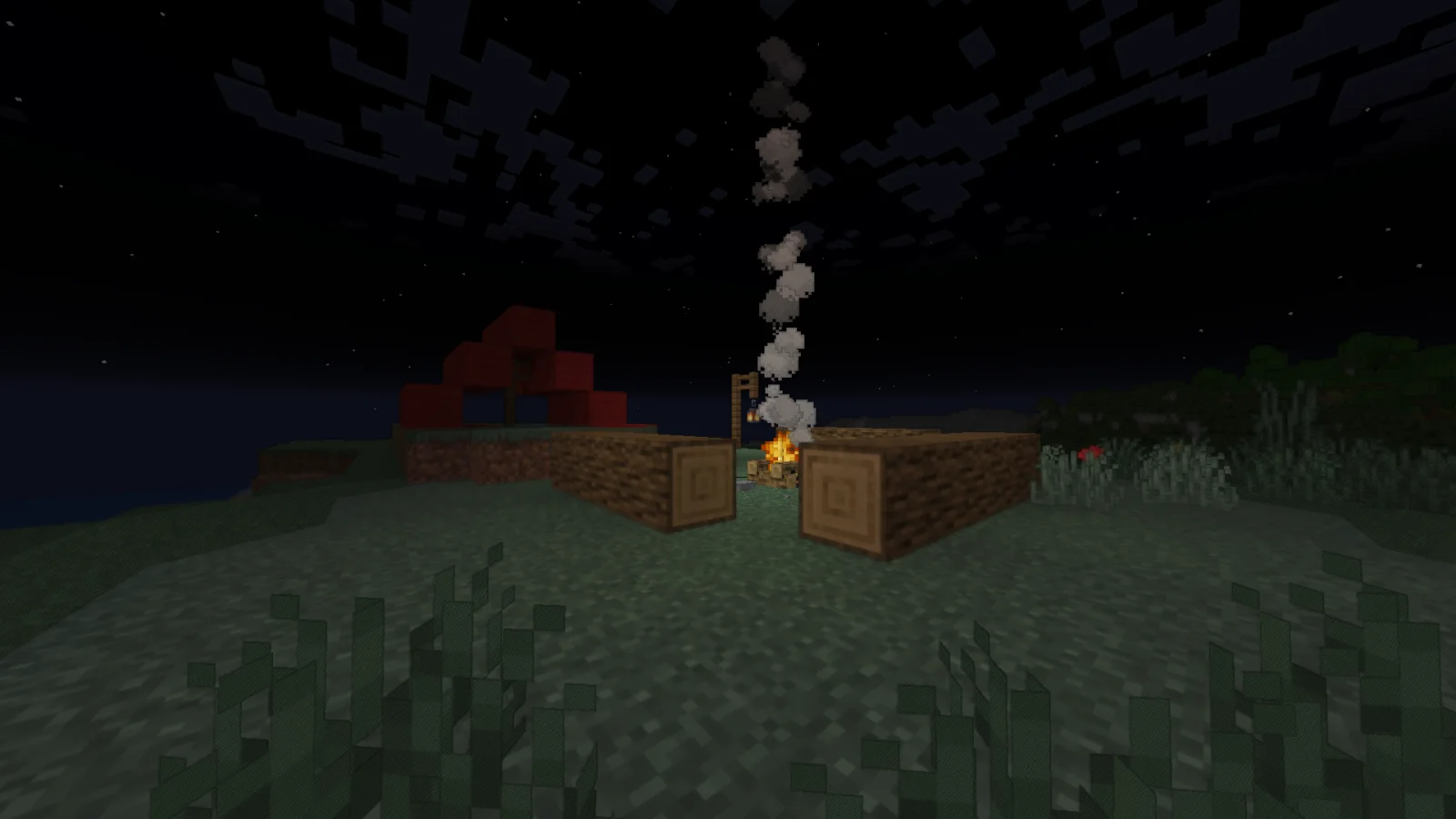
Cartoonikal (Shaderpack) stammt von Tektonikal. cartoony shader that doesn't suck.
Unterstützt wird Minecraft 1.16 – 1.21. Auf Modrinth gibt es 3,563 Downloads. Das letzte Update erschien am 23.08.2025.
Die neueste ist 1.0, erschienen am 22.08.2025. Sie ist für Minecraft 1.16.5 – 1.21.8 gemacht. Sie läuft auf Iris und Optifine. Der Download ist 18 KB groß.
| Version | Veröffentlicht | Minecraft | Typ |
|---|---|---|---|
1.0 | 22.08.2025 | 1.16.5 – 1.21.8 | Release |
Techniques used in hand-drawn art, in the form of a Minecraft shader.
Version 1 features a vanilla look, but with effects such as cel shading, cross hatching, emphasized (and slightly wavy) edges, and a tiny bit of blur (only in darker areas)! More features and improvements coming soon!
This shader should be very light on FPS, and was made for use on latest versions of Iris, but should work on older verisons and Optifine. Looks best with a dynamic lights mod and the Bare Bones pack. If you want the light flicker disabled, use Ari's Accessiblity Tweaks
Check out the gallery for how it looks!
Shoutout to Diamond for the name idea and icon, featuring my cat Kenny!
Geschrieben von Tektonikal. Mit Bildern auf Modrinth lesen.
Installiere Iris (mit Sodium) oder OptiFine für deine Minecraft-Version: Shader brauchen eins davon.
Lade die .zip-Datei von Modrinth herunter. Entpacke sie nicht.
Öffne in Minecraft Optionen, dann Grafikeinstellungen, dann Shaderpacks und klicke auf Shaderpack-Ordner öffnen.
Lege die .zip-Datei in diesen Ordner, wähle Cartoonikal in der Liste und klicke auf Fertig.
Shader belasten die Grafikkarte. Wird das Spiel langsam, wähle in den Shader-Einstellungen ein niedrigeres Profil.
| Ressource | Downloads | Versionen | Letztes Update | Preis |
|---|---|---|---|---|
| Cartoonikaldie du angesehen hast | 3,563 | 1.16 – 1.21 | 23. Aug. 2025 | Kostenlos |
| Cartoonyxsoras | 27K | 1.17 – 26.x | 12. Sept. 2026 | Kostenlos |
 SimpleShaderMustika_Mees | 167 | 26.x | vor 14 Tagen | Kostenlos |
Noch nicht. Die neueste unterstützte Version ist Minecraft 1.21.
Ja. Cartoonikal kannst du kostenlos bei Modrinth herunterladen.
Ja. Das letzte Update kam innerhalb des letzten Tages.
CartoonyShader · 1.17 – 26.xA shader that makes 3D look like old-school cartoons on caffeine.
SimpleShaderShader · 26.xThis is a really simple shader that doesn't use any extra textures or render passes, meaning your FPS doesn't drop. It just modifies the stuff that is already…
Logg dich ein, um eine Bewertung zu schreiben.