
 CartoonyShaders · 1.17 – 26.x
A shader that makes 3D look like old-school cartoons on caffeine.
Free26,626 downloads

cartoony shader that doesn't suck
Direct download from Modrinth · 3,556 downloads
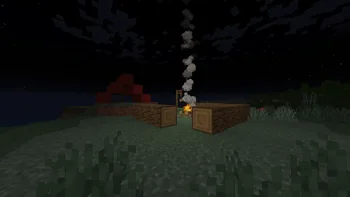
Cartoonikal is a shader pack made by Tektonikal. cartoony shader that doesn't suck.
It supports Minecraft 1.16 – 1.21. It has been downloaded 3,556 times on Modrinth. The last update came out on Aug 23, 2025.
The newest is 1.0, released on Aug 22, 2025. It is made for Minecraft 1.16.5 – 1.21.8. It runs on Iris and Optifine. The download is 18 KB.
| Version | Released | Minecraft | Type |
|---|---|---|---|
1.0 | Aug 22, 2025 | 1.16.5 – 1.21.8 | Release |
Techniques used in hand-drawn art, in the form of a Minecraft shader.
Version 1 features a vanilla look, but with effects such as cel shading, cross hatching, emphasized (and slightly wavy) edges, and a tiny bit of blur (only in darker areas)! More features and improvements coming soon!
This shader should be very light on FPS, and was made for use on latest versions of Iris, but should work on older verisons and Optifine. Looks best with a dynamic lights mod and the Bare Bones pack. If you want the light flicker disabled, use Ari's Accessiblity Tweaks
Check out the gallery for how it looks!
Shoutout to Diamond for the name idea and icon, featuring my cat Kenny!
Written by Tektonikal. Read it with pictures on Modrinth.
Install Iris (with Sodium) or OptiFine for your Minecraft version: shaders need one of them.
Download the .zip file from Modrinth. Do not unzip it.
In Minecraft, open Options, then Video Settings, then Shader Packs, and click Open Shader Pack Folder.
Drop the .zip file into that folder, pick Cartoonikal in the list and click Done.
Shaders are heavy on the graphics card. If the game gets slow, pick a lower profile in the shader settings.
Full guide: How to install Minecraft shaders
| Resource | Downloads | Versions | Last update | Price |
|---|---|---|---|---|
| Cartoonikalthe one you looked at | 3,556 | 1.16 – 1.21 | Aug 23, 2025 | Free |
| Cartoonyxsoras | 27K | 1.17 – 26.x | Sep 12, 2026 | Free |
 SimpleShaderMustika_Mees | 150 | 26.x | 13 days ago | Free |
Not yet. The newest version it supports is Minecraft 1.21.
Yes. Cartoonikal is free to download from Modrinth.
Yes. The last update came out in the past day.
CartoonyShaders · 1.17 – 26.xA shader that makes 3D look like old-school cartoons on caffeine.
SimpleShaderShaders · 26.xThis is a really simple shader that doesn't use any extra textures or render passes, meaning your FPS doesn't drop. It just modifies the stuff that is already…
Log in to leave a review.