
 Lumenline ShadersShader · 1.8 – 26.x
Warm golden-hour light that wraps every block: soft shadows, light shafts, glowing leaves. 6 quality levels.
Kostenlos180 Downloads
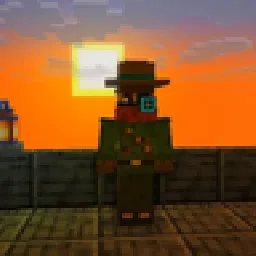
Shaders for Minecraft Java 26.3 without mods: waving leaves and grass, golden sunsets, blue moonlight, warm torch light, glow and soft shadows. A resource…
Direkter Download von Modrinth · 41 Downloads

NoMod Shaders (Shaderpack) stammt von TheModHunterGG. Shaders for Minecraft Java 26.3 without mods: waving leaves and grass, golden sunsets, blue moonlight, warm torch light, glow and soft shadows. A resource…
Unterstützt wird Minecraft 26.x. Auf Modrinth gibt es 41 Downloads. Das letzte Update erschien am 02.11.2026.
Die neueste ist 0.6.0, erschienen am 02.11.2026. Sie ist für Minecraft 26.3 gemacht. Sie läuft auf Vanilla. Der Download ist 28 KB groß.
| Version | Veröffentlicht | Minecraft | Typ |
|---|---|---|---|
0.6.0 | 02.11.2026 | 26.3 | Release |
by The Mod Hunter
Shaders for Minecraft Java 26.3. No Iris. No OptiFine. No mod loader.
Minecraft 26.3 can change its own shaders through a resource pack, so I built a shader look that needs nothing else: leaves and grass wave in the wind, sunsets turn the whole landscape golden, nights get a cosy blue moonlight, torches glow warm, and bright light blooms. Drop in a resource pack and a small data pack, and you're done.
NoMod Shaders is a vanilla shader pack: a normal resource pack that replaces a few of the game's own core shaders and adds screen effects, plus a small data pack that lets every player switch between three looks. It is not a mod. It runs on plain Minecraft Java Edition 26.3, in singleplayer and on servers.
All pictures are real in-game screenshots from my world on Minecraft 26.3, Default look.
Night: vanilla on the left, NoMod Shaders on the right.
Block light: vanilla on the left, NoMod Shaders on the right.
Sunset over the sea: NoMod Shaders on the left, vanilla on the right.
Wind:
Look · What you get · Command (no operator rights needed)
Lite · wind, haze, warm light, light glow, close to vanilla, fastest · /trigger shaders_lite
Default · adds contact shadows, cool shadows and a stronger glow · /trigger shaders_default
Cinematic · film look with strong contrast plus depth of field · /trigger shaders_cinematic
Off · screen effects off (wind, haze and warm light stay while the pack is on) · /trigger shaders_off
Default is on when you join. Extra files in every version:
Measured by me on November 1, 2026, in my world on Minecraft Java 26.3: the same 8-second slow camera move high over a valley at noon, FPS read from the F3 screen once it settled.
Look · FPS in my test
Vanilla (no packs) · about 440
Lite · about 430 to 445
Default · about 340 to 380
Cinematic · about 265 to 335 (average about 295)
Test system: NVIDIA GeForce RTX 4070 Ti SUPER, driver 617.14, 1920 x 1080, render distance 12, recording software running. Your numbers will differ with other hardware and settings.
Servers: the data pack goes into the server world, every player needs the resource pack (a server resource pack works too).
This is what vanilla Minecraft allows, not a replacement for an Iris shader pack.
MIT. Learn from it and build on it, keep the copyright notice.
Made by The Mod Hunter: new mods, packs and tests for the current Minecraft version every week.
Not an official Minecraft product. Not approved by or associated with Mojang or Microsoft.
Geschrieben von TheModHunterGG. Mit Bildern auf Modrinth lesen.
Installiere Iris (mit Sodium) oder OptiFine für deine Minecraft-Version: Shader brauchen eins davon.
Lade die .zip-Datei von Modrinth herunter. Entpacke sie nicht.
Öffne in Minecraft Optionen, dann Grafikeinstellungen, dann Shaderpacks und klicke auf Shaderpack-Ordner öffnen.
Lege die .zip-Datei in diesen Ordner, wähle NoMod Shaders in der Liste und klicke auf Fertig.
Shader belasten die Grafikkarte. Wird das Spiel langsam, wähle in den Shader-Einstellungen ein niedrigeres Profil.
| Ressource | Downloads | Versionen | Letztes Update | Preis |
|---|---|---|---|---|
| NoMod Shadersdie du angesehen hast | 41 | 26.x | vor 8 Tagen | Kostenlos |
| Lumenline ShadersAstorUVZ | 180 | 1.8 – 26.x | vor 5 Tagen | Kostenlos |
 Aurelia Shadersjankrodev | 7,952 | 1.21 – 26.x | 29. Sept. 2026 | Kostenlos |
 FS shadersroi.berezovsky | 3,334 | 26.x | 30. Juli 2026 | Kostenlos |
Ja. NoMod Shaders unterstützt Minecraft 26.x. Alle unterstützten Versionen: 26.x.
Ja. NoMod Shaders kannst du kostenlos bei Modrinth herunterladen.
Ja. Das letzte Update kam innerhalb des letzten Tages.
Am ähnlichsten sind Lumenline Shaders, Aurelia Shaders und FS shaders. Alle Alternativen vergleichen
Lumenline ShadersShader · 1.8 – 26.xWarm golden-hour light that wraps every block: soft shadows, light shafts, glowing leaves. 6 quality levels.
Aurelia ShadersShader · 1.21 – 26.xWarm, cinematic golden-hour shaders — soft PCSS shadows, global illumination, volumetric clouds, glowing ores, vibrant biome atmosphere.
FS shadersShader · 26.xCinematic shaders for Iris & OptiFine (1.21): physically-based scattering skies, soft sun/moon shadows, volumetric light, reflective water, waving foliage…
 Luxora ShadersShader · 1.21
Warm toned shader pack with realistic lighting, golden sunsets, water reflections, and smooth performance.
 Altheon ShadersShader · 1.20 – 26.x
Realistic shaders for Iris: colored block lighting that mixes and fills caves, volumetric clouds, a physically based sky with deep sunsets, soft shadows and…
 Cristal ShadersShader · 1.20
Crystal-clear water, warm natural light, soft volumetric clouds and living skies for Iris and Oculus on 1.20.1.
Logg dich ein, um eine Bewertung zu schreiben.