
 Entity Texture FeaturesMods · 1.16 – 26.x
Emissive, Random & Custom texture support for entities in resourcepacks just like Optifine but for Fabric
Kostenlos110,997,522 Downloads
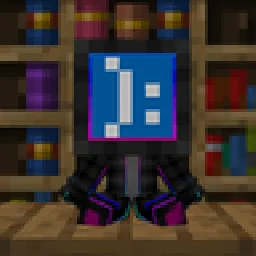
Turn player skins into collectible vinyl Pop figures with display boxes, custom poses, and mini editions! Just like Funko-pops!
Direkter Download von Modrinth · 30 Downloads
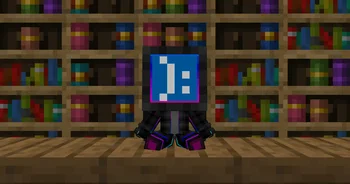
Poppped (Mod) stammt von Miguelki. Turn player skins into collectible vinyl Pop figures with display boxes, custom poses, and mini editions! Just like Funko-pops!
Unterstützt wird Minecraft 1.20 – 26.x. Auf Modrinth gibt es 30 Downloads. Das letzte Update erschien am 03.10.2026.
Poppped hat seit 21.09.2026 23 Versionen auf Modrinth veröffentlicht. 23 davon erschienen im letzten Jahr. Die neueste ist 1.2+26.3-neoforge, erschienen am 03.10.2026. Sie ist für Minecraft 26.3 gemacht. Sie läuft auf NeoForge. Der Download ist 188 KB groß.
| Version | Veröffentlicht | Minecraft | Typ |
|---|---|---|---|
1.2+26.3-neoforge | 03.10.2026 | 26.3 | Release |
1.2+26.3-fabric | 03.10.2026 | 26.3 | Release |
1.2+26.2-neoforge | 03.10.2026 | 26.2 | Release |
1.2+26.2-fabric | 03.10.2026 | 26.2 | Release |
1.2+26.1.2-neoforge | 03.10.2026 | 26.1, 26.1.1, 26.1.2 | Release |
Popped transforms Minecraft player skins into customizable, collectible vinyl figures. Collect your own character, display your friends' avatars, or build a showcase gallery of your favorite creators in your world.
Action Pops can be posed dynamically in-game. Sneak and right-click (Shift + Right Click) on the figure to cycle through its poses:
Action pop craft
Empty box craft
Pop craft
Mini pop craft
Re-pop minis craft
The mod connects to minotar's skin api in order to get the skins on offline servers or if not available for any reason.
It also connects to NEOLauncher's skin api in order to get offline skins applied to the NEOLauncher Account skin panel.
Available for Fabric (requires Fabric API), NeoForge, and Forge on Minecraft 1.21+.
Geschrieben von Miguelki. Mit Bildern auf Modrinth lesen.
Diese Mod wird auf dem Server und bei jedem Spieler gebraucht.
Installiere Fabric, Forge und NeoForge für Minecraft 1.20 – 26.x.
Lade die .jar-Datei von Modrinth herunter und lege sie in den mods-Ordner deines .minecraft-Verzeichnisses.
Starte Minecraft mit dem Fabric-Profil.
Einfacher: Suche in Prism Launcher oder der Modrinth App in den Mods deiner Instanz nach Poppped und klicke auf Install. Loader und benötigte Mods werden für dich hinzugefügt.
| Ressource | Downloads | Versionen | Letztes Update | Preis |
|---|---|---|---|---|
| Popppeddie du angesehen hast | 30 | 1.20 – 26.x | 3. Okt. 2026 | Kostenlos |
| Entity Texture FeaturesTraben | 111M | 1.16 – 26.x | vor 8 Tagen | Kostenlos |
 Bundle TabKERS | 49 | 1.21 – 26.x | vor 27 Tagen | Kostenlos |
 Nexora PlayersVOIDx7472 | 10 | 26.x | 29. Aug. 2026 | Kostenlos |
Ja. Poppped unterstützt Minecraft 26.x. Alle unterstützten Versionen: 26.x, 1.21, 1.20.
Ja. Poppped kannst du kostenlos bei Modrinth herunterladen.
Beides. Der Server und jeder Spieler brauchen Poppped.
Ja. Das letzte Update kam innerhalb des letzten Tages.
Am ähnlichsten sind Entity Texture Features, Bundle Tab und Nexora Players. Alle Alternativen vergleichen
Entity Texture FeaturesMods · 1.16 – 26.xEmissive, Random & Custom texture support for entities in resourcepacks just like Optifine but for Fabric
Bundle TabMods · 1.21 – 26.xManage your Bundle in a way that feels just like vanilla Minecraft.
Nexora PlayersMods · 26.xthiss project adds custom player which you can customize name and skins!!
 Origins: SkinsMods · 1.20
An Origins addon that allows Origins datapack creators assign custom player skins to origins using PNG files directly from datapacks.
 OptiGUIMods · 1.18 – 26.x
Blazing fast custom GUI textures on Fabric and Quilt with built-in OptiFine custom GUI resource pack support
 Sodium Shadowy Path BlocksMods · 1.16 – 26.x
Reintroduces vanilla-like smooth lighting to non-full blocks (e.g. dirt paths and how they have dark shading when directly next to a full block) when using…
Logg dich ein, um eine Bewertung zu schreiben.