
 Item BordersMods · 1.12 – 26.x
Add colored borders to inventory slots to make your rare items stand out!
Kostenlos9,050,037 Downloads
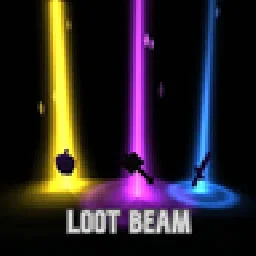
Dropped items now glow. Every item on the ground gets a soft light beam colored by its rarity, so you can spot good loot from far away.
Direkter Download von Modrinth · 5 Downloads
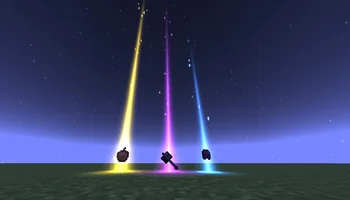
Loot Beam (Mod) stammt von Magiccc. Dropped items now glow. Every item on the ground gets a soft light beam colored by its rarity, so you can spot good loot from far away.
Unterstützt wird Minecraft 1.21. Auf Modrinth gibt es 5 Downloads. Das letzte Update erschien am 21.10.2026.
Die neueste ist 1.0.0, erschienen am 21.10.2026. Sie ist für Minecraft 1.21.11 gemacht. Sie läuft auf Fabric. Der Download ist 162 KB groß.
| Version | Veröffentlicht | Minecraft | Typ |
|---|---|---|---|
1.0.0 | 21.10.2026 | 1.21.11 | Release |
Dropped items now glow. Every item on the ground gets a soft light beam colored by its rarity, so you can spot the good stuff from across a cave.
Rarity · Color · Height
Common · Gray-blue · 2 blocks
Uncommon · Green · 3.5 blocks
Rare · Blue · 6 blocks
Epic · Purple · 10 blocks
Other / modded · Red-orange · 14 blocks
/lootbeam toggle
/lootbeam intensity
Geschrieben von Magiccc. Mit Bildern auf Modrinth lesen.
Diese Mod läuft nur in deinem eigenen Spiel. Server brauchen sie nicht, du kannst sie also auf jedem Server nutzen.
Installiere Fabric für Minecraft 1.21.
Lade die .jar-Datei von Modrinth herunter und lege sie in den mods-Ordner deines .minecraft-Verzeichnisses.
Starte Minecraft mit dem Fabric-Profil.
Einfacher: Suche in Prism Launcher oder der Modrinth App in den Mods deiner Instanz nach Loot Beam und klicke auf Install. Loader und benötigte Mods werden für dich hinzugefügt.
| Ressource | Downloads | Versionen | Letztes Update | Preis |
|---|---|---|---|---|
| Loot Beamdie du angesehen hast | 5 | 1.21 | vor 21 Tagen | Kostenlos |
| Item BordersGrend | 9.1M | 1.12 – 26.x | 22. Sept. 2026 | Kostenlos |
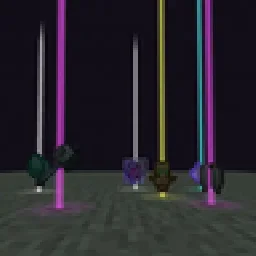 Yet Another Loot Beams ModderexXD | 23 | 26.x | 11. Okt. 2026 | Kostenlos |
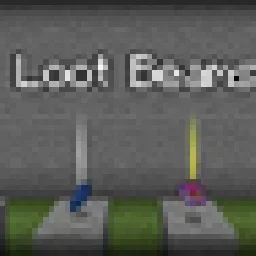 LootBeamsmanorrahamim | 15 | 1.21 – 26.x | 26. Sept. 2026 | Kostenlos |
Noch nicht. Die neueste unterstützte Version ist Minecraft 1.21.
Ja. Loot Beam kannst du kostenlos bei Modrinth herunterladen.
Clientseitig. Loot Beam kommt in deinen eigenen mods-Ordner und funktioniert auf jedem Server, auch auf Servern ohne Mods.
Ja. Das letzte Update kam innerhalb des letzten Tages.
Am ähnlichsten sind Item Borders, Yet Another Loot Beams Mod und LootBeams. Alle Alternativen vergleichen
Item BordersMods · 1.12 – 26.xAdd colored borders to inventory slots to make your rare items stand out!
Yet Another Loot Beams ModMods · 26.xFork of a fork of the original lootbeams mod. This client side mod highlights dropped items and loot with cool customizable beams! No more losing items or…
LootBeamsMods · 1.21 – 26.xA client-side Fabric mod that adds customizable glowing beams of light and nametags above dropped items.
 Item HighlighterMods · 1.12 – 26.x
Highlights newly picked-up items. Simple and convenient.
 Boat Item ViewMods · 1.16 – 26.x
See your held items as you row your boat!
 Tiny Item AnimationsMods · 1.18 – 1.21
Adds little animations when you pick up or insert items with your mouse.
Logg dich ein, um eine Bewertung zu schreiben.