
 Item BordersMods · 1.12 – 26.x
Add colored borders to inventory slots to make your rare items stand out!
Free9,042,546 downloads
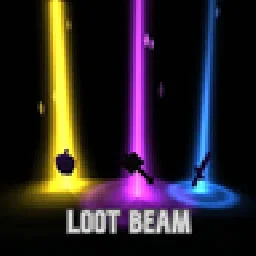
Dropped items now glow. Every item on the ground gets a soft light beam colored by its rarity, so you can spot good loot from far away.
Direct download from Modrinth · 5 downloads
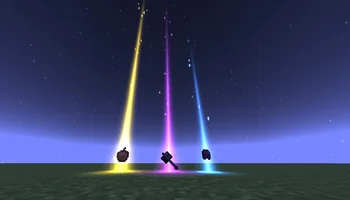
Loot Beam is a mod made by Magiccc. Dropped items now glow. Every item on the ground gets a soft light beam colored by its rarity, so you can spot good loot from far away.
It supports Minecraft 1.21. It has been downloaded 5 times on Modrinth. The last update came out on Oct 21, 2026.
The newest is 1.0.0, released on Oct 21, 2026. It is made for Minecraft 1.21.11. It runs on Fabric. The download is 162 KB.
| Version | Released | Minecraft | Type |
|---|---|---|---|
1.0.0 | Oct 21, 2026 | 1.21.11 | Release |
Dropped items now glow. Every item on the ground gets a soft light beam colored by its rarity, so you can spot the good stuff from across a cave.
Rarity · Color · Height
Common · Gray-blue · 2 blocks
Uncommon · Green · 3.5 blocks
Rare · Blue · 6 blocks
Epic · Purple · 10 blocks
Other / modded · Red-orange · 14 blocks
/lootbeam toggle
/lootbeam intensity
Written by Magiccc. Read it with pictures on Modrinth.
This mod runs only on your own game. Servers do not need it, so you can use it on any server.
Install Fabric for Minecraft 1.21.
Download the .jar file from Modrinth and put it in the mods folder of your .minecraft directory.
Start Minecraft with the Fabric profile.
With the CraftRank Launcher you can skip these steps: open Mods, search for Loot Beam and click Install.
| Resource | Downloads | Versions | Last update | Price |
|---|---|---|---|---|
| Loot Beamthe one you looked at | 5 | 1.21 | 20 days ago | Free |
| Item BordersGrend | 9M | 1.12 – 26.x | Sep 22, 2026 | Free |
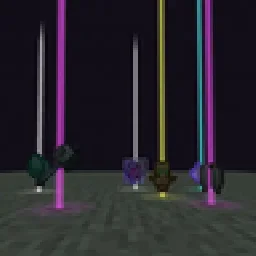 Yet Another Loot Beams ModderexXD | 23 | 26.x | Oct 11, 2026 | Free |
 LootBeamsmanorrahamim | 15 | 1.21 – 26.x | Sep 26, 2026 | Free |
Not yet. The newest version it supports is Minecraft 1.21.
Yes. Loot Beam is free to download from Modrinth.
Client-side. Loot Beam goes in your own mods folder and works on any server, including servers without mods.
Yes. The last update came out in the past day.
The closest ones are Item Borders, Yet Another Loot Beams Mod and LootBeams. Compare all alternatives
Item BordersMods · 1.12 – 26.xAdd colored borders to inventory slots to make your rare items stand out!
Yet Another Loot Beams ModMods · 26.xFork of a fork of the original lootbeams mod. This client side mod highlights dropped items and loot with cool customizable beams! No more losing items or…
LootBeamsMods · 1.21 – 26.xA client-side Fabric mod that adds customizable glowing beams of light and nametags above dropped items.
 Item HighlighterMods · 1.12 – 26.x
Highlights newly picked-up items. Simple and convenient.
 Boat Item ViewMods · 1.16 – 26.x
See your held items as you row your boat!
 Tiny Item AnimationsMods · 1.18 – 1.21
Adds little animations when you pick up or insert items with your mouse.
Log in to leave a review.