
 RealmModePlugins · 1.21 – 26.x
Lightweight, high-performance Minecraft plugin for self-selecting PVE/PVP modes via GUI. Fully configurable, admin commands for settings & stats, hex color…
Kostenlos1 Downloads
Lightweight Night Vision plugin with manual and auto-darkness modes, settings GUI, per-world control, admin tools, and Arabic/English support. Works on Paper…
Direkter Download von Modrinth · 11 Downloads
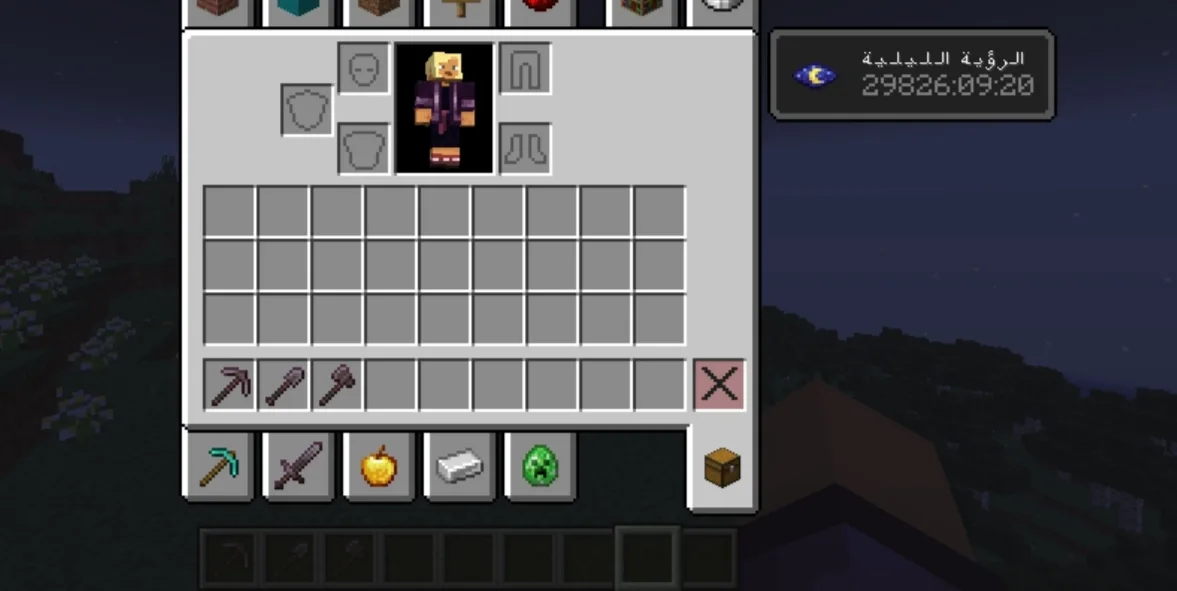
cNightVision (Plugin) ist für Server mit Paper / Spigot gedacht und stammt von x5hc. Lightweight Night Vision plugin with manual and auto-darkness modes, settings GUI, per-world control, admin tools, and Arabic/English support. Works on Paper…
Unterstützt wird Minecraft 1.12 – 26.x. Auf Modrinth gibt es 11 Downloads. Damit liegt es auf Platz 83 der 119 hier gelisteten RPG- und Magie-Plugins. Das letzte Update erschien am 10.11.2026.
cNightVision hat seit 10.11.2026 7 Versionen auf Modrinth veröffentlicht. 7 davon erschienen im letzten Jahr. Die neueste ist 1.1.2, erschienen am 10.11.2026. Sie ist für Minecraft 1.12 – 1.13.2 gemacht. Sie läuft auf Bukkit, Purpur und Spigot. Der Download ist 18 KB groß.
| Version | Veröffentlicht | Minecraft | Typ |
|---|---|---|---|
1.1.2 | 10.11.2026 | 1.12 – 1.13.2 | Release |
1.1.1 | 10.11.2026 | 1.14 – 1.15.2 | Release |
3.0.0 | 10.11.2026 | 1.21.11 – 26.3 | Release |
2.1.0 | 10.11.2026 | 1.20.6 – 1.21.11 | Release |
2.0.0 | 10.11.2026 | 1.19.4 – 1.20.6 | Release |
Die Befehle, die auf der Modrinth-Seite von cNightVision stehen:
/nv/nightvisionDort genannte Berechtigungen, zu vergeben mit einem Plugin wie LuckPerms:
cnightvision.usecnightvision.autocnightvision.settingscnightvision.adminLightweight • Persistent • Fully Customizable Night Vision
No dependencies • Server-side only • Safe on every server
cNightVision gives your players clean, permanent Night Vision with one command. It remembers each player's choice, survives death, milk and restarts, can switch on automatically in the dark, and comes with a settings menu, admin tools, per-world control and full Arabic + English support.
💡 No Vault. No required plugins. Drop it in and it works.
Feature · Details
🔘 · One-command toggle · /nv turns Night Vision on or off instantly
💾 · Persistent · Stays enabled after death, relog and server restart
🥛 · Milk-proof · Effect is restored automatically after drinking milk
👻 · Clean effect · Hide particles and the effect icon (configurable)
⏱️ · Duration · Permanent, or limited time in seconds
🌑 · Auto Darkness · Turns on in caves and at night, off in the light
🖱️ · Settings GUI · Simple menu with /nv settings
🛡️ · Admin tools · Control other players, block and unblock
🌍 · Disabled worlds · Turn the plugin off in chosen worlds
🌐 · Bilingual · English and Arabic, every message editable
🧩 · PlaceholderAPI · Show status in TAB, scoreboards, holograms
🔒 · UUID storage · Data saved by UUID, never by name
🤝 · Safe · Auto mode never removes an effect it did not apply
🪶 · Lightweight · Light check every 2 seconds, no heavy per-tick work
File · Minecraft · Java · Platforms
cnightvision-1.0.0.jar · 1.20.x · 17+ · Paper • Purpur • Spigot • Bukkit
cnightvision-2.0.0.jar · 1.21.x · 21+ · Paper • Purpur • Spigot • Bukkit
cnightvision-2.1.0.jar · 26.x · 25+ · Paper • Purpur • Spigot • Bukkit
⚠️ Download the file that matches your Minecraft version.
✔️ No required dependencies.
Main command: /nv | Alias: /nightvision
Command · Description · Permission
/nv · Toggle Night Vision · cnightvision.use
/nv on · Enable · cnightvision.use
/nv off · Disable · cnightvision.use
/nv status · Show your status · cnightvision.use
/nv auto · Toggle Auto Darkness mode · cnightvision.auto
/nv settings · Open the settings menu · cnightvision.settings
Command · Description · Permission
/nv player on/off · Enable or disable for a player · cnightvision.admin
/nv block · Block a player from using it · cnightvision.admin
/nv unblock · Unblock a player · cnightvision.admin
/nv reload · Reload config, language and data · cnightvision.admin
Permission · Default · Description
cnightvision.use · Everyone · Use /nv
cnightvision.auto · Everyone · Use Auto Darkness
cnightvision.settings · Everyone · Open the settings menu
cnightvision.admin · OP · Admin commands, reload, change language from the menu
Players enable it with /nv auto. Then the plugin:
Setting · Meaning
light-level · At or below this, Night Vision turns on
light-level-off · At or above this, it turns off
night-counts-as-dark · Treat night in the overworld as dark
check-interval-ticks · How often to check (40 = 2 seconds)
Open it with /nv settings:
Button · Action
🟢 Night Vision · Turn on or off
🕒 Auto Mode · Turn Auto Darkness on or off
📖 Language · Switch between English and Arabic (admins only)
🔴 Close · Close the menu
Optional. It hooks in automatically when PlaceholderAPI is installed.
Placeholder · Output
%cnightvision_enabled% · true or false
%cnightvision_status% · ON or OFF (translated)
%cnightvision_auto% · Is Auto mode enabled?
%cnightvision_blocked% · Is the player blocked?
%cnightvision_world_allowed% · Allowed in the current world?
Generated in plugins/cNightVision/:
File · Purpose
config.yml · General settings
lang_en.yml · English messages
lang_ar.yml · Arabic messages
players.yml · Enabled and blocked players (UUIDs)
auto.yml · Players using Auto mode
language: en
duration: 0
hide-particles: true
hide-icon: true
disabled-worlds:
auto-darkness:
enabled: true
light-level: 6
light-level-off: 9
night-counts-as-dark: true
check-interval-ticks: 40
enabled: "&aNight Vision enabled."
disabled: "&cNight Vision disabled."
status-on: "&7Night Vision: &aON"
status-off: "&7Night Vision: &cOFF"
no-permission: "&cYou do not have permission."
blocked: "&cYou are blocked from using Night Vision."
world-disabled: "&cNight Vision is disabled in this world."
auto-on: "&aAuto Night Vision enabled (works in the dark)."
gui-title: "&8Night Vision Settings"
enabled:
blocked: []
players:
Does it need PlaceholderAPI? No, it is optional.
Does it work with other plugins? Yes, it only uses the Bukkit/Spigot API.
Can I change the language? Yes: set language: ar or en in config.yml, then /nv reload.
I updated and the messages look old. Delete lang_en.yml and lang_ar.yml so they regenerate.
Which versions work? Use the file that matches your Minecraft version (see the Versions table).
cNightVision بلجن رؤية ليلية خفيف وسهل الاستخدام:
لتفعيل العربي: ضع language: ar في config.yml ثم اكتب /nv reload.
⭐ If you enjoy cNightVision, please follow the project and leave feedback!
💬 Bugs and suggestions are always welcome.
Geschrieben von x5hc. Mit Bildern auf Modrinth lesen.
Stelle sicher, dass dein Server Paper und Spigot auf Minecraft 1.12 – 26.x nutzt.
Lade die .jar-Datei von Modrinth herunter und lege sie in den plugins-Ordner deines Servers.
Starte den Server neu. Vermeide /reload, viele Plugins kommen damit nicht gut klar.
Gib /plugins in der Konsole ein: cNightVision sollte grün aufgelistet sein. Die Konfigurationsdateien werden beim ersten Start im plugins-Ordner angelegt.
Ausführliche Anleitung: So installierst du Plugins auf einem Minecraft-Server
| Ressource | Downloads | Versionen | Letztes Update | Preis |
|---|---|---|---|---|
| cNightVisiondie du angesehen hast | 11 | 1.12 – 26.x | vor 4 Tagen | Kostenlos |
| RealmModew1nsy | 1 | 1.21 – 26.x | vor 1 Tag | Kostenlos |
 RestCoreRestStudio | 19 | 1.21 | 3. Juli 2026 | Kostenlos |
 VeinMiner EnchantmentMiraculixx | 18.3M | 1.21 – 26.x | vor 25 Tagen | Kostenlos |
Ja. cNightVision unterstützt Minecraft 26.x. Alle unterstützten Versionen: 26.x, 1.21, 1.20, 1.19, 1.18, 1.17, 1.16, 1.13, 1.12.
Ja. cNightVision kannst du kostenlos bei Modrinth herunterladen.
cNightVision läuft auf Servern mit Paper und Spigot.
Ja. Das letzte Update kam innerhalb des letzten Tages.
Am ähnlichsten sind RealmMode, RestCore und VeinMiner Enchantment. Alle Alternativen vergleichen
RealmModePlugins · 1.21 – 26.xLightweight, high-performance Minecraft plugin for self-selecting PVE/PVP modes via GUI. Fully configurable, admin commands for settings & stats, hex color…
RestCorePlugins · 1.21a modern modular server core plugin with a full gui control center, maintenance mode, homes, warps, kits, rewards, reports, staff tools and clean server…
VeinMiner EnchantmentPlugins · 1.21 – 26.xVeinminer Addon - Adds vineminer enchantment to enchanting tables. Only tools with the enchantment can veinmine
A modern, lightweight GUI rewards plugin featuring advanced color support (MiniMessage/Hex), dynamic permissions, and flexible command execution.
 NusaHCPlugins · 26.x
Plugin survival all-in-one: nikah, bounty, tidur 1 orang, ClearLag pintar, border 10k, koordinat F3 tersembunyi, NPC RTP, dan panel admin GUI. Support…
 LightVisionPlugins · 1.21 – 26.x
Lightweight night vision plugin. Players toggle it themselves, staff can control, block and automate it.
Logg dich ein, um eine Bewertung zu schreiben.