
 RealmModePlugins · 1.21 – 26.x
Lightweight, high-performance Minecraft plugin for self-selecting PVE/PVP modes via GUI. Fully configurable, admin commands for settings & stats, hex color…
Gratis1 descargas
Lightweight Night Vision plugin with manual and auto-darkness modes, settings GUI, per-world control, admin tools, and Arabic/English support. Works on Paper…
Descarga directa desde Modrinth · 11 descargas
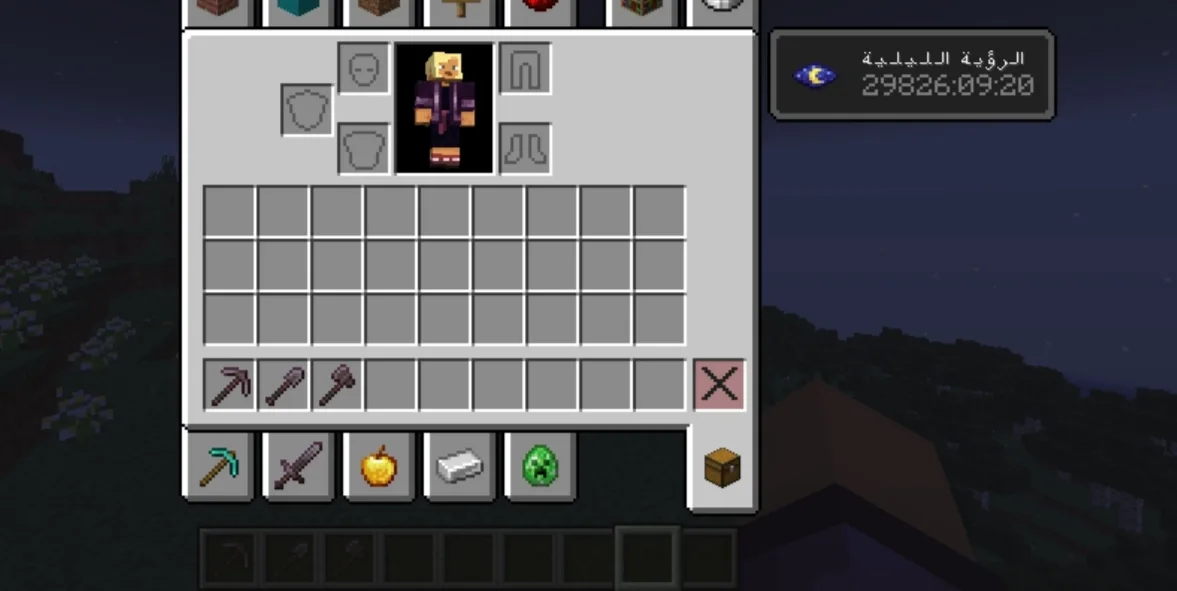
x5hc creó cNightVision (plugin) para servidores Paper / Spigot. Lightweight Night Vision plugin with manual and auto-darkness modes, settings GUI, per-world control, admin tools, and Arabic/English support. Works on Paper…
Es compatible con Minecraft 1.12 – 26.x. Se ha descargado 11 veces en Modrinth. Eso lo sitúa en el puesto 83 de los 119 plugins de RPG y magia de esta lista. La última actualización salió el 10/11/2026.
cNightVision ha publicado 7 versiones en Modrinth desde el 10/11/2026. 7 salieron en el último año. La más reciente es 1.1.2, publicada el 10/11/2026. Está hecha para Minecraft 1.12 – 1.13.2. Funciona en Bukkit, Purpur y Spigot. La descarga ocupa 18 KB.
| Versión | Publicado | Minecraft | Tipo |
|---|---|---|---|
1.1.2 | 10/11/2026 | 1.12 – 1.13.2 | Estable |
1.1.1 | 10/11/2026 | 1.14 – 1.15.2 | Estable |
3.0.0 | 10/11/2026 | 1.21.11 – 26.3 | Estable |
2.1.0 | 10/11/2026 | 1.20.6 – 1.21.11 | Estable |
2.0.0 | 10/11/2026 | 1.19.4 – 1.20.6 | Estable |
Los comandos que aparecen en la página de cNightVision en Modrinth:
/nv/nightvisionPermisos que se nombran allí, para dar con un plugin como LuckPerms:
cnightvision.usecnightvision.autocnightvision.settingscnightvision.adminLightweight • Persistent • Fully Customizable Night Vision
No dependencies • Server-side only • Safe on every server
cNightVision gives your players clean, permanent Night Vision with one command. It remembers each player's choice, survives death, milk and restarts, can switch on automatically in the dark, and comes with a settings menu, admin tools, per-world control and full Arabic + English support.
💡 No Vault. No required plugins. Drop it in and it works.
Feature · Details
🔘 · One-command toggle · /nv turns Night Vision on or off instantly
💾 · Persistent · Stays enabled after death, relog and server restart
🥛 · Milk-proof · Effect is restored automatically after drinking milk
👻 · Clean effect · Hide particles and the effect icon (configurable)
⏱️ · Duration · Permanent, or limited time in seconds
🌑 · Auto Darkness · Turns on in caves and at night, off in the light
🖱️ · Settings GUI · Simple menu with /nv settings
🛡️ · Admin tools · Control other players, block and unblock
🌍 · Disabled worlds · Turn the plugin off in chosen worlds
🌐 · Bilingual · English and Arabic, every message editable
🧩 · PlaceholderAPI · Show status in TAB, scoreboards, holograms
🔒 · UUID storage · Data saved by UUID, never by name
🤝 · Safe · Auto mode never removes an effect it did not apply
🪶 · Lightweight · Light check every 2 seconds, no heavy per-tick work
File · Minecraft · Java · Platforms
cnightvision-1.0.0.jar · 1.20.x · 17+ · Paper • Purpur • Spigot • Bukkit
cnightvision-2.0.0.jar · 1.21.x · 21+ · Paper • Purpur • Spigot • Bukkit
cnightvision-2.1.0.jar · 26.x · 25+ · Paper • Purpur • Spigot • Bukkit
⚠️ Download the file that matches your Minecraft version.
✔️ No required dependencies.
Main command: /nv | Alias: /nightvision
Command · Description · Permission
/nv · Toggle Night Vision · cnightvision.use
/nv on · Enable · cnightvision.use
/nv off · Disable · cnightvision.use
/nv status · Show your status · cnightvision.use
/nv auto · Toggle Auto Darkness mode · cnightvision.auto
/nv settings · Open the settings menu · cnightvision.settings
Command · Description · Permission
/nv player on/off · Enable or disable for a player · cnightvision.admin
/nv block · Block a player from using it · cnightvision.admin
/nv unblock · Unblock a player · cnightvision.admin
/nv reload · Reload config, language and data · cnightvision.admin
Permission · Default · Description
cnightvision.use · Everyone · Use /nv
cnightvision.auto · Everyone · Use Auto Darkness
cnightvision.settings · Everyone · Open the settings menu
cnightvision.admin · OP · Admin commands, reload, change language from the menu
Players enable it with /nv auto. Then the plugin:
Setting · Meaning
light-level · At or below this, Night Vision turns on
light-level-off · At or above this, it turns off
night-counts-as-dark · Treat night in the overworld as dark
check-interval-ticks · How often to check (40 = 2 seconds)
Open it with /nv settings:
Button · Action
🟢 Night Vision · Turn on or off
🕒 Auto Mode · Turn Auto Darkness on or off
📖 Language · Switch between English and Arabic (admins only)
🔴 Close · Close the menu
Optional. It hooks in automatically when PlaceholderAPI is installed.
Placeholder · Output
%cnightvision_enabled% · true or false
%cnightvision_status% · ON or OFF (translated)
%cnightvision_auto% · Is Auto mode enabled?
%cnightvision_blocked% · Is the player blocked?
%cnightvision_world_allowed% · Allowed in the current world?
Generated in plugins/cNightVision/:
File · Purpose
config.yml · General settings
lang_en.yml · English messages
lang_ar.yml · Arabic messages
players.yml · Enabled and blocked players (UUIDs)
auto.yml · Players using Auto mode
language: en
duration: 0
hide-particles: true
hide-icon: true
disabled-worlds:
auto-darkness:
enabled: true
light-level: 6
light-level-off: 9
night-counts-as-dark: true
check-interval-ticks: 40
enabled: "&aNight Vision enabled."
disabled: "&cNight Vision disabled."
status-on: "&7Night Vision: &aON"
status-off: "&7Night Vision: &cOFF"
no-permission: "&cYou do not have permission."
blocked: "&cYou are blocked from using Night Vision."
world-disabled: "&cNight Vision is disabled in this world."
auto-on: "&aAuto Night Vision enabled (works in the dark)."
gui-title: "&8Night Vision Settings"
enabled:
blocked: []
players:
Does it need PlaceholderAPI? No, it is optional.
Does it work with other plugins? Yes, it only uses the Bukkit/Spigot API.
Can I change the language? Yes: set language: ar or en in config.yml, then /nv reload.
I updated and the messages look old. Delete lang_en.yml and lang_ar.yml so they regenerate.
Which versions work? Use the file that matches your Minecraft version (see the Versions table).
cNightVision بلجن رؤية ليلية خفيف وسهل الاستخدام:
لتفعيل العربي: ضع language: ar في config.yml ثم اكتب /nv reload.
⭐ If you enjoy cNightVision, please follow the project and leave feedback!
💬 Bugs and suggestions are always welcome.
Escrita por x5hc. Léela con imágenes en Modrinth.
Asegúrate de que tu servidor use Paper y Spigot en Minecraft 1.12 – 26.x.
Descarga el archivo .jar desde Modrinth y ponlo en la carpeta plugins de tu servidor.
Reinicia el servidor. Evita /reload, muchos plugins no lo llevan bien.
Escribe /plugins en la consola: cNightVision debería aparecer en verde. Sus archivos de configuración se crean en la carpeta plugins al primer arranque.
Guía completa: Cómo instalar plugins en un servidor de Minecraft
| Recurso | Descargas | Versiones | Última actualización | Precio |
|---|---|---|---|---|
| cNightVisionel que estabas viendo | 11 | 1.12 – 26.x | hace 4 días | Gratis |
| RealmModew1nsy | 1 | 1.21 – 26.x | hace 1 día | Gratis |
 RestCoreRestStudio | 19 | 1.21 | 3 jul 2026 | Gratis |
 VeinMiner EnchantmentMiraculixx | 18.3M | 1.21 – 26.x | hace 25 días | Gratis |
Sí. cNightVision es compatible con Minecraft 26.x. Todas las versiones compatibles: 26.x, 1.21, 1.20, 1.19, 1.18, 1.17, 1.16, 1.13, 1.12.
Sí. cNightVision se puede descargar gratis desde Modrinth.
cNightVision funciona en servidores Paper y Spigot.
Sí. La última actualización salió en el último día.
Los más parecidos son RealmMode, RestCore y VeinMiner Enchantment. Comparar todas las alternativas
RealmModePlugins · 1.21 – 26.xLightweight, high-performance Minecraft plugin for self-selecting PVE/PVP modes via GUI. Fully configurable, admin commands for settings & stats, hex color…
RestCorePlugins · 1.21a modern modular server core plugin with a full gui control center, maintenance mode, homes, warps, kits, rewards, reports, staff tools and clean server…
VeinMiner EnchantmentPlugins · 1.21 – 26.xVeinminer Addon - Adds vineminer enchantment to enchanting tables. Only tools with the enchantment can veinmine
A modern, lightweight GUI rewards plugin featuring advanced color support (MiniMessage/Hex), dynamic permissions, and flexible command execution.
 NusaHCPlugins · 26.x
Plugin survival all-in-one: nikah, bounty, tidur 1 orang, ClearLag pintar, border 10k, koordinat F3 tersembunyi, NPC RTP, dan panel admin GUI. Support…
 LightVisionPlugins · 1.21 – 26.x
Lightweight night vision plugin. Players toggle it themselves, staff can control, block and automate it.
Inicia sesión para dejar una reseña.