
 Aurora's ShadersShaders · 1.20 – 1.21
Based on Complimentary Unbound, a beautifully colorful Vanilla+ shader meant for making the game look good while maintaining good performance and vanilla feel.
Gratis950,228 descargas
A minimal and simple shader aiming to replicate the look and feel of the legacy console editions of Minecraft.
Descarga directa desde Modrinth · 12,288 descargas
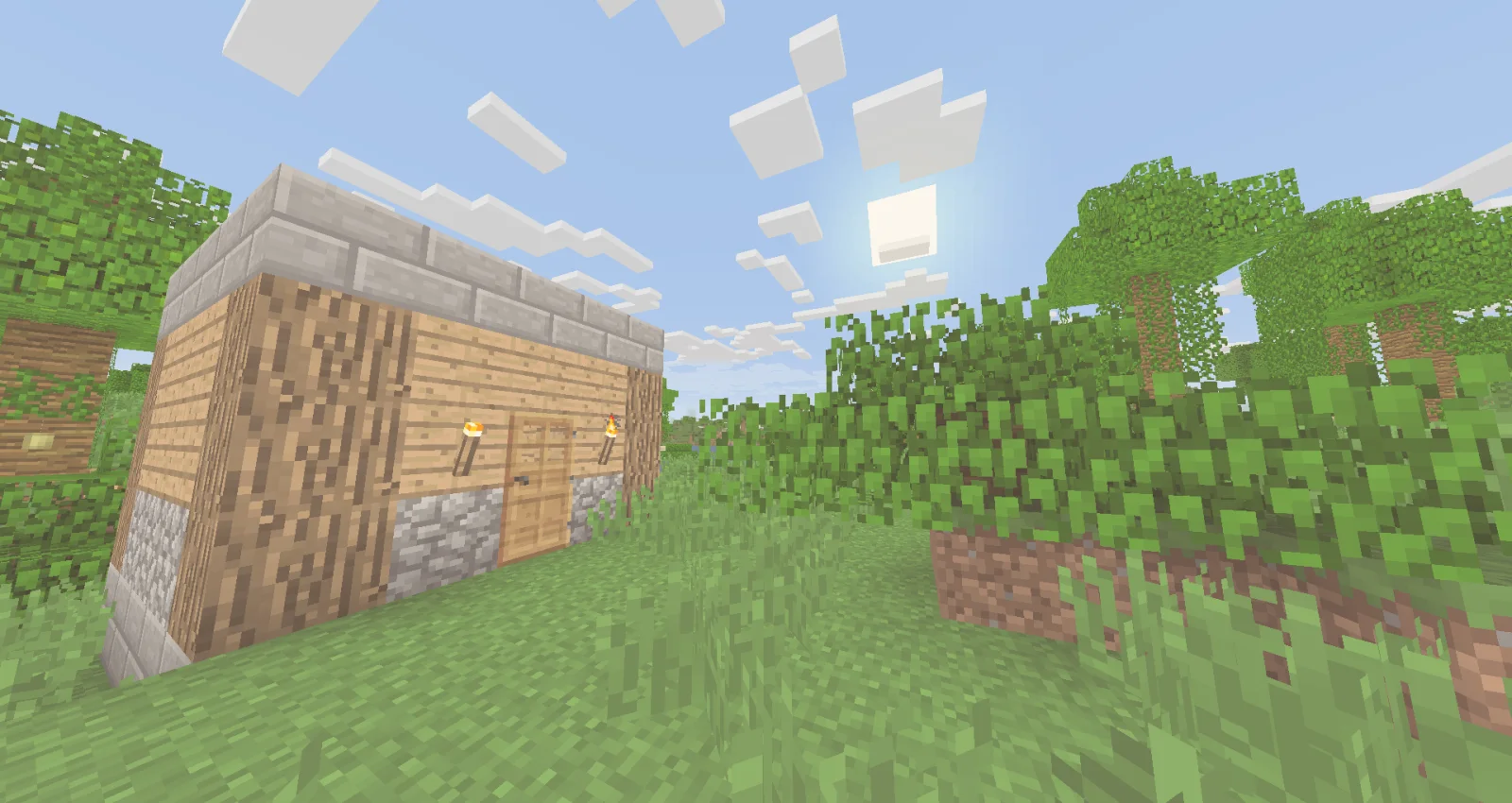
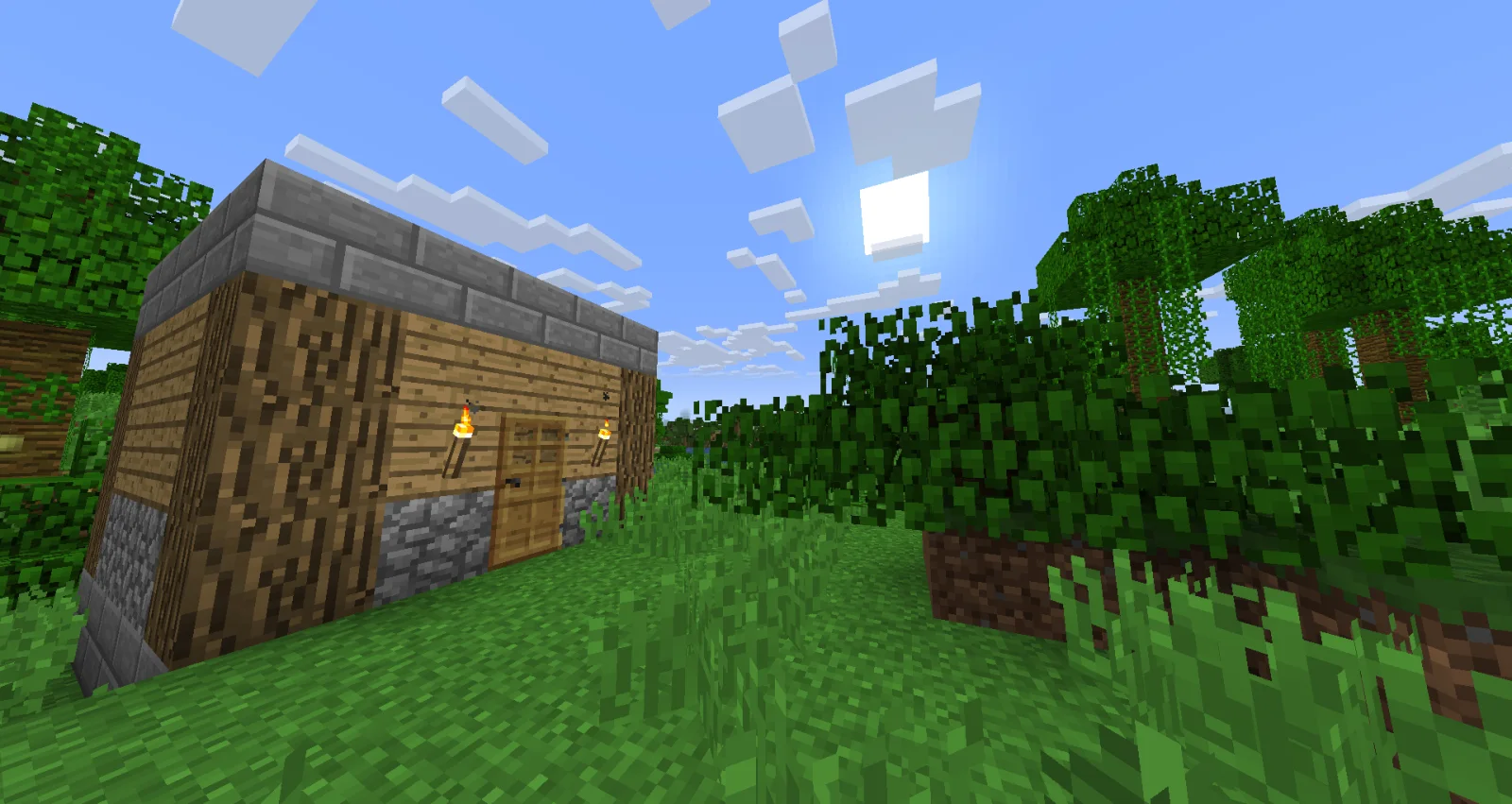
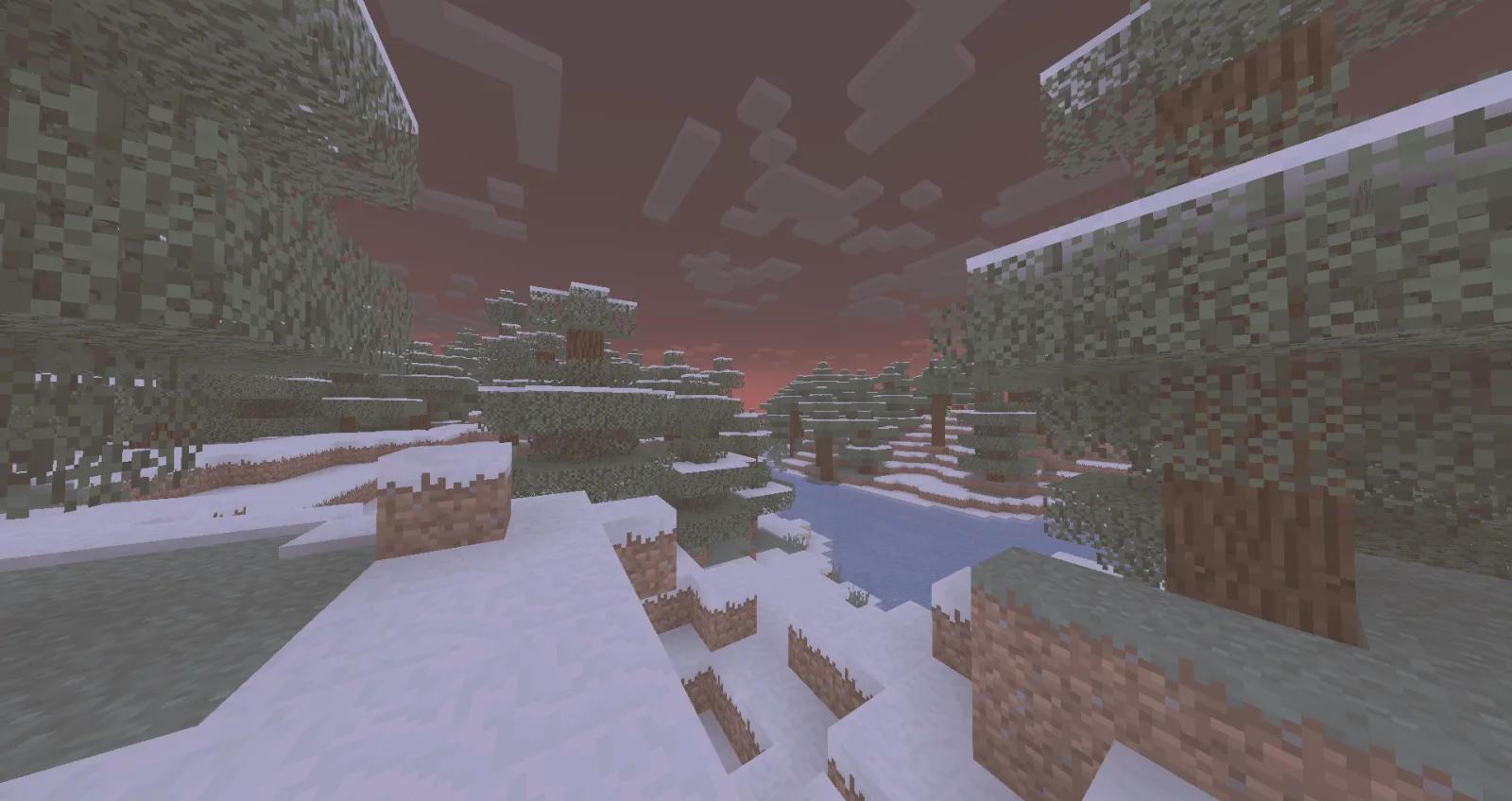
Legacy Console Edition Shaders (pack de shaders) es obra de TigrePlayz. A minimal and simple shader aiming to replicate the look and feel of the legacy console editions of Minecraft.
Es compatible con Minecraft 1.21. Se ha descargado 12,288 veces en Modrinth. La última actualización salió el 31/03/2025.
La más reciente es 0.1, publicada el 30/03/2025. Está hecha para Minecraft 1.21. Funciona en Iris y Optifine. La descarga ocupa 2 KB.
| Versión | Publicado | Minecraft | Tipo |
|---|---|---|---|
0.1 | 30/03/2025 | 1.21 | Alfa |
Simple and performant shader that aims to replicate the look of legacy console editions.
This shader is a basic post-processing effect applied to the game without any fancy techniques like shadows, reflections, etc. So it should be able to run on basically every computer (if supported).
There's no tweakable settings for Optifine / Iris in the shader menu, but the values are easy to change and edit it inside of the shader code. In the shader code (final.fsh), there's variables like contrast, gamma, vibrance, and other variables that are tweaked to look like the legacy console editions of the game.
You would install this shader if you miss the old nostalgic look of Minecraft in the old legacy console editions (Xbox 360, Xbox One, Ps3, Ps4, etc.). This would be if you don't currently have a copy of these old versions of the game, and you miss playing the old game.
If you have played or watched clips and videos of the legacy console editions of Minecraft, you may have noticed the different look of the game. This is because the old legacy console editions had a different approach into how the colors and post-processing was applied, making the game look brigther in some way.
When downloaded, cut & paste the shader zip file into a folder "%AppData%" (Depends on the operating software, these instructions go for Windows 10 or Windows 11). When in the file, look for a .minecraft folder. In there, look for a folder labeled "shaderpacks". If not there, create it. Paste the shader file in there and you're are good to go! Make sure you have Iris or Optifine installed and running too.
Escrita por TigrePlayz. Léela con imágenes en Modrinth.
Instala Iris (con Sodium) u OptiFine para tu versión de Minecraft: los shaders necesitan uno de ellos.
Descarga el archivo .zip desde Modrinth. No lo descomprimas.
En Minecraft, abre Opciones, luego Gráficos, luego Shader Packs y pulsa Abrir carpeta de shaders.
Suelta el archivo .zip en esa carpeta, elige Legacy Console Edition Shaders en la lista y pulsa Listo.
Los shaders exigen mucho a la tarjeta gráfica. Si el juego va lento, elige un perfil más bajo en sus ajustes.
| Recurso | Descargas | Versiones | Última actualización | Precio |
|---|---|---|---|---|
| Legacy Console Edition Shadersel que estabas viendo | 12K | 1.21 | 31 mar 2025 | Gratis |
| Aurora's ShadersCrafterAurora | 950K | 1.20 – 1.21 | 28 mar 2025 | Gratis |
 Tricked Shaderstricked33 | 96K | 1.8 – 26.x | 6 sept 2026 | Gratis |
 Lux V1TechDevOnGitHub | 1.3M | 1.8 – 26.x | 26 sept 2026 | Gratis |
Todavía no. La versión más reciente que admite es Minecraft 1.21.
Sí. Legacy Console Edition Shaders se puede descargar gratis desde Modrinth.
Sí: Iris Shaders. Instálalo antes de Legacy Console Edition Shaders.
Sí. La última actualización salió en el último día.
Los más parecidos son Aurora's Shaders, Tricked Shaders y Lux V1. Comparar todas las alternativas
Aurora's ShadersShaders · 1.20 – 1.21Based on Complimentary Unbound, a beautifully colorful Vanilla+ shader meant for making the game look good while maintaining good performance and vanilla feel.
Tricked ShadersShaders · 1.8 – 26.xBased on Mellow Shader, a modified version to reduce brightness and make the game look better while maintaining good performance and vanilla feel.
Lux V1Shaders · 1.8 – 26.xLux is a high fidelity Minecraft: Java Edition shader pack based on Capt Tatsu's BSL Shaders.
 Stracciatella ShadersShaders · 1.8 – 1.21
A vanilla-style shader with colored lights, many quality of life features and visual improvements aiming for the highest performance.
 PixelCraft ShadersShaders · 1.8 – 26.x
PixelCraft Shaders is a Complementary Shaders edit aiming to replicate pixel art. Every screenshot is a new piece of art brought to life!
 SillyWankerShaderShaders · 1.12 – 1.21
A minecraft Shader which tries to keep the vanilla look, while adding functionalities like other shaders and implementing some own silly things like Color…
Inicia sesión para dejar una reseña.