
 Aurora's ShadersShaderlar · 1.20 – 1.21
Based on Complimentary Unbound, a beautifully colorful Vanilla+ shader meant for making the game look good while maintaining good performance and vanilla feel.
Ücretsiz950,228 indirme
A minimal and simple shader aiming to replicate the look and feel of the legacy console editions of Minecraft.
Modrinth üzerinden doğrudan indirme · 12,268 indirme
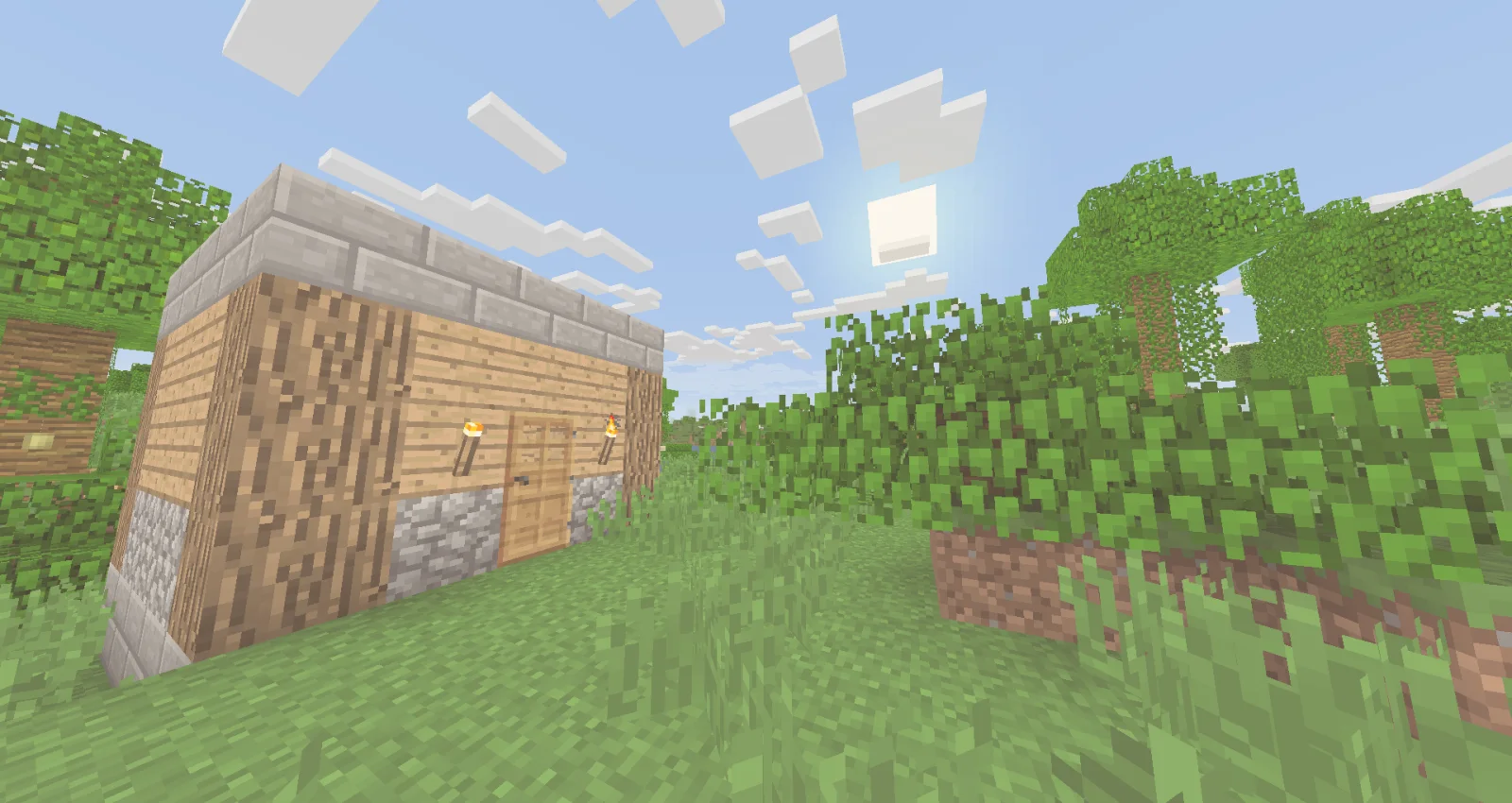
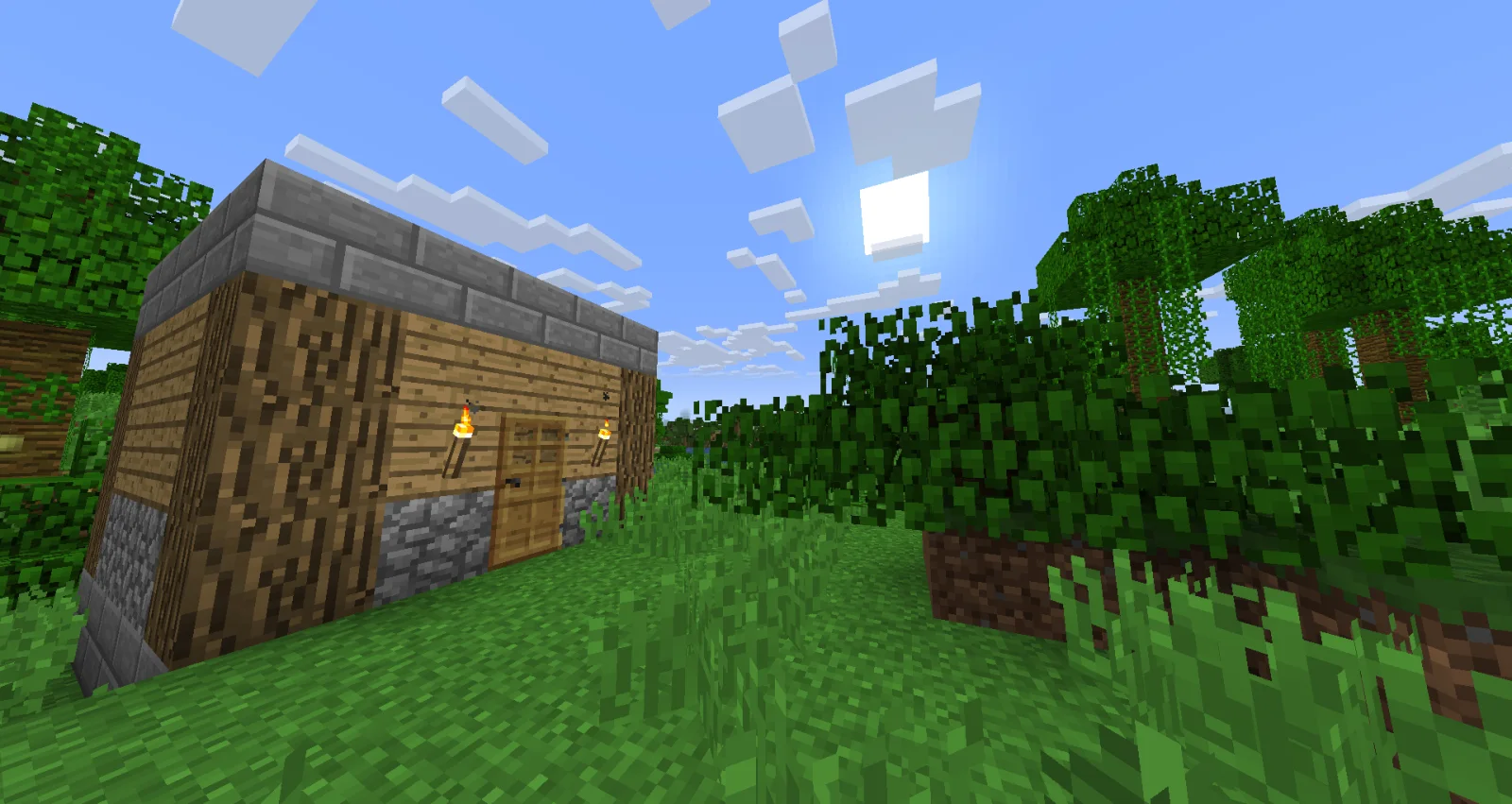
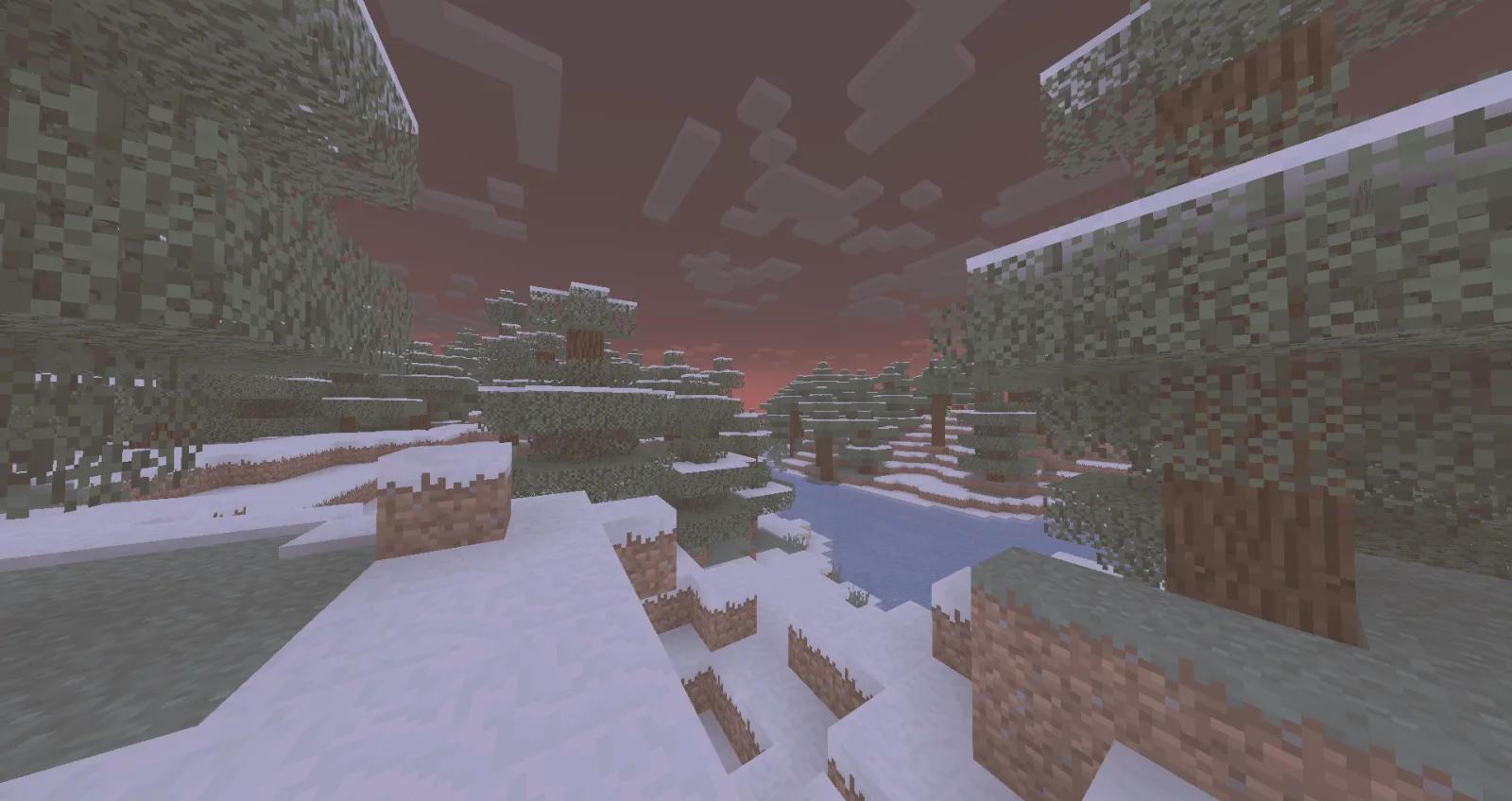
Legacy Console Edition Shaders, TigrePlayz tarafından yapılmış bir shader paketi. A minimal and simple shader aiming to replicate the look and feel of the legacy console editions of Minecraft.
Desteklediği sürümler: Minecraft 1.21. Modrinth üzerinde 12,268 kez indirildi. Son güncelleme 31.03.2025 tarihinde çıktı.
En yenisi 30.03.2025 tarihinde çıkan 0.1. Minecraft 1.21 için yapıldı. Iris ve Optifine üzerinde çalışır. İndirme boyutu 2 KB.
| Sürüm | Yayın tarihi | Minecraft | Tür |
|---|---|---|---|
0.1 | 30.03.2025 | 1.21 | Alfa |
Simple and performant shader that aims to replicate the look of legacy console editions.
This shader is a basic post-processing effect applied to the game without any fancy techniques like shadows, reflections, etc. So it should be able to run on basically every computer (if supported).
There's no tweakable settings for Optifine / Iris in the shader menu, but the values are easy to change and edit it inside of the shader code. In the shader code (final.fsh), there's variables like contrast, gamma, vibrance, and other variables that are tweaked to look like the legacy console editions of the game.
You would install this shader if you miss the old nostalgic look of Minecraft in the old legacy console editions (Xbox 360, Xbox One, Ps3, Ps4, etc.). This would be if you don't currently have a copy of these old versions of the game, and you miss playing the old game.
If you have played or watched clips and videos of the legacy console editions of Minecraft, you may have noticed the different look of the game. This is because the old legacy console editions had a different approach into how the colors and post-processing was applied, making the game look brigther in some way.
When downloaded, cut & paste the shader zip file into a folder "%AppData%" (Depends on the operating software, these instructions go for Windows 10 or Windows 11). When in the file, look for a .minecraft folder. In there, look for a folder labeled "shaderpacks". If not there, create it. Paste the shader file in there and you're are good to go! Make sure you have Iris or Optifine installed and running too.
Yazan: TigrePlayz. Resimli halini Modrinth sayfasında oku.
Minecraft sürümün için Iris (Sodium ile) ya da OptiFine kur: shaderlar bunlardan birine ihtiyaç duyar.
.zip dosyasını Modrinth üzerinden indir. Zipten çıkarma.
Minecraft'ta Seçenekler, Görüntü Ayarları, Shader Paketleri'ni aç ve Shader Paketi Klasörünü Aç'a tıkla.
.zip dosyasını o klasöre bırak, listeden Legacy Console Edition Shaders seç ve Bitti'ye tıkla.
Shaderlar ekran kartını zorlar. Oyun yavaşlarsa shader ayarlarından daha düşük bir profil seç.
| Kaynak | İndirmeler | Sürümler | Son güncelleme | Fiyat |
|---|---|---|---|---|
| Legacy Console Edition Shadersbaktığın | 12K | 1.21 | 31 Mar 2025 | Ücretsiz |
| Aurora's ShadersCrafterAurora | 950K | 1.20 – 1.21 | 28 Mar 2025 | Ücretsiz |
 Tricked Shaderstricked33 | 96K | 1.8 – 26.x | 6 Eyl 2026 | Ücretsiz |
 Lux V1TechDevOnGitHub | 1.3M | 1.8 – 26.x | 26 Eyl 2026 | Ücretsiz |
Henüz değil. Desteklediği en yeni sürüm Minecraft 1.21.
Evet. Legacy Console Edition Shaders, Modrinth üzerinden ücretsiz indirilebilir.
Evet: Iris Shaders. Bunu Legacy Console Edition Shaders öncesinde kur.
Evet. Son güncelleme son 24 saat içinde çıktı.
En yakın olanlar Aurora's Shaders, Tricked Shaders ve Lux V1. Tüm alternatifleri karşılaştır
Aurora's ShadersShaderlar · 1.20 – 1.21Based on Complimentary Unbound, a beautifully colorful Vanilla+ shader meant for making the game look good while maintaining good performance and vanilla feel.
Tricked ShadersShaderlar · 1.8 – 26.xBased on Mellow Shader, a modified version to reduce brightness and make the game look better while maintaining good performance and vanilla feel.
Lux V1Shaderlar · 1.8 – 26.xLux is a high fidelity Minecraft: Java Edition shader pack based on Capt Tatsu's BSL Shaders.
 Stracciatella ShadersShaderlar · 1.8 – 1.21
A vanilla-style shader with colored lights, many quality of life features and visual improvements aiming for the highest performance.
 PixelCraft ShadersShaderlar · 1.8 – 26.x
PixelCraft Shaders is a Complementary Shaders edit aiming to replicate pixel art. Every screenshot is a new piece of art brought to life!
 SillyWankerShaderShaderlar · 1.12 – 1.21
A minecraft Shader which tries to keep the vanilla look, while adding functionalities like other shaders and implementing some own silly things like Color…
Yorum yazmak için giriş yap.