
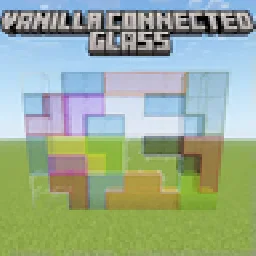
 Vanilla Connected GlassPaquetes de recursos · 1.16 – 26.x
Connected Glass that does not require OptiFine and works with any resource pack!
Gratis481,015 descargas

Simple fullbright resource pack compatible with 26.4 for Vanilla,Optifine,Vulkan and Sodium.
Descarga directa desde Modrinth · 413,534 descargas


Fullbright (paquete de recursos) es obra de Pierrecreeper. Simple fullbright resource pack compatible with 26.4 for Vanilla,Optifine,Vulkan and Sodium.
Es compatible con Minecraft 1.8 – 26.x. Se ha descargado 413,534 veces en Modrinth. La última actualización salió el 02/11/2026.
Fullbright ha publicado 28 versiones en Modrinth desde el 28/09/2025. 19 salieron en el último año. La más reciente es 9.2-Legacy, publicada el 01/11/2026. Está hecha para Minecraft 1.18.1. Funciona en Minecraft. La descarga ocupa 49 KB.
| Versión | Publicado | Minecraft | Tipo |
|---|---|---|---|
9.2-Legacy | 01/11/2026 | 1.18.1 | Beta |
9.5 | 01/11/2026 | 1.20.2 – 26.3 | Beta |
9.5-Legacy | 01/11/2026 | 1.18.2 – 1.20.1 | Beta |
9.5-Legacy | 01/11/2026 | 1.17, 1.17.1, 1.18 | Beta |
9.5-Optifine | 01/11/2026 | 1.7.2 – 1.16.5 | Beta |
NeoFullbright keeps caves, underground builds and nighttime adventures bright, while keeping Minecraft's textures, text and interface familiar.
Enable the pack and enjoy clear visibility wherever you explore. No commands or mods are needed on supported vanilla versions.
.minecraft/resourcepacks
Using Xray too? Enable the matching NeoXray pack. Their HUDs are prepared to work together in either order.
The original trailer may show an earlier release. Compatibility across every version and renderer has not been tested in game.
Prefer a keyboard toggle? Try the Fullbright mod edition.
by pierrecreeper
Escrita por Pierrecreeper. Léela con imágenes en Modrinth.
Descarga el archivo .zip desde Modrinth. No lo descomprimas.
En Minecraft, abre Opciones, luego Paquetes de recursos y luego Abrir carpeta de paquetes.
Suelta el archivo .zip en esa carpeta y vuelve al juego.
Mueve Fullbright a la lista de la derecha y pulsa Hecho.
Está hecho para Minecraft 1.8 – 26.x. En otras versiones Minecraft lo marca como incompatible, pero a menudo funciona igual.
| Recurso | Descargas | Versiones | Última actualización | Precio |
|---|---|---|---|---|
| Fullbrightel que estabas viendo | 414K | 1.8 – 26.x | hace 9 días | Gratis |
| Vanilla Connected Glasssniffercraft34 | 481K | 1.16 – 26.x | 16 sept 2026 | Gratis |
 Night VisionLuracasmus | 3M | 1.19 – 26.x | 11 oct 2026 | Gratis |
 Nautilus 3DFabianMPunkt | 1.6M | 1.20 – 26.x | 21 jun 2026 | Gratis |
Sí. Fullbright es compatible con Minecraft 26.x. Todas las versiones compatibles: 26.x, 1.21, 1.20, 1.19, 1.18, 1.17, 1.16, 1.13, 1.12, 1.8.
Sí. Fullbright se puede descargar gratis desde Modrinth.
Sí. La última actualización salió en el último día.
Los más parecidos son Vanilla Connected Glass, Night Vision y Nautilus 3D. Comparar todas las alternativas
Vanilla Connected GlassPaquetes de recursos · 1.16 – 26.xConnected Glass that does not require OptiFine and works with any resource pack!
Night VisionPaquetes de recursos · 1.19 – 26.xTiny night vision resource pack for Polytone or OptiFine
Nautilus 3DPaquetes de recursos · 1.20 – 26.xNautilus 3D is a Minecraft Resource-pack, mainly focused on 3D-Models with a vanilla style.
 Brush & JuicePaquetes de recursos · 1.20 – 26.x
A small resource pack that redesigns some vanilla assets
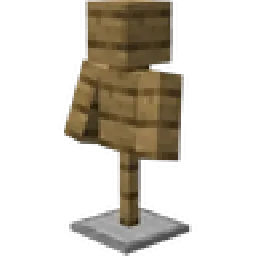 PDB3D's Blocky Armor StandsPaquetes de recursos · 1.13 – 26.x
A Resource pack adding a Blockier Armor Stand Model. Requires Optifine or EntityModelFeatures
 Vanilla EvolvedPaquetes de recursos · 1.16 – 1.21
A vanilla minecraft resource pack with an enhanced artistic vision through the use of custom models and textures.
Inicia sesión para dejar una reseña.