
 Vanilla Connected GlassPacotes de recursos · 1.16 – 26.x
Connected Glass that does not require OptiFine and works with any resource pack!
Grátis481,991 downloads

Simple fullbright resource pack compatible with 26.4 for Vanilla,Optifine,Vulkan and Sodium.
Download direto do Modrinth · 416,342 downloads
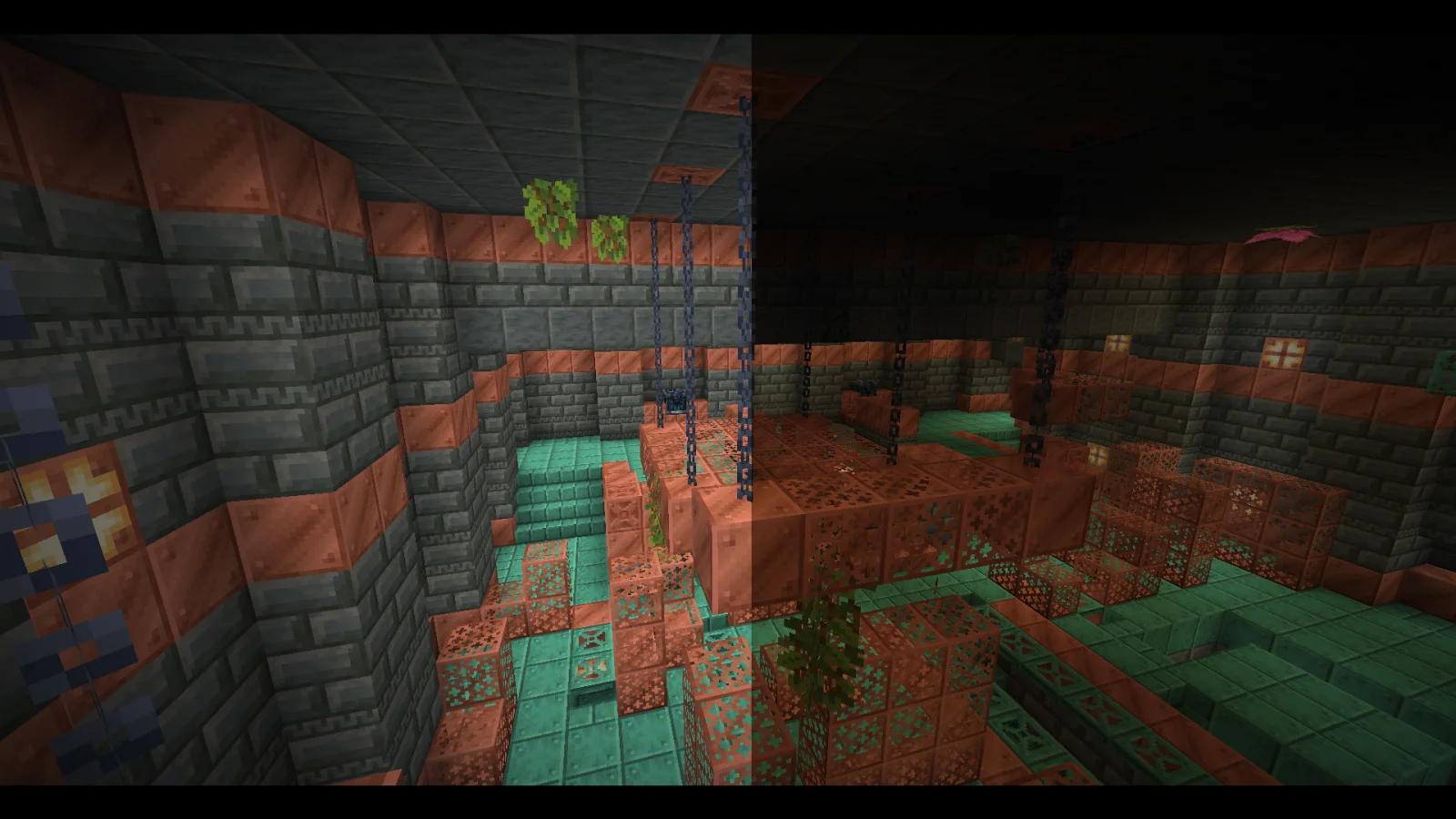
Fullbright (pacote de recursos) é obra de Pierrecreeper. Simple fullbright resource pack compatible with 26.4 for Vanilla,Optifine,Vulkan and Sodium.
É compatível com o Minecraft 1.8 – 26.x. Tem 416,342 downloads em Modrinth. A última atualização saiu em 02/11/2026.
Fullbright teve 28 versões no Modrinth desde 28/09/2025. 19 saíram no último ano. A mais recente é 9.2-Legacy, lançada em 01/11/2026. Ela é feita para o Minecraft 1.18.1. Ela roda em Minecraft. O download tem 49 KB.
| Versão | Lançado | Minecraft | Tipo |
|---|---|---|---|
9.2-Legacy | 01/11/2026 | 1.18.1 | Beta |
9.5 | 01/11/2026 | 1.20.2 – 26.3 | Beta |
9.5-Legacy | 01/11/2026 | 1.18.2 – 1.20.1 | Beta |
9.5-Legacy | 01/11/2026 | 1.17, 1.17.1, 1.18 | Beta |
9.5-Optifine | 01/11/2026 | 1.7.2 – 1.16.5 | Beta |
NeoFullbright keeps caves, underground builds and nighttime adventures bright, while keeping Minecraft's textures, text and interface familiar.
Enable the pack and enjoy clear visibility wherever you explore. No commands or mods are needed on supported vanilla versions.
.minecraft/resourcepacks
Using Xray too? Enable the matching NeoXray pack. Their HUDs are prepared to work together in either order.
The original trailer may show an earlier release. Compatibility across every version and renderer has not been tested in game.
Prefer a keyboard toggle? Try the Fullbright mod edition.
by pierrecreeper
Escrita por Pierrecreeper. Leia com imagens no Modrinth.
Baixe o arquivo .zip pelo Modrinth. Não descompacte.
No Minecraft, abra Opções, depois Pacotes de recursos, depois Abrir pasta de pacotes.
Coloque o arquivo .zip nessa pasta e volte ao jogo.
Mova Fullbright para a lista da direita e clique em Concluído.
Foi feito para o Minecraft 1.8 – 26.x. Em outras versões o Minecraft marca como incompatível, mas muitas vezes funciona mesmo assim.
| Recurso | Downloads | Versões | Última atualização | Preço |
|---|---|---|---|---|
| Fullbrighto que você estava vendo | 416K | 1.8 – 26.x | há 10 dias | Grátis |
| Vanilla Connected Glasssniffercraft34 | 482K | 1.16 – 26.x | 16 set 2026 | Grátis |
 Night VisionLuracasmus | 3M | 1.19 – 26.x | 11 out 2026 | Grátis |
 Nautilus 3DFabianMPunkt | 1.6M | 1.20 – 26.x | 21 jun 2026 | Grátis |
Sim. Fullbright é compatível com o Minecraft 26.x. Todas as versões compatíveis: 26.x, 1.21, 1.20, 1.19, 1.18, 1.17, 1.16, 1.13, 1.12, 1.8.
Sim. Você pode baixar Fullbright de graça em Modrinth.
Sim. A última atualização saiu no último dia.
Os mais parecidos são Vanilla Connected Glass, Night Vision e Nautilus 3D. Comparar todas as alternativas
Vanilla Connected GlassPacotes de recursos · 1.16 – 26.xConnected Glass that does not require OptiFine and works with any resource pack!
Night VisionPacotes de recursos · 1.19 – 26.xTiny night vision resource pack for Polytone or OptiFine
Nautilus 3DPacotes de recursos · 1.20 – 26.xNautilus 3D is a Minecraft Resource-pack, mainly focused on 3D-Models with a vanilla style.
 Brush & JuicePacotes de recursos · 1.20 – 26.x
A small resource pack that redesigns some vanilla assets
 PDB3D's Blocky Armor StandsPacotes de recursos · 1.13 – 26.x
A Resource pack adding a Blockier Armor Stand Model. Requires Optifine or EntityModelFeatures
 Vanilla EvolvedPacotes de recursos · 1.16 – 1.21
A vanilla minecraft resource pack with an enhanced artistic vision through the use of custom models and textures.
Entre para deixar uma avaliação.