
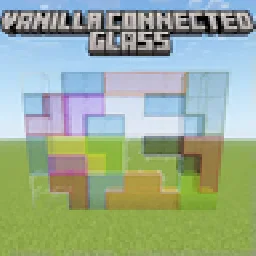
 Vanilla Connected GlassResource packs · 1.16 – 26.x
Connected Glass that does not require OptiFine and works with any resource pack!
Free481,015 downloads

Simple fullbright resource pack compatible with 26.4 for Vanilla,Optifine,Vulkan and Sodium.


Simple fullbright resource pack compatible with 26.4 for Vanilla,Optifine,Vulkan and Sodium.
Fullbright is a resource pack made by Pierrecreeper. It supports Minecraft 1.8 – 26.x. It has been downloaded 413,534 times on Modrinth. The last update came out on Nov 2, 2026.
Fullbright has had 28 releases on Modrinth since Sep 28, 2025. 19 of them came out in the past year. The newest is 9.2-Legacy, released on Nov 1, 2026. It is made for Minecraft 1.18.1. It runs on Minecraft. The download is 49 KB.
| Version | Released | Minecraft | Type |
|---|---|---|---|
9.2-Legacy | Nov 1, 2026 | 1.18.1 | Beta |
9.5 | Nov 1, 2026 | 1.20.2 – 26.3 | Beta |
9.5-Legacy | Nov 1, 2026 | 1.18.2 – 1.20.1 | Beta |
9.5-Legacy | Nov 1, 2026 | 1.17, 1.17.1, 1.18 | Beta |
9.5-Optifine | Nov 1, 2026 | 1.7.2 – 1.16.5 | Beta |
NeoFullbright keeps caves, underground builds and nighttime adventures bright, while keeping Minecraft's textures, text and interface familiar.
Enable the pack and enjoy clear visibility wherever you explore. No commands or mods are needed on supported vanilla versions.
.minecraft/resourcepacks
Using Xray too? Enable the matching NeoXray pack. Their HUDs are prepared to work together in either order.
The original trailer may show an earlier release. Compatibility across every version and renderer has not been tested in game.
Prefer a keyboard toggle? Try the Fullbright mod edition.
by pierrecreeper
Written by Pierrecreeper. Read it with pictures on Modrinth.
Download the .zip file from Modrinth. Do not unzip it.
In Minecraft, open Options, then Resource Packs, then Open Pack Folder.
Drop the .zip file into that folder and go back to the game.
Move Fullbright to the right-hand list and click Done.
It is made for Minecraft 1.8 – 26.x. On other versions Minecraft marks it as incompatible, but it often still works.
| Resource | Downloads | Versions | Last update | Price |
|---|---|---|---|---|
| Fullbrightthe one you looked at | 414K | 1.8 – 26.x | 8 days ago | Free |
| Vanilla Connected Glasssniffercraft34 | 481K | 1.16 – 26.x | Sep 16, 2026 | Free |
 Night VisionLuracasmus | 3M | 1.19 – 26.x | Oct 11, 2026 | Free |
 Nautilus 3DFabianMPunkt | 1.6M | 1.20 – 26.x | Jun 21, 2026 | Free |
Yes. Fullbright supports Minecraft 26.x. All supported versions: 26.x, 1.21, 1.20, 1.19, 1.18, 1.17, 1.16, 1.13, 1.12, 1.8.
Yes. Fullbright is free to download from Modrinth.
Yes. The last update came out in the past day.
The closest ones are Vanilla Connected Glass, Night Vision and Nautilus 3D. Compare all alternatives
Vanilla Connected GlassResource packs · 1.16 – 26.xConnected Glass that does not require OptiFine and works with any resource pack!
Night VisionResource packs · 1.19 – 26.xTiny night vision resource pack for Polytone or OptiFine
Nautilus 3DResource packs · 1.20 – 26.xNautilus 3D is a Minecraft Resource-pack, mainly focused on 3D-Models with a vanilla style.
 Brush & JuiceResource packs · 1.20 – 26.x
A small resource pack that redesigns some vanilla assets
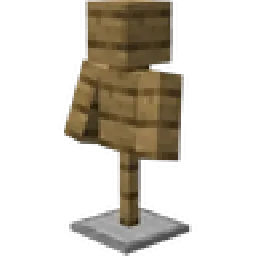 PDB3D's Blocky Armor StandsResource packs · 1.13 – 26.x
A Resource pack adding a Blockier Armor Stand Model. Requires Optifine or EntityModelFeatures
 Vanilla EvolvedResource packs · 1.16 – 1.21
A vanilla minecraft resource pack with an enhanced artistic vision through the use of custom models and textures.
Log in to leave a review.