
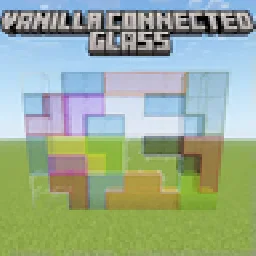
 Vanilla Connected GlassResource packs · 1.16 – 26.x
Connected Glass that does not require OptiFine and works with any resource pack!
Free481,015 downloads
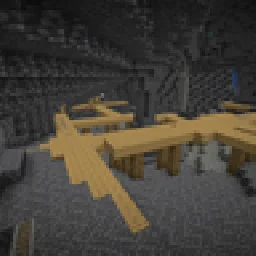
Tiny night vision resource pack for Polytone or OptiFine
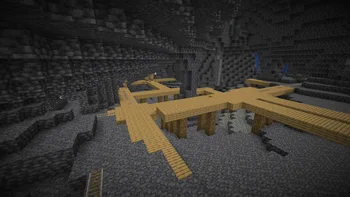


Tiny night vision resource pack for Polytone or OptiFine
Night Vision is a resource pack made by Luracasmus. It supports Minecraft 1.19 – 26.x. It has been downloaded 3,000,630 times on Modrinth. The last update came out on Oct 11, 2026.
Night Vision has had 18 releases on Modrinth since Feb 11, 2023. 5 of them came out in the past year. The newest is 3.0.0+84.0-97.1, released on Oct 11, 2026. It is made for Minecraft 26.1 – 26.3. It runs on Minecraft. The download is 8 KB.
| Version | Released | Minecraft | Type |
|---|---|---|---|
3.0.0+84.0-97.1 | Oct 11, 2026 | 26.1 – 26.3 | Release |
3.0.0+84.88 | Jun 29, 2026 | 26.1 – 26.2 | Release |
3.0.0+84 | Jun 20, 2026 | 26.1, 26.1.1, 26.1.2 | Release |
2.0.1+42.84 | Jun 11, 2026 | 1.21.2 – 26.1.2 | Release |
2.0.1+42.75 | Dec 16, 2025 | 1.21.2 – 1.21.11 | Release |
Night Vision is open source. Its newest release on GitHub is v3.0.0+84.0-97.1, published on Oct 11, 2026.
Updated and increased maximum supported pack format to 97.1
Before that: v3.0.0+84.88 (Jun 29, 2026), v3.0.0+84 (Jun 20, 2026).
A tiny night vision resource pack for Polytone or OptiFine, implemented using custom lightmaps and environment attributes modifiers.
Custom lightmap support is currently not available in Polytone for Minecraft 1.21.10 and later, and the modified environment attribute only exists in Minecraft 26.1+, so you may only be able to use the resource pack with OptiFine on versions in between.
When using OptiFine, requires: Custom Colors: ON, Smooth Lighting: OFF, Dynamic Lights: OFF
Remember to check server rules before using resource packs like this in multiplayer.
Written by Luracasmus. Read it with pictures on Modrinth.
Download the .zip file from Modrinth. Do not unzip it.
In Minecraft, open Options, then Resource Packs, then Open Pack Folder.
Drop the .zip file into that folder and go back to the game.
Move Night Vision to the right-hand list and click Done.
It is made for Minecraft 1.19 – 26.x. On other versions Minecraft marks it as incompatible, but it often still works.
| Resource | Downloads | Versions | Last update | Price |
|---|---|---|---|---|
| Night Visionthe one you looked at | 3M | 1.19 – 26.x | Oct 11, 2026 | Free |
| Vanilla Connected Glasssniffercraft34 | 481K | 1.16 – 26.x | Sep 16, 2026 | Free |
 Hypixel Plusic22487 | 2.1M | 1.8 – 26.x | May 28, 2026 | Free |
 Better Scaffolding VisibilityAvrok | 433K | 1.16 – 26.x | Dec 31, 2025 | Free |
Yes. Night Vision supports Minecraft 26.x. All supported versions: 26.x, 1.21, 1.20, 1.19.
Yes. Night Vision is free to download from Modrinth.
Yes: Polytone. Install it before Night Vision.
Yes. The last update came out in the past day.
The closest ones are Vanilla Connected Glass, Hypixel Plus and Better Scaffolding Visibility. Compare all alternatives
Vanilla Connected GlassResource packs · 1.16 – 26.xConnected Glass that does not require OptiFine and works with any resource pack!
Hypixel PlusResource packs · 1.8 – 26.xA Resource Pack built for the Hypixel server that textures all of SkyBlock, Bedwars, and so much more!
Better Scaffolding VisibilityResource packs · 1.16 – 26.xBetter Scaffolding removes the middle texture for better visibility. A simple resource pack that makes climbing easier to see where you're going.
 Stellarity Resource PackResource packs · 1.20 – 26.x
Resource pack for Stellarity. Contains textures for all of its items, plus some other improvements for added immersion.
 PDB3D's Blocky Armor StandsResource packs · 1.13 – 26.x
A Resource pack adding a Blockier Armor Stand Model. Requires Optifine or EntityModelFeatures
 Vanilla EvolvedResource packs · 1.16 – 1.21
A vanilla minecraft resource pack with an enhanced artistic vision through the use of custom models and textures.
Log in to leave a review.