
 Night VisionResource packs · 1.19 – 26.x
Tiny night vision resource pack for Polytone or OptiFine
Free3,000,630 downloads
Visualize significant light levels
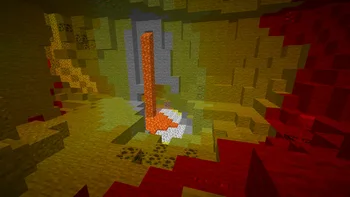

Visualize significant light levels
Light Levels is a resource pack made by Luracasmus. It supports Minecraft 1.19 – 26.x. It has been downloaded 176,278 times on Modrinth. The last update came out on Oct 11, 2026.
Light Levels has had 16 releases on Modrinth since Feb 28, 2023. 3 of them came out in the past year. The newest is 2.0.1+42.0-97.1, released on Oct 11, 2026. It is made for Minecraft 1.21.2 – 26.2. It runs on Minecraft. The download is 11 KB.
| Version | Released | Minecraft | Type |
|---|---|---|---|
2.0.1+42.0-97.1 | Oct 11, 2026 | 1.21.2 – 26.2 | Release |
2.0.1+42.84 | Jun 11, 2026 | 1.21.2 – 26.1.2 | Release |
2.0.1+42.75 | Dec 16, 2025 | 1.21.2 – 1.21.11 | Release |
2.0.1+42.69 | Oct 2, 2025 | 1.21.2 – 1.21.10 | Release |
2.0.1+42.64 | Jul 1, 2025 | 1.21.2 – 1.21.8 | Release |
Light Levels is open source. Its newest release on GitHub is v2.0.1+42.0-97.1, published on Oct 11, 2026.
Updated and increased maximum supported pack format to 97.1
Before that: v2.0.1+42.84 (Jun 11, 2026), v2.0.1+42.75 (Dec 16, 2025).
Colors different light levels (0, 7, 11) so you know where to put light sources to prevent mob spawning. Implemented using custom lightmaps.
Custom lightmap support is currently not available in Polytone for Minecraft 1.21.10 and later, so you may only be able to use the resource pack with OptiFine.
When using OptiFine, requires: Custom Colors: ON, Smooth Lighting: OFF, Dynamic Lights: OFF
Remember to check server rules before using resource packs like this in multiplayer.
Written by Luracasmus. Read it with pictures on Modrinth.
Download the .zip file from Modrinth. Do not unzip it.
In Minecraft, open Options, then Resource Packs, then Open Pack Folder.
Drop the .zip file into that folder and go back to the game.
Move Light Levels to the right-hand list and click Done.
It is made for Minecraft 1.19 – 26.x. On other versions Minecraft marks it as incompatible, but it often still works.
| Resource | Downloads | Versions | Last update | Price |
|---|---|---|---|---|
| Light Levelsthe one you looked at | 176K | 1.19 – 26.x | Oct 11, 2026 | Free |
| Night VisionLuracasmus | 3M | 1.19 – 26.x | Oct 11, 2026 | Free |
 Hypixel Plusic22487 | 2.1M | 1.8 – 26.x | May 28, 2026 | Free |
 Teddy Totemsnino | 1.5M | 1.12 – 26.x | Nov 14, 2025 | Free |
Yes. Light Levels supports Minecraft 26.x. All supported versions: 26.x, 1.21, 1.20, 1.19.
Yes. Light Levels is free to download from Modrinth.
Yes: Polytone. Install it before Light Levels.
Yes. The last update came out in the past day.
The closest ones are Night Vision, Hypixel Plus and Teddy Totems. Compare all alternatives
Night VisionResource packs · 1.19 – 26.xTiny night vision resource pack for Polytone or OptiFine
Hypixel PlusResource packs · 1.8 – 26.xA Resource Pack built for the Hypixel server that textures all of SkyBlock, Bedwars, and so much more!
Teddy TotemsResource packs · 1.12 – 26.xAlways have a cute little teddy friend in your off-hand :D
 Enchantment GlowsResource packs · 1.18 – 26.x
Adds a glowing visual effect to enchanted tools
 Sparkles: Stardust Labs ResourcepackResource packs · 1.19 – 26.x
An optional resourcepack for all of Stardust Labs' projects. Adds localizations and minimap biome name fixes, as well as textures for Incendium.
 Armory ConglomeryResource packs · 1.19 – 1.21
Armors with a Refreshed Take!
Log in to leave a review.