
 Spore NexusMods · 1.21 – 26.x
The mod focuses on offering an organic, mushroom-based method of gathering resources while adding depth and variety to the farming gameplay experience.
Gratis9 descargas

Auto Backup automatically backs up your Minecraft worlds while you play. Set an interval, back up on exit, or do it manually!
Descarga directa desde Modrinth · 27 descargas
Auto Backup (mod) es obra de Pigiazza. Auto Backup automatically backs up your Minecraft worlds while you play. Set an interval, back up on exit, or do it manually!
Es compatible con Minecraft 1.16 – 26.x. Se ha descargado 27 veces en Modrinth. La última actualización salió el 16/09/2026.
Auto Backup ha publicado 154 versiones en Modrinth desde el 16/09/2026. 154 salieron en el último año. La más reciente es NeoForge_26.2, publicada el 16/09/2026. Está hecha para Minecraft 26.2. Funciona en NeoForge. La descarga ocupa 63 KB.
| Versión | Publicado | Minecraft | Tipo |
|---|---|---|---|
NeoForge_26.2 | 16/09/2026 | 26.2 | Estable |
NeoForge_26.1 | 16/09/2026 | 26.1 | Estable |
NeoForge_1.21.9 | 16/09/2026 | 1.21.9 | Estable |
NeoForge_1.21.8 | 16/09/2026 | 1.21.8 | Estable |
NeoForge_1.21.7 | 16/09/2026 | 1.21.7 | Estable |
[
](pigiazza.com)
Automatic backups
Manual backups, anywhere
Favorites
Safe restores
Built to feel vanilla
All configurable from Backups → Settings:
Setting · Description
Automatic Backups · Master on/off switch
Interval · How often automatic backups run
Backups to Keep · Max backups retained per world (favorites excluded)
Backup on World Exit · One last backup when you leave
Keep Backups You Created · One last backup when you leave
/backups//backup__.zip
Use the Open Folder button in the Backups screen to jump straight there.
Escrita por Pigiazza. Léela con imágenes en Modrinth.
Este mod funciona solo en tu propio juego. Los servidores no lo necesitan, así que puedes usarlo en cualquier servidor.
Instala Fabric, Quilt, Forge y NeoForge para Minecraft 1.16 – 26.x.
Descarga el archivo .jar desde Modrinth y ponlo en la carpeta mods de tu directorio .minecraft.
Inicia Minecraft con el perfil de Fabric.
Más fácil: en Prism Launcher o la Modrinth App, busca Auto Backup en los mods de tu instancia y haz clic en Install. Añade el loader y los mods que necesita por ti.
| Recurso | Descargas | Versiones | Última actualización | Precio |
|---|---|---|---|---|
| Auto Backupel que estabas viendo | 27 | 1.16 – 26.x | 16 sept 2026 | Gratis |
| Spore NexusOkamiz | 9 | 1.21 – 26.x | hace 7 días | Gratis |
 QuarkVazkii | 26.3M | 1.12 – 1.21 | hace 15 días | Gratis |
 Create: Power LoaderLysine | 2.7M | 1.18 – 1.21 | 22 may 2026 | Gratis |
Sí. Auto Backup es compatible con Minecraft 26.x. Todas las versiones compatibles: 26.x, 1.21, 1.20, 1.19, 1.18, 1.17, 1.16.
Sí. Auto Backup se puede descargar gratis desde Modrinth.
Del lado del cliente. Auto Backup va en tu propia carpeta mods y funciona en cualquier servidor, incluso en servidores sin mods.
Sí. La última actualización salió en el último día.
Los más parecidos son Spore Nexus, Quark y Create: Power Loader. Comparar todas las alternativas
Spore NexusMods · 1.21 – 26.xThe mod focuses on offering an organic, mushroom-based method of gathering resources while adding depth and variety to the farming gameplay experience.
QuarkMods · 1.12 – 1.21A Quark is a very small thing. This mod is a collection of small things...
Create: Power LoaderMods · 1.18 – 1.21A Create mod add-on adding immersive chunk loaders.
 Silk Touch SpawnerMods · 1.20 – 26.x
Silk Touch Spawner lets you mine mob spawners with a Silk Touch pickaxe, pick them up as items, and place them back while keeping the same mob type.
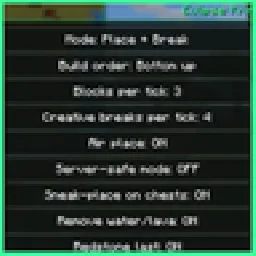 Eclipse PrinterMods · 26.x
Litematica printer: auto-builds your schematic, fixes wrong blocks, full auto mode, materials list and build together with friends.
 Man of Many PlanesMods · 1.19 – 26.x
A set of additional aircraft for Immersive Aircraft with Create support in mind.
Inicia sesión para dejar una reseña.