
 QuarkMods · 1.12 – 1.21
A Quark is a very small thing. This mod is a collection of small things...
Free26,321,540 downloads
Auto Backup automatically backs up your Minecraft worlds while you play. Set an interval, back up on exit, or do it manually!
Auto Backup automatically backs up your Minecraft worlds while you play. Set an interval, back up on exit, or do it manually!
Auto Backup is a resource made by Pigiazza. It supports Minecraft 1.16 – 26.x. It has been downloaded 27 times on Modrinth. The last update came out on Sep 16, 2026.
Auto Backup has had 154 releases on Modrinth since Sep 16, 2026. 154 of them came out in the past year. The newest is NeoForge_26.2, released on Sep 16, 2026. It is made for Minecraft 26.2. It runs on NeoForge. The download is 63 KB.
| Version | Released | Minecraft | Type |
|---|---|---|---|
NeoForge_26.2 | Sep 16, 2026 | 26.2 | Release |
NeoForge_26.1 | Sep 16, 2026 | 26.1 | Release |
NeoForge_1.21.9 | Sep 16, 2026 | 1.21.9 | Release |
NeoForge_1.21.8 | Sep 16, 2026 | 1.21.8 | Release |
NeoForge_1.21.7 | Sep 16, 2026 | 1.21.7 | Release |
[
](pigiazza.com)
Automatic backups
Manual backups, anywhere
Favorites
Safe restores
Built to feel vanilla
All configurable from Backups → Settings:
Setting · Description
Automatic Backups · Master on/off switch
Interval · How often automatic backups run
Backups to Keep · Max backups retained per world (favorites excluded)
Backup on World Exit · One last backup when you leave
Keep Backups You Created · One last backup when you leave
/backups//backup__.zip
Use the Open Folder button in the Backups screen to jump straight there.
Written by Pigiazza. Read it with pictures on Modrinth.
This mod runs only on your own game. Servers do not need it, so you can use it on any server.
Install Fabric, Quilt, Forge and NeoForge for Minecraft 1.16 – 26.x.
Download the .jar file from Modrinth and put it in the mods folder of your .minecraft directory.
Start Minecraft with the Fabric profile.
With the CraftRank Launcher you can skip these steps: open Mods, search for Auto Backup and click Install.
| Resource | Downloads | Versions | Last update | Price |
|---|---|---|---|---|
| Auto Backupthe one you looked at | 27 | 1.16 – 26.x | Sep 16, 2026 | Free |
| QuarkVazkii | 26.3M | 1.12 – 1.21 | 15 days ago | Free |
 Create: Power LoaderLysine | 2.7M | 1.18 – 1.21 | May 22, 2026 | Free |
 Man of Many PlanesLuke100000 | 4.8M | 1.19 – 26.x | Oct 10, 2026 | Free |
Yes. Auto Backup supports Minecraft 26.x. All supported versions: 26.x, 1.21, 1.20, 1.19, 1.18, 1.17, 1.16.
Yes. Auto Backup is free to download from Modrinth.
Client-side. Auto Backup goes in your own mods folder and works on any server, including servers without mods.
Yes. The last update came out in the past day.
The closest ones are Quark, Create: Power Loader and Man of Many Planes. Compare all alternatives
QuarkMods · 1.12 – 1.21A Quark is a very small thing. This mod is a collection of small things...
Create: Power LoaderMods · 1.18 – 1.21A Create mod add-on adding immersive chunk loaders.
Man of Many PlanesMods · 1.19 – 26.xA set of additional aircraft for Immersive Aircraft with Create support in mind.
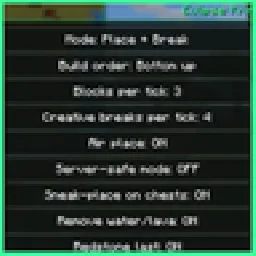 Eclipse PrinterMods · 26.x
Litematica printer: auto-builds your schematic, fixes wrong blocks, full auto mode, materials list and build together with friends.
 Create FabricMods · 1.18 – 1.20
Building Tools and Aesthetic Technology
 Create Aeronautics: Freeze StaffMods · 1.21
Create Aeronautics Freeze Staff adds a single tool for taking a Simulated contraption out logic — recovering TPS on worlds with many contraptions.
Log in to leave a review.