
 Spore NexusMods · 1.21 – 26.x
The mod focuses on offering an organic, mushroom-based method of gathering resources while adding depth and variety to the farming gameplay experience.
Gratuit9 téléchargements

Auto Backup automatically backs up your Minecraft worlds while you play. Set an interval, back up on exit, or do it manually!
Téléchargement direct depuis Modrinth · 27 téléchargements
Auto Backup (mod) est une création de Pigiazza. Auto Backup automatically backs up your Minecraft worlds while you play. Set an interval, back up on exit, or do it manually!
Versions prises en charge : Minecraft 1.16 – 26.x. On compte 27 téléchargements sur Modrinth. La dernière mise à jour date du 16/09/2026.
Auto Backup a publié 154 versions sur Modrinth depuis le 16/09/2026. 154 sont sorties au cours de l'année passée. La plus récente est NeoForge_26.2, sortie le 16/09/2026. Elle est faite pour Minecraft 26.2. Elle fonctionne sur NeoForge. Le téléchargement fait 63 KB.
| Version | Publié | Minecraft | Type |
|---|---|---|---|
NeoForge_26.2 | 16/09/2026 | 26.2 | Stable |
NeoForge_26.1 | 16/09/2026 | 26.1 | Stable |
NeoForge_1.21.9 | 16/09/2026 | 1.21.9 | Stable |
NeoForge_1.21.8 | 16/09/2026 | 1.21.8 | Stable |
NeoForge_1.21.7 | 16/09/2026 | 1.21.7 | Stable |
[
](pigiazza.com)
Automatic backups
Manual backups, anywhere
Favorites
Safe restores
Built to feel vanilla
All configurable from Backups → Settings:
Setting · Description
Automatic Backups · Master on/off switch
Interval · How often automatic backups run
Backups to Keep · Max backups retained per world (favorites excluded)
Backup on World Exit · One last backup when you leave
Keep Backups You Created · One last backup when you leave
/backups//backup__.zip
Use the Open Folder button in the Backups screen to jump straight there.
Écrite par Pigiazza. À lire avec les images sur Modrinth.
Ce mod fonctionne uniquement dans ton jeu. Les serveurs n'en ont pas besoin, tu peux donc l'utiliser sur n'importe quel serveur.
Installe Fabric, Quilt, Forge et NeoForge pour Minecraft 1.16 – 26.x.
Télécharge le fichier .jar depuis Modrinth et place-le dans le dossier mods de ton répertoire .minecraft.
Lance Minecraft avec le profil Fabric.
Plus simple : dans Prism Launcher ou la Modrinth App, cherche Auto Backup dans les mods de ton instance et clique sur Install. Le loader et les mods requis sont ajoutés pour toi.
| Ressource | Téléchargements | Versions | Mise à jour | Prix |
|---|---|---|---|---|
| Auto Backupcelle que tu regardais | 27 | 1.16 – 26.x | 16 sept. 2026 | Gratuit |
| Spore NexusOkamiz | 9 | 1.21 – 26.x | il y a 7 jours | Gratuit |
 QuarkVazkii | 26.3M | 1.12 – 1.21 | il y a 15 jours | Gratuit |
 Create: Power LoaderLysine | 2.7M | 1.18 – 1.21 | 22 mai 2026 | Gratuit |
Oui. Auto Backup prend en charge Minecraft 26.x. Toutes les versions prises en charge : 26.x, 1.21, 1.20, 1.19, 1.18, 1.17, 1.16.
Oui. Auto Backup se télécharge gratuitement sur Modrinth.
Côté client. Auto Backup se place dans ton propre dossier mods et fonctionne sur n'importe quel serveur, même sans mods.
Oui. La dernière mise à jour date des dernières 24 heures.
Les plus proches sont Spore Nexus, Quark et Create: Power Loader. Comparer toutes les alternatives
Spore NexusMods · 1.21 – 26.xThe mod focuses on offering an organic, mushroom-based method of gathering resources while adding depth and variety to the farming gameplay experience.
QuarkMods · 1.12 – 1.21A Quark is a very small thing. This mod is a collection of small things...
Create: Power LoaderMods · 1.18 – 1.21A Create mod add-on adding immersive chunk loaders.
 Silk Touch SpawnerMods · 1.20 – 26.x
Silk Touch Spawner lets you mine mob spawners with a Silk Touch pickaxe, pick them up as items, and place them back while keeping the same mob type.
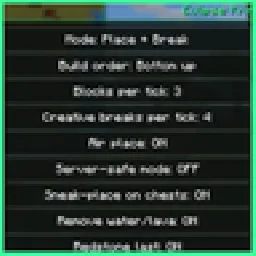 Eclipse PrinterMods · 26.x
Litematica printer: auto-builds your schematic, fixes wrong blocks, full auto mode, materials list and build together with friends.
 Man of Many PlanesMods · 1.19 – 26.x
A set of additional aircraft for Immersive Aircraft with Create support in mind.
Connecte-toi pour laisser un avis.