Qué hace
JPPlugins creó JPTeleport (plugin) para servidores Paper / Spigot. Teleports for Paper servers: spawn, homes, warps, public player warps, /tpa, /back and random teleport, with menus. Turn off any part.
Es compatible con Minecraft 26.x. Se ha descargado 2 veces en Modrinth. Eso lo sitúa en el puesto 91 de los 96 plugins de teletransporte y warps de esta lista. La última actualización salió el 09/11/2026.
Versiones compatibles
26.x
Historial de versiones
La más reciente es 1.0.0, publicada el 08/11/2026. Está hecha para Minecraft 26.3. Funciona en Paper. La descarga ocupa 175 KB.
| Versión | Publicado | Minecraft | Tipo |
|---|
1.0.0 | 08/11/2026 | 26.3 | Estable |
Comandos
Los comandos que aparecen en la página de JPTeleport en Modrinth:
/pwarp/tpa/tpahere/back/tp/tphere/tpall/jptp/jp/sethome/home/delhome/homeicon/sethomeicon/warpicon/setwarpicon
Descripción del autor en Modrinth
Every teleport your Paper server needs, in one plugin. Use all of it or turn off the parts you don't want.
Part of JP Plugins, but it works on its own.
Features
Places
- Spawn, homes and warps
- Public player warps that players create and browse by category
- Entry fees: owners charge visitors with /pwarp price and earn money. Visitors confirm the fee first and only pay once they arrive
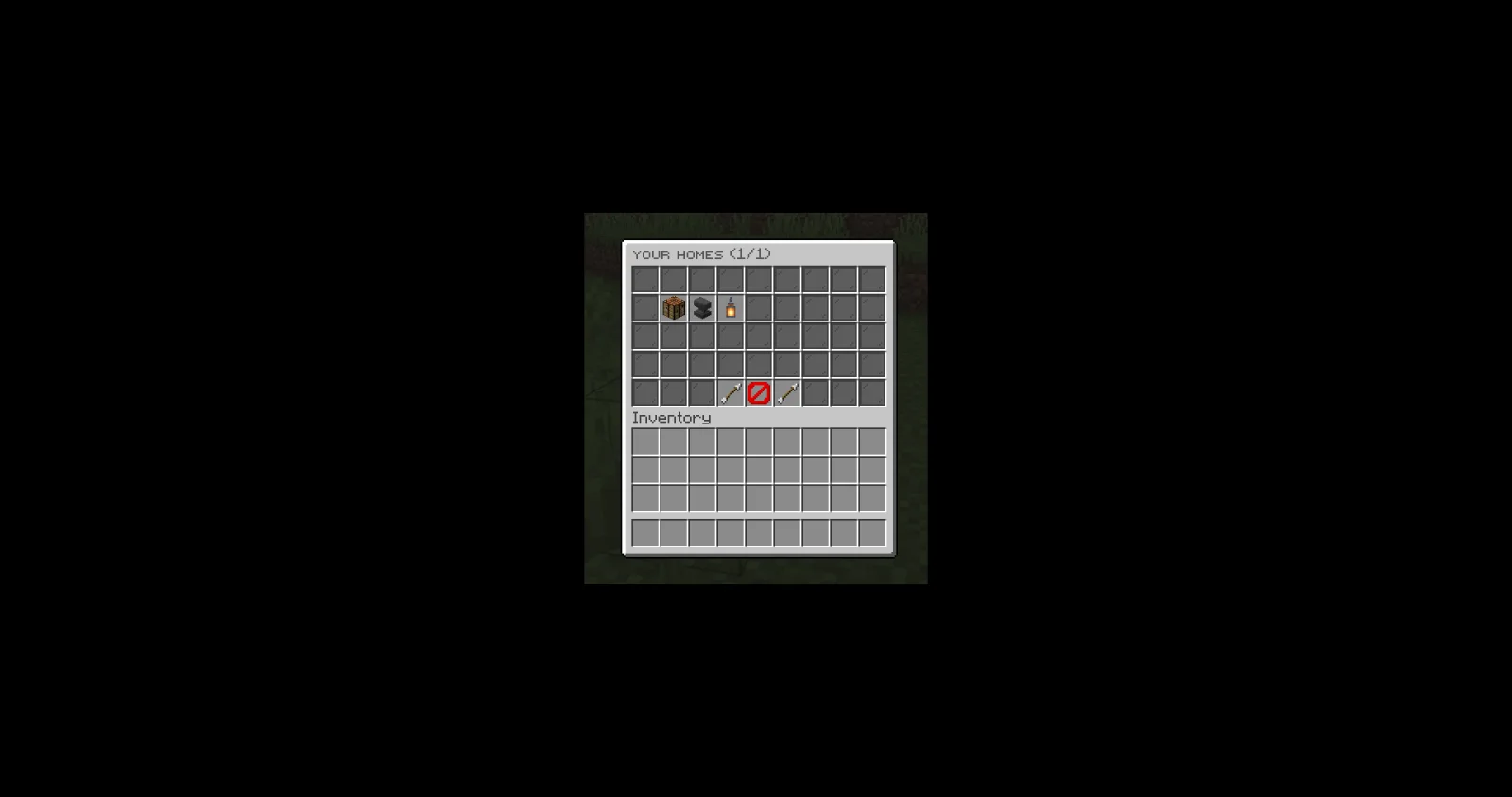
- Menus for homes, warps and player warps
Between players
- Teleport requests (/tpa, /tpahere)
- /back and random teleport
For server owners
- Home limits per rank, cooldowns, delays and teleport costs
- Admin teleports (/tp, /tphere, /tpall and more)
- Each part can be turned off
- Messages in English, Spanish, Portuguese, French and German, or add your own language
Requirements
- Paper 26.3 or newer (Java 25)
Optional
- Vault: teleport costs, entry fees and ranks
- PlaceholderAPI: placeholders in texts, and JPTeleport's own placeholders
Installation
- Put the jar in your server's plugins folder.
- Restart the server. plugins/JPTeleport/ is created with the config and messages.
- Change what you want in the files, then use /jptp reload or restart.
Type /jp as an operator to see every JP plugin you have installed, its version and which optional plugins it found.
Commands
- /jptp : Main JPTeleport admin command.
- /setspawn: Set the global spawn point.
- /spawn: Teleport to the server spawn.
- /sethome [name]: Set your home.
- /home [name]: Teleport to your home.
- /delhome [name]: Delete one of your homes.
- /homes: List all your homes.
- /homeicon [item|reset] (also /sethomeicon): Change the icon of one of your homes in /homes.
- /warpicon [item|reset] (also /setwarpicon): Change the icon of a warp in /warps.
- /setwarp : Create or update a warp.
- /warp : Teleport to a warp.
- /delwarp : Delete a warp.
- /warps [edit]: List all warps. Admins arrange them with /warps edit.
- /setplayerwarp [category] (also /setpwarp): Create or update one of your public player warps.
- /delplayerwarp (also /delpwarp): Delete one of your public player warps.
- /playerwarp [name] (also /pwarp): Teleport to a public player warp or open your management menu.
- /playerwarps [category] (also /pwarps): Browse all public player warps by category.
- /tpa : Send a teleport request to another player.
- /tpahere : Ask another player to teleport to you.
- /tpaccept [player] (also /tpyes): Accept a teleport request.
- /tpadeny [player] (also /tpdeny, /tpno): Deny a teleport request.
- /tpacancel [player]: Cancel your outgoing teleport requests.
- /tptoggle: Toggle receiving teleport requests.
- /back: Return to your previous location.
- /tp [target] | /tp [player] : Teleport to a player, a player to a player, or to coordinates.
- /tphere : Teleport a player to your location.
- /tpo : Teleport yourself to a player.
- /tppos [world]: Teleport yourself to precise coordinates.
- /tpall [player] (also /tpaall): Teleport everyone to you or another target.
- /rtp [world] (also /wild, /randomtp): Randomly teleport to a safe location.
Permissions
- jptp.admin (operators): Access to JPTeleport admin commands.
- jptp.* (operators): Grants all JPTeleport permissions.
- jptp.spawn.set (operators): Set the global spawn point.
- jptp.spawn.use (everyone): Use /spawn.
- jptp.home.set (everyone): Set your personal home.
- jptp.home.use (everyone): Use /home.
- jptp.home.delete (everyone): Delete your home.
- jptp.home.list (everyone): List your homes.
- jptp.home.icon (everyone): Choose icons for your homes in /homes.
- jptp.playerwarp.rate (everyone): Rate player warps.
- jptp.playerwarp.feature (everyone): Buy featured slots for your own player warps.
- jptp.warp.set (operators): Create or update warps.
- jptp.warp.use (everyone): Use /warp.
- jptp.warp.delete (operators): Delete warps.
- jptp.warp.list (everyone): List warps.
- jptp.playerwarp.set (everyone): Create or update your public player warps.
- jptp.playerwarp.price (everyone): Charge visitors an entry fee for your player warps.
- jptp.playerwarp.use (everyone): Use public player warps.
- jptp.playerwarp.delete (everyone): Delete your public player warps.
- jptp.playerwarp.list (everyone): Browse public player warps.
- jptp.teleport.request (everyone): Send teleport requests.
- jptp.teleport.requesthere (everyone): Send /tpahere requests.
- jptp.teleport.accept (everyone): Accept teleport requests.
- jptp.teleport.deny (everyone): Deny teleport requests.
- jptp.teleport.toggle (everyone): Toggle incoming teleport requests.
- jptp.teleport.toggle.bypass (operators): Send requests to players who disabled them.
- jptp.back (everyone): Use /back after teleporting.
- jptp.back.ondeath (everyone): Use /back to return to your death location.
- jptp.tp.use (operators): Use administrative teleport commands.
- jptp.rtp.use (everyone): Use /rtp.
- jptp.rtp.world (operators): Use /rtp in another world.
- jptp.bypass.countdown (operators): Skip teleport countdown.
- jptp.bypass.cooldown (operators): Skip teleport cooldowns.
- jptp.bypass.cost (operators): Teleport for free when the economy is enabled.
Placeholders
Needs PlaceholderAPI.
- %jptp_homes%: homes the player has
- %jptp_homes_max%: homes they may have ("∞" for unlimited)
- %jptp_player_warps%: player warps they own
- %jptp_player_warps_max%: player warps they may own
- %jptp_pwarp_visits_%: visits of a player warp
- %jptp_pwarp_rating_%: average stars of a player warp (0.0 - 5.0)
- %jptp_pwarp_owner_%: owner of a player warp
Support
Full docs, the default config and setup guides are on the JPTeleport page of the JP Plugins website.
Questions, bugs or ideas? Join the JP Plugins Discord.
License
JPTeleport is free to use on any server, including servers that make money, but it is not open source. Don't reupload, sell or share modified copies of it. The full terms are in LICENSE.txt inside the jar.
Escrita por JPPlugins. Léela con imágenes en Modrinth.
Cómo instalar JPTeleport
Asegúrate de que tu servidor use Paper y Spigot en Minecraft 26.x.
Descarga el archivo .jar desde Modrinth y ponlo en la carpeta plugins de tu servidor.
Reinicia el servidor. Evita /reload, muchos plugins no lo llevan bien.
Escribe /plugins en la consola: JPTeleport debería aparecer en verde. Sus archivos de configuración se crean en la carpeta plugins al primer arranque.
Guía completa: Cómo instalar plugins en un servidor de Minecraft
Compatibilidad
- Versiones de Minecraft
- 26.x
- Funciona en
- Paper, Spigot
- Edición
- Java
- Necesita
- PlaceholderAPI
- Licencia
- De uso gratuito
- Precio
- Gratis
- Mantenimiento
- Se actualiza activamente (14/11/2026)
Preguntas
¿JPTeleport funciona en Minecraft 26.x?
Sí. JPTeleport es compatible con Minecraft 26.x. Todas las versiones compatibles: 26.x.
¿JPTeleport es gratis?
Sí. JPTeleport se puede descargar gratis desde Modrinth.
¿En qué software de servidor funciona JPTeleport?
JPTeleport funciona en servidores Paper y Spigot.
¿JPTeleport necesita algo más?
Sí: PlaceholderAPI. Instálalo antes de JPTeleport.
¿JPTeleport sigue recibiendo actualizaciones?
Sí. La última actualización salió en el último día.
Reseñas
Inicia sesión para dejar una reseña.

 HuskHomesPlugins · 1.16 – 26.x

 ChorusHomeControll3r24
 UltraTeleportsCreativeDM
 Just TPAPlugins · 1.19 – 26.x
 HomePluginPlugins · 1.16 – 26.x
 LeafRTPPlugins · 1.18 – 26.x