
 QuarterShadery · 1.16 – 1.20
Quarter is a shader pack that will turn your entire Minecraft world into a small, rectangle in the corner of your screen.
Za darmoPobrania: 13,628
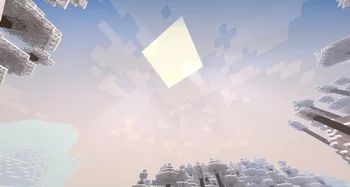
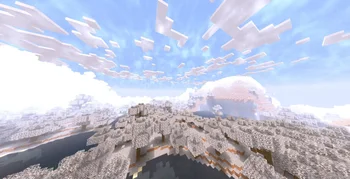
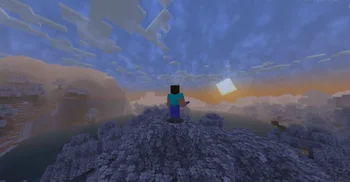
Make the world turn to Winter
Snow Default to paczka shaderów, autor: marctgamer. Obsługiwane wersje: Minecraft 1.16 – 1.21. Liczba pobrań w serwisie Modrinth: 19,072. Ostatnia aktualizacja: 25.12.2024.
Snow Default ma 3 wydań na Modrinth od 26.09.2024. Żadna nie wyszła w ostatnim roku. Najnowsza to 1.2, wydana 25.12.2024. Jest zrobiona dla Minecraft 1.17 – 1.21.4. Działa na Iris. Plik ma 60 KB.
| Wersja | Wydano | Minecraft | Typ |
|---|---|---|---|
1.2 | 25.12.2024 | 1.17 – 1.21.4 | Alfa |
1.1 | 05.10.2024 | 1.16.4 – 1.21.1 | Alfa |
1.0 | 26.09.2024 | 1.16.2 – 1.21.1 | Alfa |
Transform your Minecraft world into a winter wonderland with the Snow Default shader! This unique shader pack enhances your game with stunning visual effects, delivering a captivating snowy aesthetic while preserving the classic Minecraft experience.
Used BSL Shaders
Please keep in mind that this shader is currently in Alpha. As such, you may encounter some bugs or unexpected behavior. Your feedback is invaluable as we work toward refining and enhancing the shader.
If you want to contact
Contact to: marctgamer@gmail.com
Embrace the winter season in Minecraft and immerse yourself in a snowy paradise with Snow Default!
Autor: marctgamer. Z obrazkami na Modrinth.
Zainstaluj Iris (z Sodium) albo OptiFine dla swojej wersji Minecrafta: shadery potrzebują jednego z nich.
Pobierz plik .zip z Modrinth. Nie rozpakowuj go.
W Minecrafcie otwórz Opcje, potem Ustawienia grafiki, potem Shadery i kliknij Otwórz folder shaderów.
Wrzuć plik .zip do tego folderu, wybierz Snow Default z listy i kliknij Gotowe.
Shadery mocno obciążają kartę graficzną. Jeśli gra zwalnia, wybierz niższy profil w ustawieniach shadera.
Jeszcze nie. Najnowsza obsługiwana wersja to Minecraft 1.21.
Tak. Snow Default można pobrać za darmo z serwisu Modrinth.
Tak. Ostatnia aktualizacja wyszła w ciągu ostatniej doby.
QuarterShadery · 1.16 – 1.20Quarter is a shader pack that will turn your entire Minecraft world into a small, rectangle in the corner of your screen.
Zaloguj się, aby wystawić opinię.