
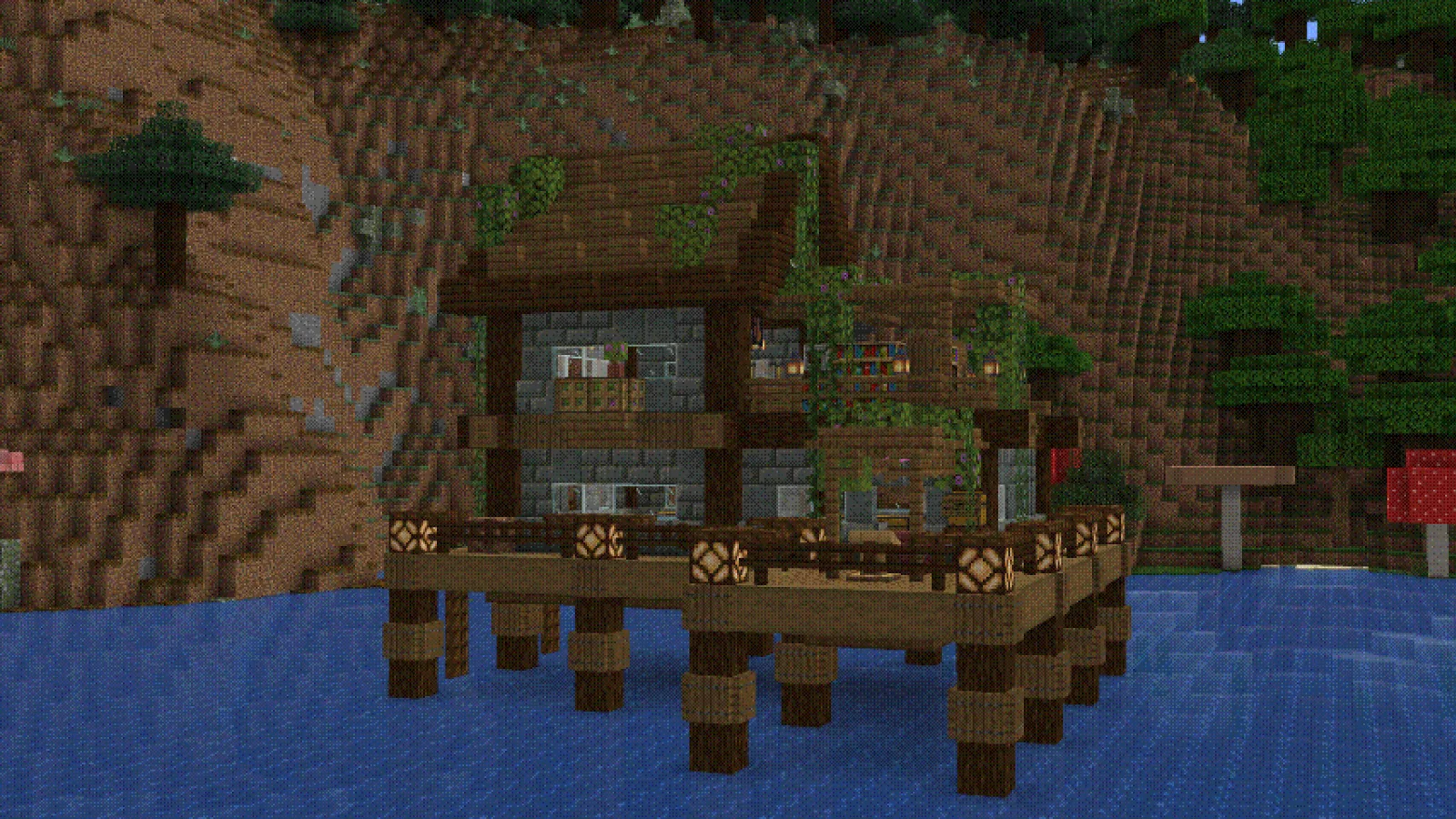
 Aurora's ShadersShaders · 1.20 – 1.21
Based on Complimentary Unbound, a beautifully colorful Vanilla+ shader meant for making the game look good while maintaining good performance and vanilla feel.
Grátis949,483 downloads
Dithered Shader (pacote de shaders) é obra de BouncingElf10. A Minecraft shader with multiple dithering styles to stylize your game!
É compatível com o Minecraft 1.17 – 1.21. Tem 8,195 downloads em Modrinth. A última atualização saiu em 02/05/2025.
A mais recente é 1.0, lançada em 02/05/2025. Ela é feita para o Minecraft 1.17 – 1.21.4. Ela roda em Iris e Optifine. O download tem 2.3 MB.
| Versão | Lançado | Minecraft | Tipo |
|---|---|---|---|
1.0 | 02/05/2025 | 1.17 – 1.21.4 | Estável |
Dithered Shader é de código aberto. A versão mais recente no GitHub é Dithered Shader V1.0, publicada em 02/05/2025.
-
6 dithering styles:
-
6 Ordered Dithering (Bayer) Styles
-
Multiple Bayer matrix sizes: 2×2, 4×4, 8×8, 16×16, 32×32
-
Adjustable posterization
-
Adjustable scaling factor (pixelation)
A Minecraft shader aimed to stylize your game using dithering effects
Ordered (Bayer) Dithering
Blue Noise Dithering
Triangular Noise
IGN Noise
Random Channels
Halftone
Escrita por BouncingElf10. Leia com imagens no Modrinth.
Instale o Iris (com Sodium) ou o OptiFine para sua versão do Minecraft: shaders precisam de um deles.
Baixe o arquivo .zip pelo Modrinth. Não descompacte.
No Minecraft, abra Opções, depois Gráficos, depois Shader Packs e clique em Abrir pasta de shaders.
Coloque o arquivo .zip nessa pasta, escolha Dithered Shader na lista e clique em Concluído.
Shaders pesam na placa de vídeo. Se o jogo ficar lento, escolha um perfil mais baixo nas configurações.
| Recurso | Downloads | Versões | Última atualização | Preço |
|---|---|---|---|---|
 Dithered Shadero que você estava vendo | 8,195 | 1.17 – 1.21 | 2 mai 2025 | Grátis |
| Aurora's ShadersCrafterAurora | 949K | 1.20 – 1.21 | 28 mar 2025 | Grátis |
 Vanilletix Shadersara_mat | 379K | 1.13 – 26.x | 11 mai 2026 | Grátis |
 SnowimaginedSpacEagle17 | 141K | 1.8 – 1.21 | 27 dez 2022 | Grátis |
Ainda não. A versão mais recente compatível é o Minecraft 1.21.
Sim. Você pode baixar Dithered Shader de graça em Modrinth.
Sim: Iris Shaders. Instale antes de Dithered Shader.
Sim. A última atualização saiu no último dia.
Os mais parecidos são Aurora's Shaders, Vanilletix Shaders e Snowimagined. Comparar todas as alternativas
Aurora's ShadersShaders · 1.20 – 1.21Based on Complimentary Unbound, a beautifully colorful Vanilla+ shader meant for making the game look good while maintaining good performance and vanilla feel.
Vanilletix ShadersShaders · 1.13 – 26.xA shader pack that is created to improve the graphics of your game, leaving it in vanilla style
SnowimaginedShaders · 1.8 – 1.21This shader transforms your game into a beautiful winter wonderland.
 Bad Apple ShadersShaders · 1.8 – 26.x
[🚨WORKS ON EVERYTHING🚨] | A shader that makes the game render similarly to "Bad Apple".
 Tricked ShadersShaders · 1.8 – 26.x
Based on Mellow Shader, a modified version to reduce brightness and make the game look better while maintaining good performance and vanilla feel.
 B&W ShaderShaders · 1.12 – 26.x
A shader that completely turns your game into a black and white version
Entre para deixar uma avaliação.