
 Bloom SpawnersPlugins · 1.21 – 26.x
Highly Optimized and Supported Spawner Plugin. Folia, All Paper Forks, Spigot. 1.21.x - 26.3
Grátis2 downloads
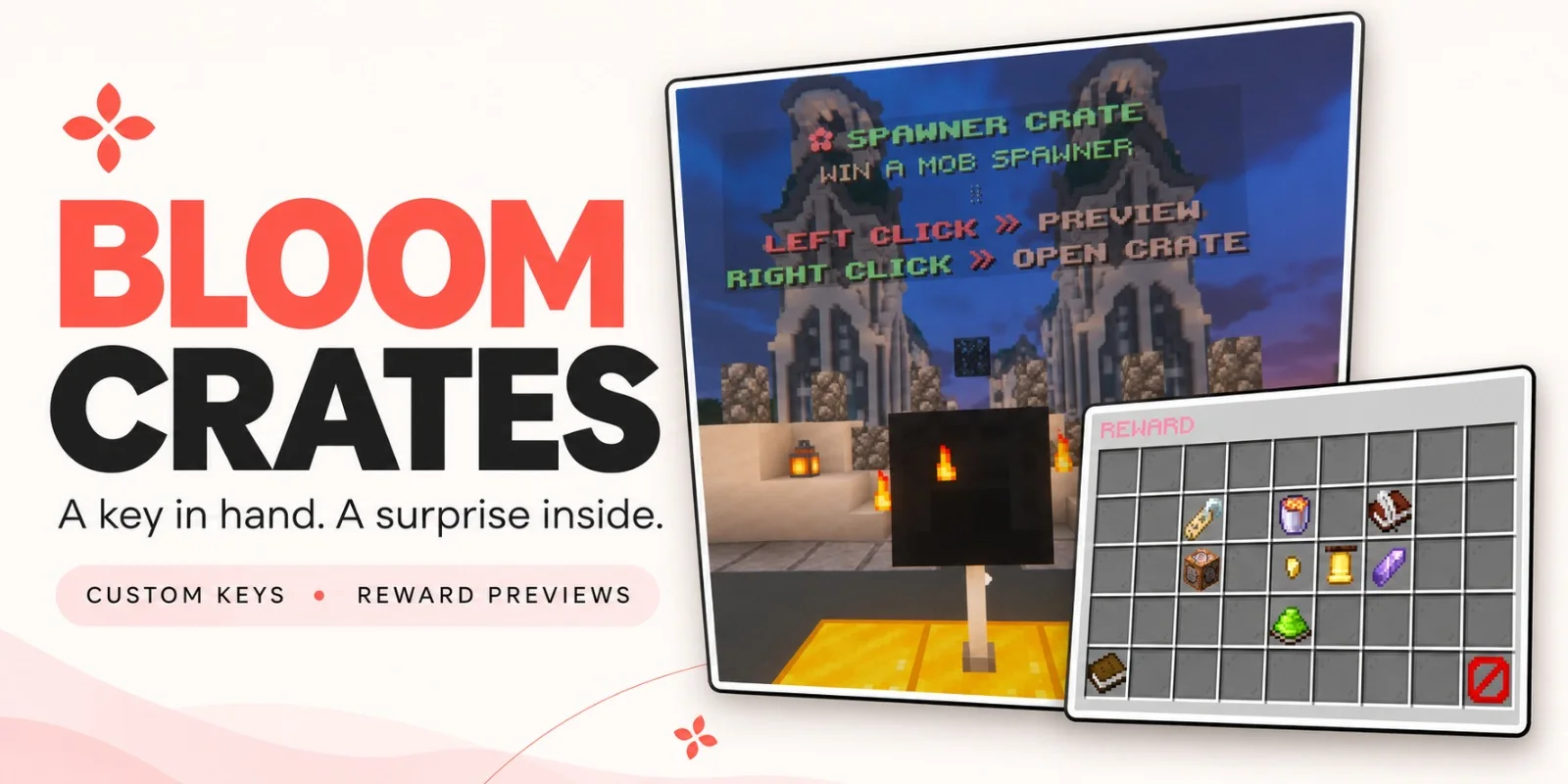
Metene criou Bloom Crates (plugin) para servidores Paper / Spigot. Highly Optimized and Supported Crate Plugin. Folia, All Paper Forks, Spigot. 1.21.x - 26.3.
É compatível com o Minecraft 1.21 – 26.x. Tem 2 downloads em Modrinth. Isso o coloca na posição 109 entre os 117 plugins de desempenho listados aqui. A última atualização saiu em 07/11/2026.
Bloom Crates teve 2 versões no Modrinth desde 06/11/2026. 2 saíram no último ano. A mais recente é 1.0.0, lançada em 07/11/2026. Ela é feita para o Minecraft 1.21 – 1.21.11. Ela roda em Bukkit, Folia, Paper, Purpur e Spigot. O download tem 306 KB.
| Versão | Lançado | Minecraft | Tipo |
|---|---|---|---|
1.0.0 | 07/11/2026 | 1.21 – 1.21.11 | Estável |
1.0.0 | 06/11/2026 | 1.21 – 26.3 | Estável |
Os comandos citados na página de Bloom Crates no Modrinth:
/crate/key/cratesTurn a chest or shulker box into a reward crate. Give players a custom key, let them browse the prizes, and watch the opening reel slow to a stop on the winning reward.
Left-click a crate to preview its rewards. Right-click with the matching key to open it.
Each reward in the preview shows its name, custom lore, and drop chance. Color-coded percentages make it easy to see which prizes are harder to pull.
Reward icons slide past the center marker as quiet ticks follow the reel. The animation slows, pauses on the winning reward, and closes automatically after the reveal.
Give players an item directly or run console commands when they win. Command rewards can have their own preview icons, so a prize can look like an Amethyst Pickaxe and run a Bloom Tools command to award the three-day tool.
Click to see Crate Editor Photos!
Crate idea · Example rewards
Amethyst Crate · Three-day Amethyst tools from Bloom Tools
Perks Crate · Bloom Heart, Wind Charm, and other Bloom Perks
Spawner Crate · Blaze, Iron Golem, and other Bloom Spawners
Choose Common, Rare, Epic, or Legendary to set a starting weight, then adjust it for your crate. You can also enable a custom server announcement for individual rewards.
Physical keys have a visible glint, and you can assign the same key to multiple crates.
Display a text hologram and a rotating reward icon above each crate. Adjust their spacing, choose idle particles, and configure or disable the effect that plays when the reward is revealed.
Messages, colors, icons, and sounds are configurable. English and Turkish are included, and custom names and lore support HEX and standard Minecraft color codes.
Command · Description
/crate editor · Create crates, link blocks, and edit rewards.
/key editor · Create and customize physical crate keys.
/key give [amount] · Give keys to a player.
/key giveall [amount] · Give keys to all online players.
/key remove [amount] · Remove matching keys from a player.
/key help · Show the key commands available to you.
/crates reload · Reload configuration and language files.
Escrita por Metene. Leia com imagens no Modrinth.
Confira se o seu servidor roda Paper e Spigot no Minecraft 1.21 – 26.x.
Baixe o arquivo .jar pelo Modrinth e coloque na pasta plugins do seu servidor.
Reinicie o servidor. Evite /reload, muitos plugins não lidam bem com ele.
Digite /plugins no console: Bloom Crates deve aparecer em verde. Os arquivos de configuração são criados na pasta plugins na primeira inicialização.
Guia completo: Como instalar plugins em um servidor de Minecraft
| Recurso | Downloads | Versões | Última atualização | Preço |
|---|---|---|---|---|
 Bloom Crateso que você estava vendo | 2 | 1.21 – 26.x | há 5 dias | Grátis |
| Bloom SpawnersMetene | 2 | 1.21 – 26.x | há 6 dias | Grátis |
| Bedrock Parityttby | 89K | 1.16 – 1.20 | 4 mai 2024 | Grátis |
 NoChatReportsTechnicallyCoded | 33K | 1.19 – 26.x | 25 jun 2026 | Grátis |
Sim. Bloom Crates é compatível com o Minecraft 26.x. Todas as versões compatíveis: 26.x, 1.21.
Sim. Você pode baixar Bloom Crates de graça em Modrinth.
Bloom Crates roda em servidores Paper e Spigot.
Sim. A última atualização saiu no último dia.
Os mais parecidos são Bloom Spawners, Bedrock Parity e NoChatReports. Comparar todas as alternativas
Bloom SpawnersPlugins · 1.21 – 26.xHighly Optimized and Supported Spawner Plugin. Folia, All Paper Forks, Spigot. 1.21.x - 26.3
A Third-Party Spigot Plugin for GeyserMC Servers that bridges the Parity between Bedrock and Java-exclusive features.
NoChatReportsPlugins · 1.19 – 26.xBlock and disable chat reporting on Minecraft Servers - Bukkit, Spigot, Paper, Purpur & Folia - 1.19-26.1
 Spartan AntiCheat & AntiExploitPlugins · 1.8 – 26.x
Optimized | Customizable | Cross-Version | Adaptive | Folia Support | Geyser Detections
 SchedulerPlugins · 1.17 – 26.x
Create timed events easily with a highly optimized plugin!
 ProfilesPlugins · 1.21 – 26.x
Profiles with TONS of player statistics, join dates, fav items & more!
Entre para deixar uma avaliação.