
 Bloom SpawnersEklentiler · 1.21 – 26.x
Highly Optimized and Supported Spawner Plugin. Folia, All Paper Forks, Spigot. 1.21.x - 26.3
Ücretsiz2 indirme

Highly Optimized and Supported Crate Plugin. Folia, All Paper Forks, Spigot. 1.21.x - 26.3
Modrinth üzerinden doğrudan indirme · 2 indirme
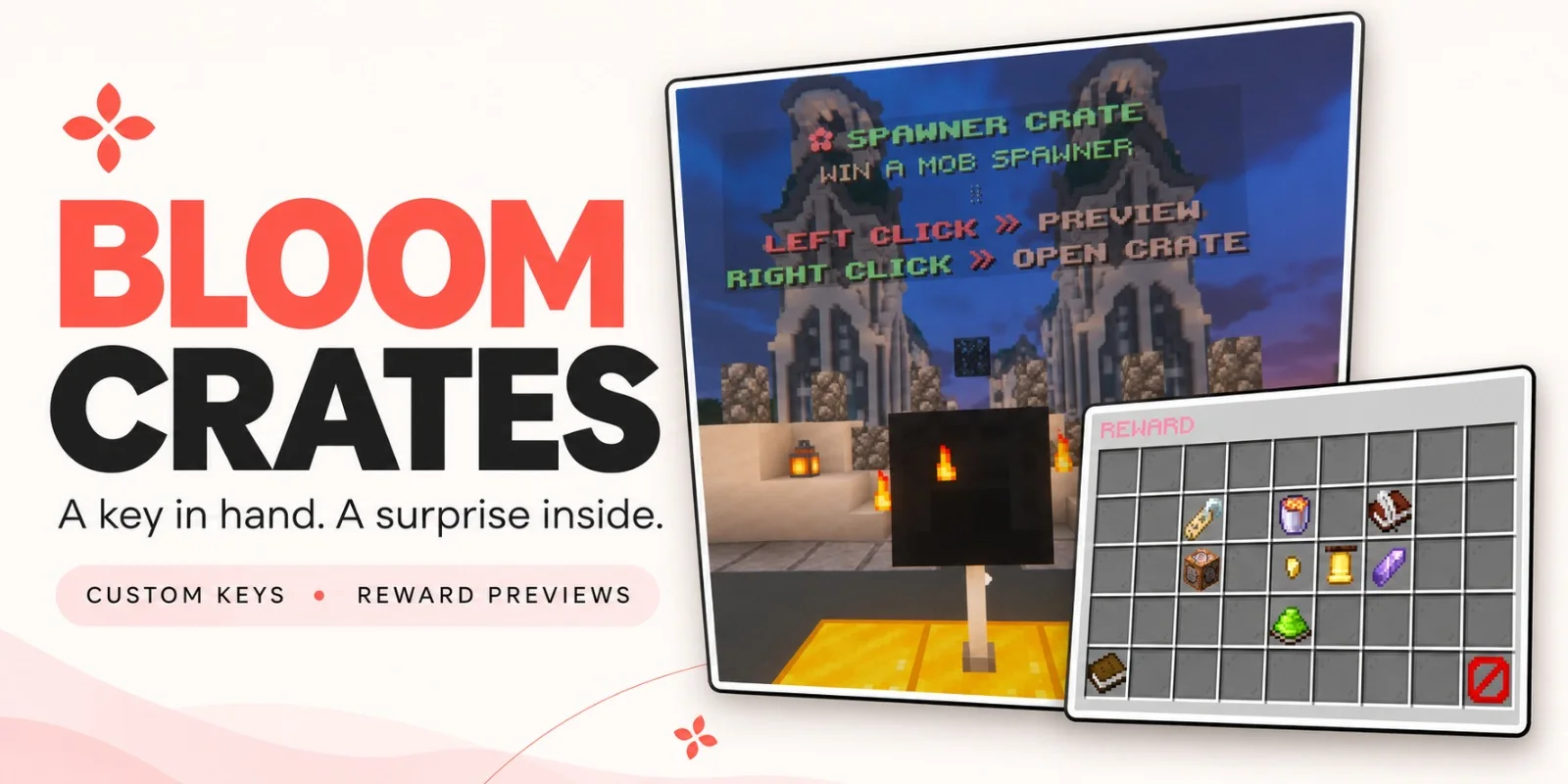
Bloom Crates, Metene tarafından Paper / Spigot sunucuları için yapılmış bir eklenti. Highly Optimized and Supported Crate Plugin. Folia, All Paper Forks, Spigot. 1.21.x - 26.3.
Desteklediği sürümler: Minecraft 1.21 – 26.x. Modrinth üzerinde 2 kez indirildi. Böylece burada listelenen performans eklentileri (117 adet) arasında 109. sırada yer alıyor. Son güncelleme 07.11.2026 tarihinde çıktı.
Bloom Crates, 06.11.2026 tarihinden beri Modrinth üzerinde 2 sürüm yayınladı. Bunların 2 tanesi son bir yılda çıktı. En yenisi 07.11.2026 tarihinde çıkan 1.0.0. Minecraft 1.21 – 1.21.11 için yapıldı. Bukkit, Folia, Paper, Purpur ve Spigot üzerinde çalışır. İndirme boyutu 306 KB.
| Sürüm | Yayın tarihi | Minecraft | Tür |
|---|---|---|---|
1.0.0 | 07.11.2026 | 1.21 – 1.21.11 | Kararlı |
1.0.0 | 06.11.2026 | 1.21 – 26.3 | Kararlı |
Bloom Crates için Modrinth sayfasında geçen komutlar:
/crate/key/cratesTurn a chest or shulker box into a reward crate. Give players a custom key, let them browse the prizes, and watch the opening reel slow to a stop on the winning reward.
Left-click a crate to preview its rewards. Right-click with the matching key to open it.
Each reward in the preview shows its name, custom lore, and drop chance. Color-coded percentages make it easy to see which prizes are harder to pull.
Reward icons slide past the center marker as quiet ticks follow the reel. The animation slows, pauses on the winning reward, and closes automatically after the reveal.
Give players an item directly or run console commands when they win. Command rewards can have their own preview icons, so a prize can look like an Amethyst Pickaxe and run a Bloom Tools command to award the three-day tool.
Click to see Crate Editor Photos!
Crate idea · Example rewards
Amethyst Crate · Three-day Amethyst tools from Bloom Tools
Perks Crate · Bloom Heart, Wind Charm, and other Bloom Perks
Spawner Crate · Blaze, Iron Golem, and other Bloom Spawners
Choose Common, Rare, Epic, or Legendary to set a starting weight, then adjust it for your crate. You can also enable a custom server announcement for individual rewards.
Physical keys have a visible glint, and you can assign the same key to multiple crates.
Display a text hologram and a rotating reward icon above each crate. Adjust their spacing, choose idle particles, and configure or disable the effect that plays when the reward is revealed.
Messages, colors, icons, and sounds are configurable. English and Turkish are included, and custom names and lore support HEX and standard Minecraft color codes.
Command · Description
/crate editor · Create crates, link blocks, and edit rewards.
/key editor · Create and customize physical crate keys.
/key give [amount] · Give keys to a player.
/key giveall [amount] · Give keys to all online players.
/key remove [amount] · Remove matching keys from a player.
/key help · Show the key commands available to you.
/crates reload · Reload configuration and language files.
Yazan: Metene. Resimli halini Modrinth sayfasında oku.
Sunucunun Minecraft 1.21 – 26.x üzerinde Paper ve Spigot çalıştırdığından emin ol.
.jar dosyasını Modrinth üzerinden indir ve sunucunun plugins klasörüne koy.
Sunucuyu yeniden başlat. /reload kullanma, birçok eklenti bununla sorun çıkarır.
Konsola /plugins yaz: Bloom Crates yeşil olarak listelenmeli. Ayar dosyaları ilk açılışta plugins klasöründe oluşturulur.
Detaylı rehber: Minecraft sunucusuna eklenti nasıl kurulur
| Kaynak | İndirmeler | Sürümler | Son güncelleme | Fiyat |
|---|---|---|---|---|
| Bloom Cratesbaktığın | 2 | 1.21 – 26.x | 5 gün önce | Ücretsiz |
| Bloom SpawnersMetene | 2 | 1.21 – 26.x | 6 gün önce | Ücretsiz |
| Bedrock Parityttby | 89K | 1.16 – 1.20 | 4 May 2024 | Ücretsiz |
 NoChatReportsTechnicallyCoded | 33K | 1.19 – 26.x | 25 Haz 2026 | Ücretsiz |
Evet. Bloom Crates, Minecraft 26.x sürümünü destekliyor. Desteklenen tüm sürümler: 26.x, 1.21.
Evet. Bloom Crates, Modrinth üzerinden ücretsiz indirilebilir.
Bloom Crates, Paper ve Spigot sunucularında çalışır.
Evet. Son güncelleme son 24 saat içinde çıktı.
En yakın olanlar Bloom Spawners, Bedrock Parity ve NoChatReports. Tüm alternatifleri karşılaştır
Bloom SpawnersEklentiler · 1.21 – 26.xHighly Optimized and Supported Spawner Plugin. Folia, All Paper Forks, Spigot. 1.21.x - 26.3
A Third-Party Spigot Plugin for GeyserMC Servers that bridges the Parity between Bedrock and Java-exclusive features.
NoChatReportsEklentiler · 1.19 – 26.xBlock and disable chat reporting on Minecraft Servers - Bukkit, Spigot, Paper, Purpur & Folia - 1.19-26.1
 Spartan AntiCheat & AntiExploitEklentiler · 1.8 – 26.x
Optimized | Customizable | Cross-Version | Adaptive | Folia Support | Geyser Detections
 SchedulerEklentiler · 1.17 – 26.x
Create timed events easily with a highly optimized plugin!
 ProfilesEklentiler · 1.21 – 26.x
Profiles with TONS of player statistics, join dates, fav items & more!
Yorum yazmak için giriş yap.