
 Bloom SpawnersПлагины · 1.21 – 26.x
Highly Optimized and Supported Spawner Plugin. Folia, All Paper Forks, Spigot. 1.21.x - 26.3
БесплатноЗагрузок: 2
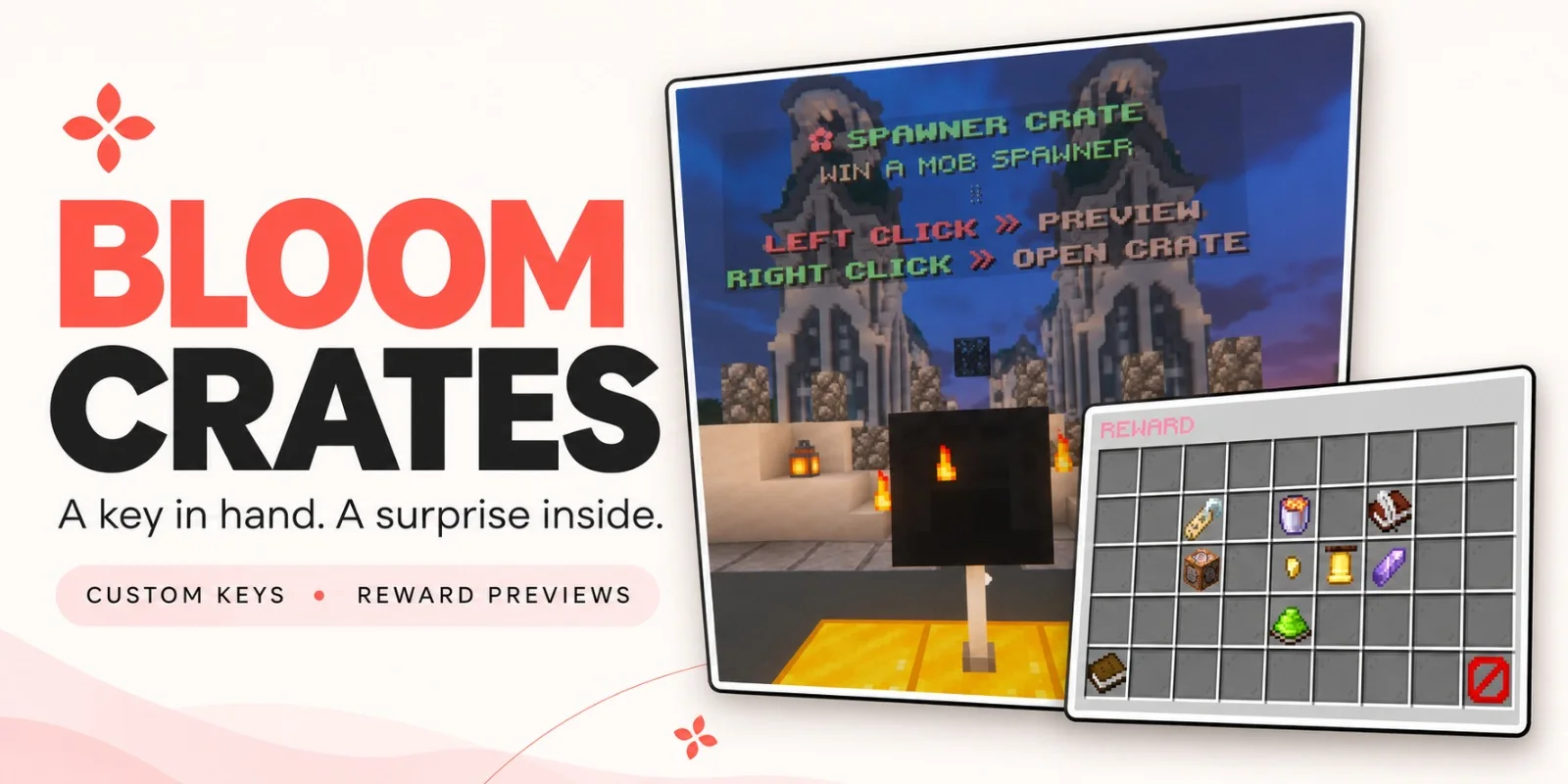
Bloom Crates — плагин для серверов Paper / Spigot от Metene. Highly Optimized and Supported Crate Plugin. Folia, All Paper Forks, Spigot. 1.21.x - 26.3.
Поддерживаемые версии: Minecraft 1.21 – 26.x. Скачиваний на Modrinth: 2. Это место №109 в разделе «плагины оптимизации» (всего в списке: 117). Последнее обновление: 07.11.2026.
С 06.11.2026 у Bloom Crates вышло 2 версий на Modrinth. 2 из них вышли за последний год. Новейшая — 1.0.0, вышла 07.11.2026. Она сделана для Minecraft 1.21 – 1.21.11. Работает на Bukkit, Folia, Paper, Purpur и Spigot. Размер файла — 306 KB.
| Версия | Выпущен | Minecraft | Тип |
|---|---|---|---|
1.0.0 | 07.11.2026 | 1.21 – 1.21.11 | Релиз |
1.0.0 | 06.11.2026 | 1.21 – 26.3 | Релиз |
Команды, указанные на странице Bloom Crates на Modrinth:
/crate/key/cratesTurn a chest or shulker box into a reward crate. Give players a custom key, let them browse the prizes, and watch the opening reel slow to a stop on the winning reward.
Left-click a crate to preview its rewards. Right-click with the matching key to open it.
Each reward in the preview shows its name, custom lore, and drop chance. Color-coded percentages make it easy to see which prizes are harder to pull.
Reward icons slide past the center marker as quiet ticks follow the reel. The animation slows, pauses on the winning reward, and closes automatically after the reveal.
Give players an item directly or run console commands when they win. Command rewards can have their own preview icons, so a prize can look like an Amethyst Pickaxe and run a Bloom Tools command to award the three-day tool.
Click to see Crate Editor Photos!
Crate idea · Example rewards
Amethyst Crate · Three-day Amethyst tools from Bloom Tools
Perks Crate · Bloom Heart, Wind Charm, and other Bloom Perks
Spawner Crate · Blaze, Iron Golem, and other Bloom Spawners
Choose Common, Rare, Epic, or Legendary to set a starting weight, then adjust it for your crate. You can also enable a custom server announcement for individual rewards.
Physical keys have a visible glint, and you can assign the same key to multiple crates.
Display a text hologram and a rotating reward icon above each crate. Adjust their spacing, choose idle particles, and configure or disable the effect that plays when the reward is revealed.
Messages, colors, icons, and sounds are configurable. English and Turkish are included, and custom names and lore support HEX and standard Minecraft color codes.
Command · Description
/crate editor · Create crates, link blocks, and edit rewards.
/key editor · Create and customize physical crate keys.
/key give [amount] · Give keys to a player.
/key giveall [amount] · Give keys to all online players.
/key remove [amount] · Remove matching keys from a player.
/key help · Show the key commands available to you.
/crates reload · Reload configuration and language files.
Автор: Metene. С картинками — на Modrinth.
Убедись, что твой сервер работает на Paper и Spigot с Minecraft 1.21 – 26.x.
Скачай .jar-файл с Modrinth и положи его в папку plugins на сервере.
Перезапусти сервер. Не используй /reload, многие плагины плохо это переносят.
Введи /plugins в консоли: Bloom Crates должен быть зелёным. Файлы настроек создаются в папке plugins при первом запуске.
Подробное руководство: Как установить плагины на сервер Minecraft
| Ресурс | Загрузки | Версии | Обновление | Цена |
|---|---|---|---|---|
 Bloom Cratesтот, что ты смотрел | 2 | 1.21 – 26.x | 5 дн. назад | Бесплатно |
| Bloom SpawnersMetene | 2 | 1.21 – 26.x | 6 дн. назад | Бесплатно |
| Bedrock Parityttby | 89K | 1.16 – 1.20 | 4 мая 2024 | Бесплатно |
 NoChatReportsTechnicallyCoded | 33K | 1.19 – 26.x | 25 июн. 2026 | Бесплатно |
Да. Bloom Crates поддерживает Minecraft 26.x. Все поддерживаемые версии: 26.x, 1.21.
Да. Bloom Crates можно бесплатно скачать на Modrinth.
Bloom Crates работает на серверах Paper и Spigot.
Да. Последнее обновление вышло за последние сутки.
Ближе всего к нему Bloom Spawners, Bedrock Parity и NoChatReports. Сравнить все альтернативы
Bloom SpawnersПлагины · 1.21 – 26.xHighly Optimized and Supported Spawner Plugin. Folia, All Paper Forks, Spigot. 1.21.x - 26.3
A Third-Party Spigot Plugin for GeyserMC Servers that bridges the Parity between Bedrock and Java-exclusive features.
NoChatReportsПлагины · 1.19 – 26.xBlock and disable chat reporting on Minecraft Servers - Bukkit, Spigot, Paper, Purpur & Folia - 1.19-26.1
 Spartan AntiCheat & AntiExploitПлагины · 1.8 – 26.x
Optimized | Customizable | Cross-Version | Adaptive | Folia Support | Geyser Detections
 SchedulerПлагины · 1.17 – 26.x
Create timed events easily with a highly optimized plugin!
 ProfilesПлагины · 1.21 – 26.x
Profiles with TONS of player statistics, join dates, fav items & more!
Войди, чтобы оставить отзыв.