
 LagFixerПлагины · 1.13 – 26.x
⚡️ Best Performance Solution! 🗄️Trusted by 3000+ servers! ✅ Lightweight and highly Asynchronous!
БесплатноЗагрузок: 344,183
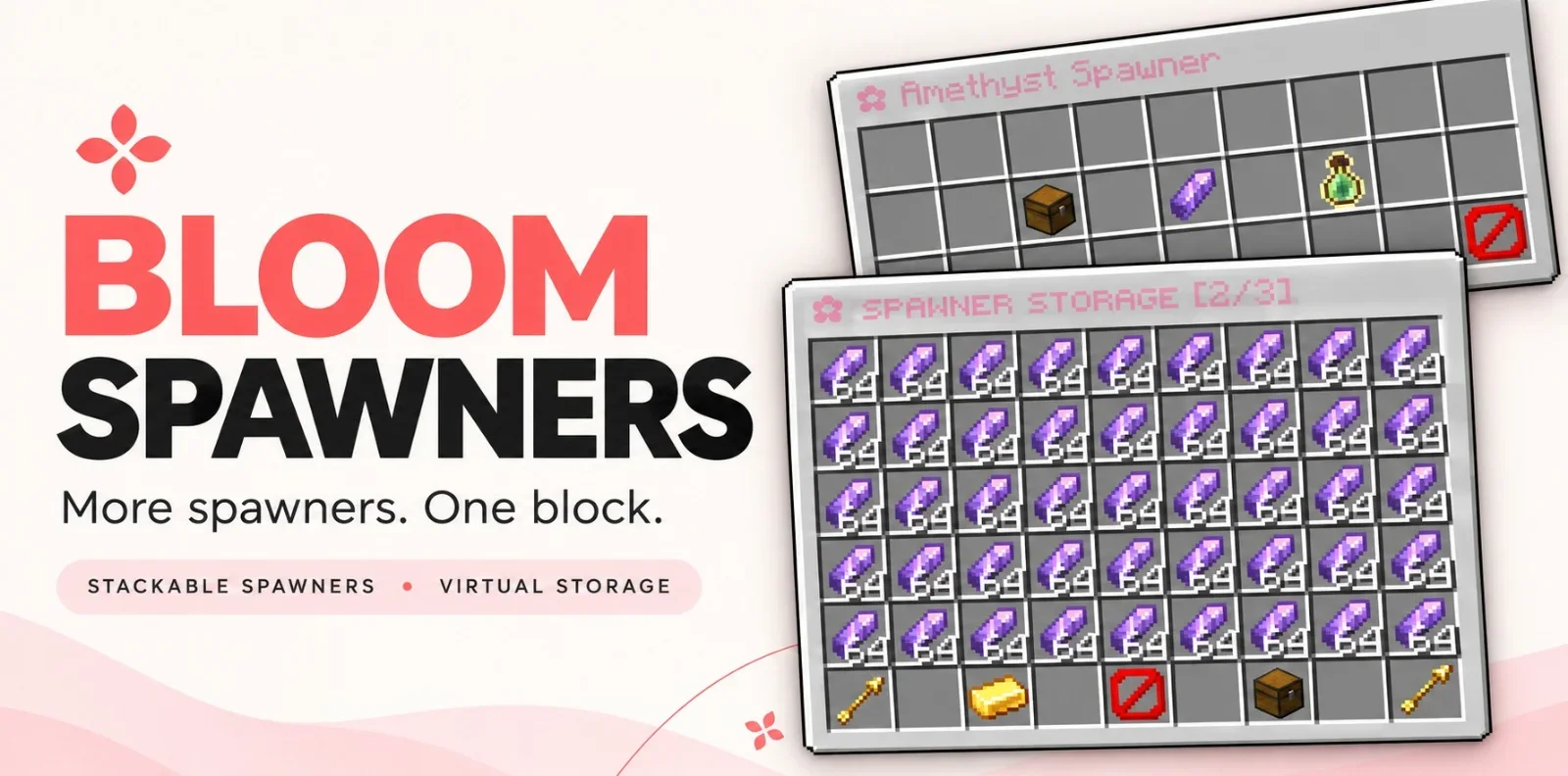
Bloom Spawners — плагин для серверов Paper / Spigot от Metene. Highly Optimized and Supported Spawner Plugin. Folia, All Paper Forks, Spigot. 1.21.x - 26.3.
Поддерживаемые версии: Minecraft 1.21 – 26.x. Скачиваний на Modrinth: 2. Это место №107 в разделе «плагины оптимизации» (всего в списке: 115). Последнее обновление: 06.11.2026.
Новейшая — 1.0.0, вышла 06.11.2026. Она сделана для Minecraft 1.21 – 26.3. Работает на Bukkit, Folia, Paper, Purpur и Spigot. Размер файла — 352 KB.
| Версия | Выпущен | Minecraft | Тип |
|---|---|---|---|
1.0.0 | 06.11.2026 | 1.21 – 26.3 | Релиз |
Команды, указанные на странице Bloom Spawners на Modrinth:
/bsp/bloomspawnersBloom Spawners is a Minecraft server plugin that turns a single spawner block into a source of items and XP. Place a spawner, stay nearby, and collect its rewards from a simple inventory menu. Drops go straight into virtual storage without spawning mobs.
More spawners. One block. No resource pack required.
Feature Photos
Spawner stacks, stored items, and XP persist across restarts. Players can share access to a spawner, subject to server permissions and supported region protections.
Item and XP collection work without an economy plugin. Selling requires Vault, a compatible economy provider, and configured item prices.
Command · Description
/bsp or /bsp help · Show available commands.
/bsp give [amount] · Give a player spawners. Admin only.
/bsp reload · Reload the plugin configuration. Admin only.
/bsp hologram [on\ · off] · Toggle or set your personal hologram visibility.
/bloomspawners is an alias for /bsp.
Found a bug or need help with setup? Join the support Discord. Include your Minecraft version, server platform, and plugin version so the issue is easier to reproduce.
Автор: Metene. С картинками — на Modrinth.
Убедись, что твой сервер работает на Paper и Spigot с Minecraft 1.21 – 26.x.
Скачай .jar-файл с Modrinth и положи его в папку plugins на сервере.
Перезапусти сервер. Не используй /reload, многие плагины плохо это переносят.
Введи /plugins в консоли: Bloom Spawners должен быть зелёным. Файлы настроек создаются в папке plugins при первом запуске.
Подробное руководство: Как установить плагины на сервер Minecraft
| Ресурс | Загрузки | Версии | Обновление | Цена |
|---|---|---|---|---|
 Bloom Spawnersтот, что ты смотрел | 2 | 1.21 – 26.x | 6 дн. назад | Бесплатно |
| LagFixerlajczi | 344K | 1.13 – 26.x | 23 дн. назад | Бесплатно |
 SuperHarvestdru40309 | 36K | 1.8 – 26.x | 5 мар. 2026 | Бесплатно |
 Spartan AntiCheat & AntiExploitVagdedes | 23K | 1.8 – 26.x | 27 дн. назад | Бесплатно |
Да. Bloom Spawners поддерживает Minecraft 26.x. Все поддерживаемые версии: 26.x, 1.21.
Да. Bloom Spawners можно бесплатно скачать на Modrinth.
Bloom Spawners работает на серверах Paper и Spigot.
Да. Последнее обновление вышло за последние сутки.
Ближе всего к нему LagFixer, SuperHarvest и Spartan AntiCheat & AntiExploit. Сравнить все альтернативы
LagFixerПлагины · 1.13 – 26.x⚡️ Best Performance Solution! 🗄️Trusted by 3000+ servers! ✅ Lightweight and highly Asynchronous!
SuperHarvestПлагины · 1.8 – 26.xFast harvest, mining and tree chopping easily with a single mine, 3 in one to Vein-Mining with Animations but without lag! It's light weight lag free. [Open…
Spartan AntiCheat & AntiExploitПлагины · 1.8 – 26.xOptimized | Customizable | Cross-Version | Adaptive | Folia Support | Geyser Detections
 WildRTPПлагины · 1.13 – 26.x
Another RTP Plugin build on Performance & Features
 SchedulerПлагины · 1.17 – 26.x
Create timed events easily with a highly optimized plugin!
 ActionHealthПлагины · 1.8 – 26.x
Shows the health of the player or mob that you hit or look at, in the action bar. One jar for Spigot, Paper and Folia 1.8 to 26.3.
Войди, чтобы оставить отзыв.