
 SecurityCraftМоды · 1.8 – 26.x
Adds plenty of blocks and items to defend and secure your base with.
БесплатноЗагрузок: 5,945,475
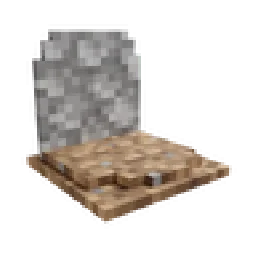
GraveStone Mod — мод от henkelmax. Places a gravestone with your inventory items inside when you die.
Поддерживаемые версии: Minecraft 1.19 – 26.x. Скачиваний на Modrinth: 12,588,616. Последнее обновление: 01.10.2026.
С 25.06.2022 у GraveStone Mod вышло 122 версий на Modrinth. 21 из них вышли за последний год. Новейшая — neoforge-1.0.41+26.3, вышла 01.10.2026. Она сделана для Minecraft 26.3. Работает на NeoForge. Размер файла — 328 KB.
| Версия | Выпущен | Minecraft | Тип |
|---|---|---|---|
neoforge-1.0.41+26.3 | 01.10.2026 | 26.3 | Релиз |
neoforge-1.0.40+26.3 | 25.09.2026 | 26.3 | Релиз |
neoforge-1.0.40+26.2 | 17.08.2026 | 26.2 | Релиз |
neoforge-1.0.40+26.1.2 | 17.08.2026 | 26.1, 26.1.1, 26.1.2 | Релиз |
neoforge-1.21.11-1.0.40 | 17.08.2026 | 1.21.11 | Релиз |
Every time you die, a grave is placed at your position.
To retrieve your items just break the grave.
There is also a config option to get your items back by sneaking on the grave (1.16.3+ only).
When you right-click the grave it will show information regarding the death of the player.
Since version 1.16.3-2.0.0 the grave is now able to store your items back into their original slots.
Everytime you die you get an obituary. If you don't want that you can disable it in the config.
It contains:
If you don't want to keep the obituary after you recovered your items, you can enable the automatic removal in the config.
If you break the grave with silk touch, you get it dropped as an item.
You can also craft graves.
Naming the grave in an anvil, allows you to have custom text displayed on your grave.
There are several things you can change in the configs:
If you somehow lost your items you can recover them with the recover command.
The syntax is /restore .
The parameter player is the player whose inventory should get restored.
The parameter death_id is the ID of the death. You can find it out by enabling advanced tooltips (F3 + H) and opening the obituary. The death ID also gets written into the logs if a grave couldn't get placed.
The last parameter defines if you want to get the players inventory replaced (Overwritten) or added (Just adds the items to the players existing inventory).
You can also get a pre made restore command by sneaking and right-clicking the obituary as an admin.
If you die inside a block, the grave is placed at the next empty space above your location. If there is no free block above your position, or you are above the build limit, your items drop as usual.
If you fall into the void, the grave is placed at the lowest point in the world where blocks can be placed. If there is no free space it will get placed at the next free spot above.
Автор: henkelmax. С картинками — на Modrinth.
Этот мод нужен и на сервере, и у каждого игрока.
Установи Forge и NeoForge для Minecraft 1.19 – 26.x.
Скачай .jar-файл с Modrinth и положи его в папку mods в каталоге .minecraft.
Запусти Minecraft с профилем Forge.
Проще: в Prism Launcher или Modrinth App найдите GraveStone Mod в модах своей сборки и нажмите Install. Загрузчик и нужные моды добавятся сами.
| Ресурс | Загрузки | Версии | Обновление | Цена |
|---|---|---|---|---|
 GraveStone Modтот, что ты смотрел | 12.6M | 1.19 – 26.x | 1 окт. 2026 | Бесплатно |
| SecurityCraftGeforce132 | 5.9M | 1.8 – 26.x | 12 окт. 2026 | Бесплатно |
 HighLightMyItemsi37c | 31 | 1.21 – 26.x | 1 день назад | Бесплатно |
 Item BordersGrend | 9.1M | 1.12 – 26.x | 22 сент. 2026 | Бесплатно |
Да. GraveStone Mod поддерживает Minecraft 26.x. Все поддерживаемые версии: 26.x, 1.21, 1.20, 1.19.
Да. GraveStone Mod можно бесплатно скачать на Modrinth.
И там, и там. GraveStone Mod нужен и на сервере, и у каждого игрока.
Да: Jade 🔍. Установи это до GraveStone Mod.
Да. Последнее обновление вышло за последние сутки.
Ближе всего к нему SecurityCraft, HighLightMyItems и Item Borders. Сравнить все альтернативы
SecurityCraftМоды · 1.8 – 26.xAdds plenty of blocks and items to defend and secure your base with.
HighLightMyItemsМоды · 1.21 – 26.xHighlight specific items in your inventory. ModMenu compatible
Item BordersМоды · 1.12 – 26.xAdd colored borders to inventory slots to make your rare items stand out!
 Fabric Seasons: ExtrasМоды · 1.19 – 1.21
Custom blocks and items to make your Fabric Seasons experience better.
 Immersive AircraftМоды · 1.16 – 26.x
A bunch of rustic aircraft to travel, transport, and explore!
 Create AeronauticsМоды · 1.21
Build anything from airships to planes and cars!
Войди, чтобы оставить отзыв.