
 SecurityCraftModlar · 1.8 – 26.x
Adds plenty of blocks and items to defend and secure your base with.
Ücretsiz5,945,475 indirme
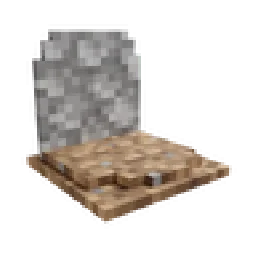
GraveStone Mod, henkelmax tarafından yapılmış bir mod. Places a gravestone with your inventory items inside when you die.
Desteklediği sürümler: Minecraft 1.19 – 26.x. Modrinth üzerinde 12,588,616 kez indirildi. Son güncelleme 01.10.2026 tarihinde çıktı.
GraveStone Mod, 25.06.2022 tarihinden beri Modrinth üzerinde 122 sürüm yayınladı. Bunların 21 tanesi son bir yılda çıktı. En yenisi 01.10.2026 tarihinde çıkan neoforge-1.0.41+26.3. Minecraft 26.3 için yapıldı. NeoForge üzerinde çalışır. İndirme boyutu 328 KB.
| Sürüm | Yayın tarihi | Minecraft | Tür |
|---|---|---|---|
neoforge-1.0.41+26.3 | 01.10.2026 | 26.3 | Kararlı |
neoforge-1.0.40+26.3 | 25.09.2026 | 26.3 | Kararlı |
neoforge-1.0.40+26.2 | 17.08.2026 | 26.2 | Kararlı |
neoforge-1.0.40+26.1.2 | 17.08.2026 | 26.1, 26.1.1, 26.1.2 | Kararlı |
neoforge-1.21.11-1.0.40 | 17.08.2026 | 1.21.11 | Kararlı |
Every time you die, a grave is placed at your position.
To retrieve your items just break the grave.
There is also a config option to get your items back by sneaking on the grave (1.16.3+ only).
When you right-click the grave it will show information regarding the death of the player.
Since version 1.16.3-2.0.0 the grave is now able to store your items back into their original slots.
Everytime you die you get an obituary. If you don't want that you can disable it in the config.
It contains:
If you don't want to keep the obituary after you recovered your items, you can enable the automatic removal in the config.
If you break the grave with silk touch, you get it dropped as an item.
You can also craft graves.
Naming the grave in an anvil, allows you to have custom text displayed on your grave.
There are several things you can change in the configs:
If you somehow lost your items you can recover them with the recover command.
The syntax is /restore .
The parameter player is the player whose inventory should get restored.
The parameter death_id is the ID of the death. You can find it out by enabling advanced tooltips (F3 + H) and opening the obituary. The death ID also gets written into the logs if a grave couldn't get placed.
The last parameter defines if you want to get the players inventory replaced (Overwritten) or added (Just adds the items to the players existing inventory).
You can also get a pre made restore command by sneaking and right-clicking the obituary as an admin.
If you die inside a block, the grave is placed at the next empty space above your location. If there is no free block above your position, or you are above the build limit, your items drop as usual.
If you fall into the void, the grave is placed at the lowest point in the world where blocks can be placed. If there is no free space it will get placed at the next free spot above.
Yazan: henkelmax. Resimli halini Modrinth sayfasında oku.
Bu mod hem sunucuda hem de giren her oyuncuda gerekli.
Minecraft 1.19 – 26.x için Forge ve NeoForge kur.
.jar dosyasını Modrinth üzerinden indir ve .minecraft klasöründeki mods klasörüne koy.
Minecraft'ı Forge profiliyle başlat.
Daha kolayı: Prism Launcher veya Modrinth App'te instance'ının modlarında GraveStone Mod ara ve Install'a tıkla. Mod yükleyiciyi ve gereken modları senin için ekler.
| Kaynak | İndirmeler | Sürümler | Son güncelleme | Fiyat |
|---|---|---|---|---|
 GraveStone Modbaktığın | 12.6M | 1.19 – 26.x | 1 Eki 2026 | Ücretsiz |
| SecurityCraftGeforce132 | 5.9M | 1.8 – 26.x | 12 Eki 2026 | Ücretsiz |
 HighLightMyItemsi37c | 31 | 1.21 – 26.x | 1 gün önce | Ücretsiz |
 Item BordersGrend | 9.1M | 1.12 – 26.x | 22 Eyl 2026 | Ücretsiz |
Evet. GraveStone Mod, Minecraft 26.x sürümünü destekliyor. Desteklenen tüm sürümler: 26.x, 1.21, 1.20, 1.19.
Evet. GraveStone Mod, Modrinth üzerinden ücretsiz indirilebilir.
İkisi de. Hem sunucuda hem de giren her oyuncuda GraveStone Mod kurulu olmalı.
Evet: Jade 🔍. Bunu GraveStone Mod öncesinde kur.
Evet. Son güncelleme son 24 saat içinde çıktı.
En yakın olanlar SecurityCraft, HighLightMyItems ve Item Borders. Tüm alternatifleri karşılaştır
SecurityCraftModlar · 1.8 – 26.xAdds plenty of blocks and items to defend and secure your base with.
HighLightMyItemsModlar · 1.21 – 26.xHighlight specific items in your inventory. ModMenu compatible
Item BordersModlar · 1.12 – 26.xAdd colored borders to inventory slots to make your rare items stand out!
 Fabric Seasons: ExtrasModlar · 1.19 – 1.21
Custom blocks and items to make your Fabric Seasons experience better.
 Immersive AircraftModlar · 1.16 – 26.x
A bunch of rustic aircraft to travel, transport, and explore!
 Create AeronauticsModlar · 1.21
Build anything from airships to planes and cars!
Yorum yazmak için giriş yap.