
 Customizable TotemРесурспаки · 1.17 – 26.x
By adding your own skin to the pack, the totem of undying will update to look like ClownPierce's or Theobald's totem but with your skin!
БесплатноЗагрузок: 136,538
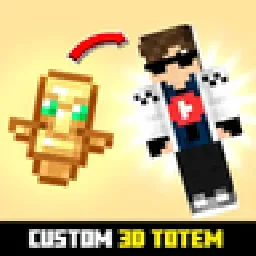
Customizable 3D Totem resource pack that lets you use your own skin as the Totem of Undying
Прямая загрузка с Modrinth · 248,967 загрузок
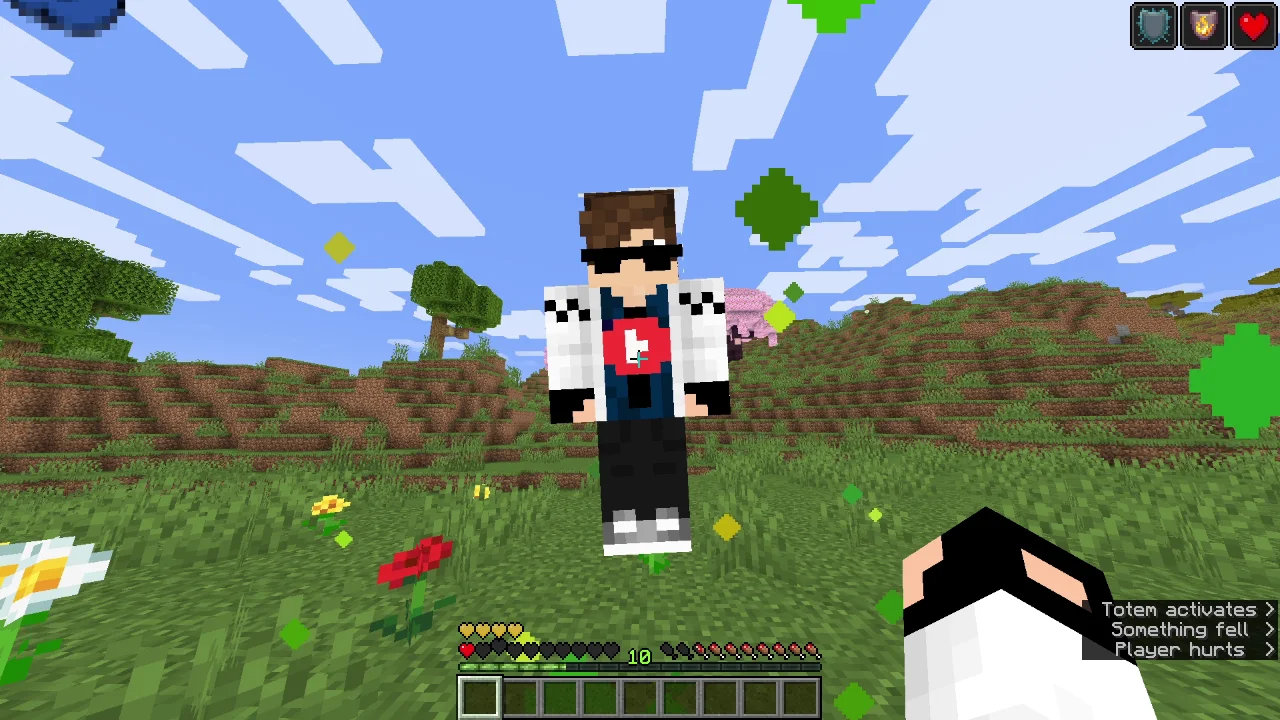
Custom Totem 3D — ресурспак от spunkyinsaan. Customizable 3D Totem resource pack that lets you use your own skin as the Totem of Undying.
Поддерживаемые версии: Minecraft 1.16 – 26.x. Скачиваний на Modrinth: 248,967. Последнее обновление: 25.03.2026.
С 06.09.2025 у Custom Totem 3D вышло 4 версий на Modrinth. Одна из них вышла за последний год. Новейшая — 26.1, вышла 25.03.2026. Она сделана для Minecraft 26.1, 26.1.1, 26.1.2. Работает на Minecraft. Размер файла — 55 KB.
| Версия | Выпущен | Minecraft | Тип |
|---|---|---|---|
26.1 | 25.03.2026 | 26.1, 26.1.1, 26.1.2 | Релиз |
1.21 | 15.09.2025 | 1.21 – 1.21.11 | Релиз |
1.20 | 15.09.2025 | 1.20 – 1.20.6 | Релиз |
1.16 | 06.09.2025 | 1.16 – 1.16.5 | Релиз |
Replace the boring default Totem of Undying with your very own Minecraft skin!
The Spunky Custom Totem 3D Resourcepack lets you carry a miniature version of yourself every time you hold or use the Totem of Undying.
If you want to suggest anything, report a bug, or vote on future packs, then join my discord and you can message me in there. I will usually respond very quickly.
Автор: spunkyinsaan. С картинками — на Modrinth.
Скачай .zip-файл с Modrinth. Не распаковывай его.
В Minecraft открой Настройки, затем Наборы ресурсов, затем Открыть папку наборов.
Положи .zip-файл в эту папку и вернись в игру.
Перенеси Custom Totem 3D в правый список и нажми Готово.
Он сделан для Minecraft 1.16 – 26.x. На других версиях Minecraft помечает его как несовместимый, но часто он всё равно работает.
| Ресурс | Загрузки | Версии | Обновление | Цена |
|---|---|---|---|---|
| Custom Totem 3Dтот, что ты смотрел | 249K | 1.16 – 26.x | 25 мар. 2026 | Бесплатно |
| Customizable TotemAlphaLeoli | 137K | 1.17 – 26.x | 5 окт. 2025 | Бесплатно |
 Custom Skin TotemTARUNEXE | 66 | 1.18 – 26.x | 18 дн. назад | Бесплатно |
 Vanilla EvolvedVixel | 567K | 1.16 – 1.21 | 18 мая 2025 | Бесплатно |
Да. Custom Totem 3D поддерживает Minecraft 26.x. Все поддерживаемые версии: 26.x, 1.21, 1.20, 1.16.
Да. Custom Totem 3D можно бесплатно скачать на Modrinth.
Да. Последнее обновление вышло за последние сутки.
Ближе всего к нему Customizable Totem, Custom Skin Totem и Vanilla Evolved. Сравнить все альтернативы
Customizable TotemРесурспаки · 1.17 – 26.xBy adding your own skin to the pack, the totem of undying will update to look like ClownPierce's or Theobald's totem but with your skin!
Custom Skin TotemРесурспаки · 1.18 – 26.xA simple custom totem featuring a unique player skin, designed to replace the default Totem of Undying with a personalized Minecraft look.
Vanilla EvolvedРесурспаки · 1.16 – 1.21A vanilla minecraft resource pack with an enhanced artistic vision through the use of custom models and textures.
 Aria Math X Cinematic OrchestraРесурспаки · 1.21 – 26.x
Give your in-game music a fresh new vibe! This resource pack swaps the default "cat" music disc with your own custom soundtrack. 🌟 Features: 🎶 Custom Audio…
 Jakotens' Pokémon Trainer CosmeticsРесурспаки · 1.20 – 1.21
This resource pack includes custom hats and player skins for most playable characters from the main series Pokémon games from generations 1-8, perfect for…
 Totem PackРесурспаки · 1.12 – 26.x
My Minecraft Skin As A Totem
Войди, чтобы оставить отзыв.