
 WayLinkMods · 1.21 – 26.x
Makes waypoints shared in chat work across JourneyMap, Xaero's Minimap and NoRisk Client. Add them with one click and share your own. Client-side.
Kostenlos94 Downloads

A Minecraft Fabric client-side mod that touches up a few aspects of Minecraft's mundane chat, with as much configurability as possible!
Direkter Download von Modrinth · 7,320,775 Downloads
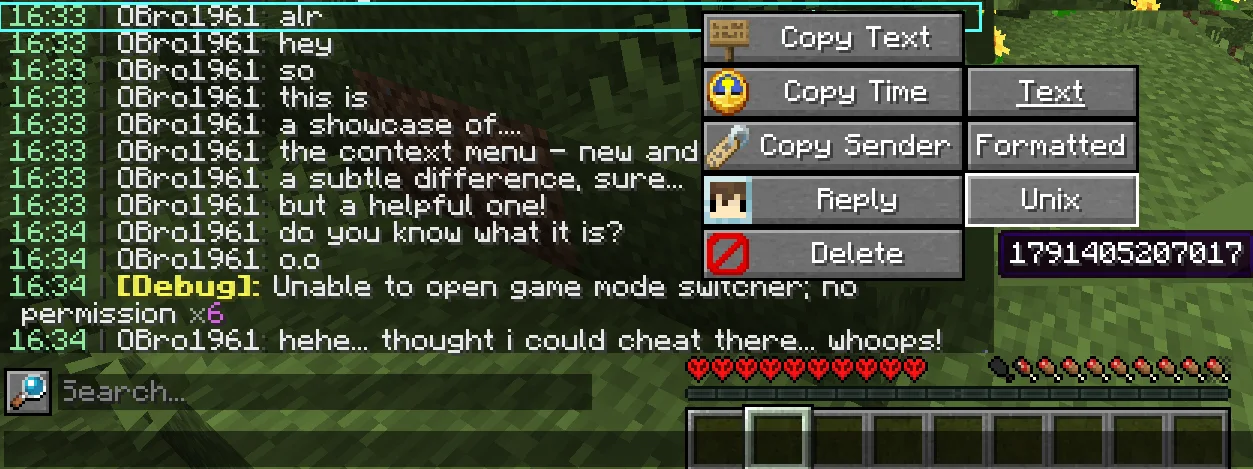
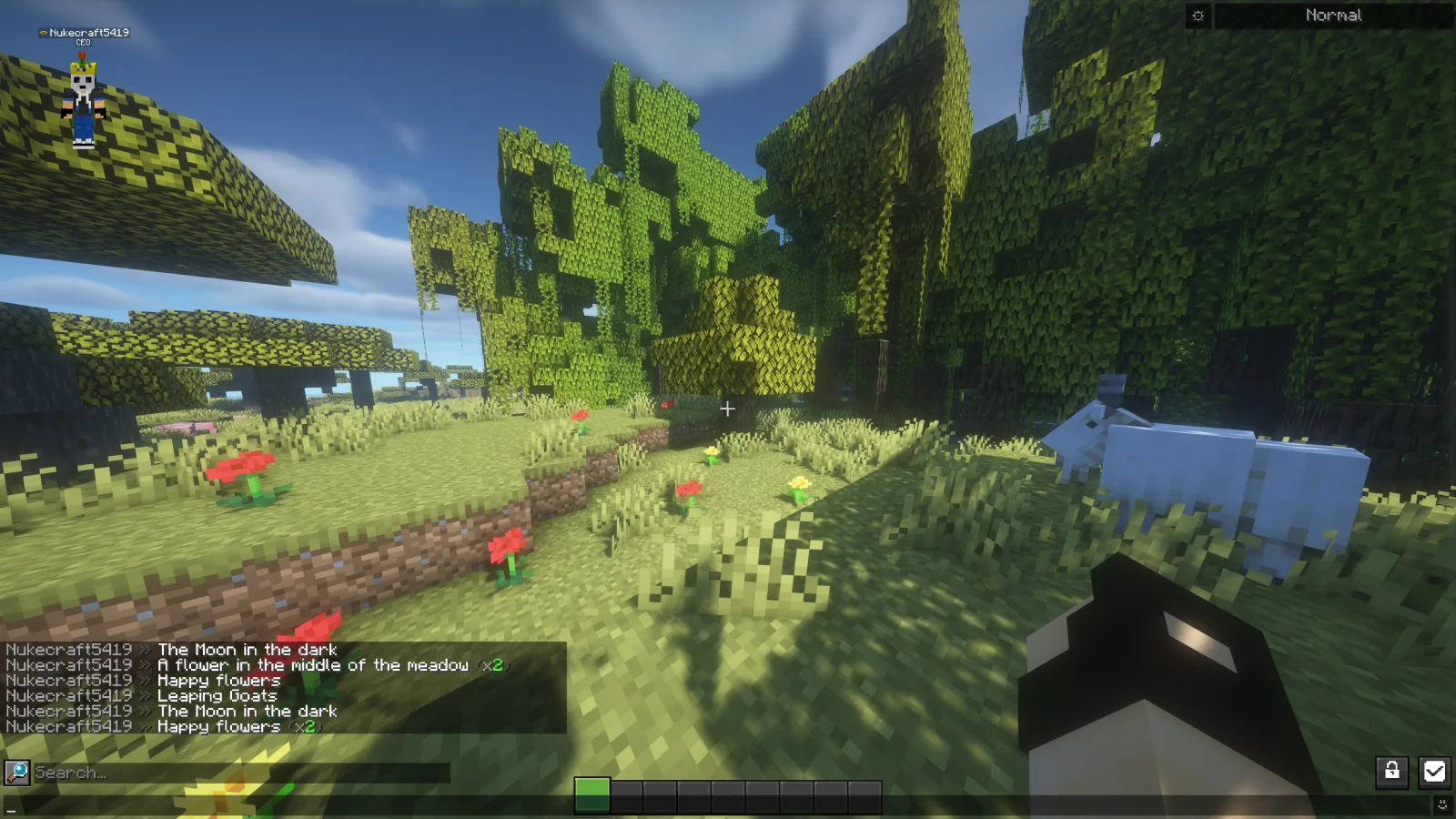
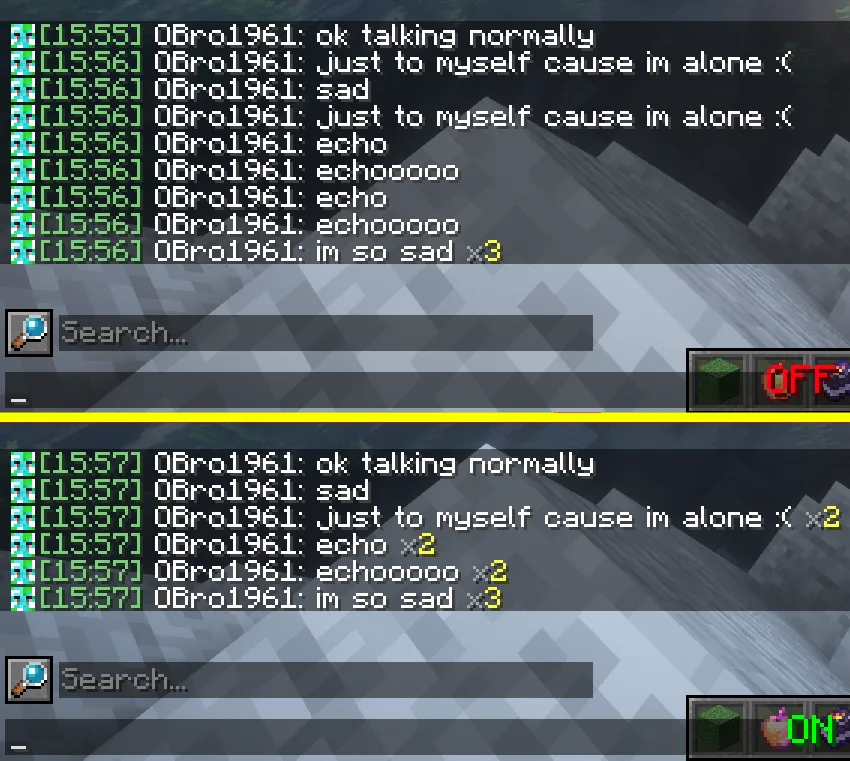
Chat Patches (Mod) stammt von OBro1961. A Minecraft Fabric client-side mod that touches up a few aspects of Minecraft's mundane chat, with as much configurability as possible!
Unterstützt wird Minecraft 1.18 – 26.x. Auf Modrinth gibt es 7,320,775 Downloads. Das letzte Update erschien am 04.10.2026.
Chat Patches hat seit 26.07.2022 183 Versionen auf Modrinth veröffentlicht. 65 davon erschienen im letzten Jahr. Die neueste ist 8.0.0+26.3-fabric, erschienen am 04.10.2026. Sie ist für Minecraft 26.3 gemacht. Sie läuft auf Fabric. Der Download ist 1.5 MB groß.
| Version | Veröffentlicht | Minecraft | Typ |
|---|---|---|---|
8.0.0+26.3-fabric | 04.10.2026 | 26.3 | Release |
8.0.0+26.2-fabric | 04.10.2026 | 26.2 | Release |
8.0.0+26.1.2-fabric | 04.10.2026 | 26.1, 26.1.1, 26.1.2 | Release |
8.0.0+1.21.11-fabric | 04.10.2026 | 1.21.11 | Release |
8.0.0+1.21.1-fabric | 04.10.2026 | 1.21, 1.21.1 | Release |
Chat Patches ist Open Source. Die neueste Version auf GitHub ist 217.6.16, veröffentlicht am 03.07.2025.
Davor: 216.6.16 (03.07.2025), 215.6.16 (03.07.2025).
A Minecraft client-side mod that touches up Minecraft's mundane chat, with configurability in mind!
It's most significant features include (but are not limited to):
Many of these features were adopted or inspired from the following existing mods
(of which Chat Patches serves as a replacement):
other things. But keep an eye out, one day it will be ready!
page, and if it hasn't been reported yet, you can create a new report! Make sure to fill out the entire thing as much as possible.
provide any logged errors if they exist.
(modrinth.com/mod/modmenu/versions?l=fabric&…).
copy at (directory)/config/chatpatches_old.json. By then opening both the new and old configs at the same time, you can copy and paste over the values.
Make sure the settings have correct inputs (ex. time should be true/false not 123 or "true").
pages (see above). If you're unsure, message me on Discord (@obro1961) about it.
If you would like to help translate Chat Patches into other languages, you can:
Once you contribute, join the Discord server so you can receive your complementary Contributor and Translator roles!
Geschrieben von OBro1961. Mit Bildern auf Modrinth lesen.
Diese Mod läuft nur in deinem eigenen Spiel. Server brauchen sie nicht, du kannst sie also auf jedem Server nutzen.
Installiere Fabric und Quilt für Minecraft 1.18 – 26.x.
Füge die benötigten Mods hinzu: YetAnotherConfigLib (YACL) und Fabric API.
Lade die .jar-Datei von Modrinth herunter und lege sie in den mods-Ordner deines .minecraft-Verzeichnisses.
Starte Minecraft mit dem Fabric-Profil.
Einfacher: Suche in Prism Launcher oder der Modrinth App in den Mods deiner Instanz nach Chat Patches und klicke auf Install. Loader und benötigte Mods werden für dich hinzugefügt.
| Ressource | Downloads | Versionen | Letztes Update | Preis |
|---|---|---|---|---|
| Chat Patchesdie du angesehen hast | 7.3M | 1.18 – 26.x | 4. Okt. 2026 | Kostenlos |
| WayLinkPrimeli | 94 | 1.21 – 26.x | 11. Okt. 2026 | Kostenlos |
 No Chat ReportsAizistral | 62M | 1.19 – 26.x | 30. Sept. 2026 | Kostenlos |
 Essential ModSparkUniverse | 48.5M | 1.8 – 26.x | vor 9 Tagen | Kostenlos |
Ja. Chat Patches unterstützt Minecraft 26.x. Alle unterstützten Versionen: 26.x, 1.21, 1.20, 1.19, 1.18.
Ja. Chat Patches kannst du kostenlos bei Modrinth herunterladen.
Clientseitig. Chat Patches kommt in deinen eigenen mods-Ordner und funktioniert auf jedem Server, auch auf Servern ohne Mods.
Ja: Mod Menu, YetAnotherConfigLib (YACL), Fabric API, No Chat Reports. Installiere es vor Chat Patches.
Ja. Das letzte Update kam innerhalb des letzten Tages.
Am ähnlichsten sind WayLink, No Chat Reports und Essential Mod. Alle Alternativen vergleichen
WayLinkMods · 1.21 – 26.xMakes waypoints shared in chat work across JourneyMap, Xaero's Minimap and NoRisk Client. Add them with one click and share your own. Client-side.
No Chat ReportsMods · 1.19 – 26.xMakes chat unreportable (where possible)
Essential ModMods · 1.8 – 26.xEnhance your Minecraft with one simple mod. Host worlds for free, chat with friends, and so much more!
 Longer Chat HistoryMods · 1.19 – 26.x
Makes chat history much longer
 Chat HeadsMods · 1.16 – 26.x
See who you're chatting with!
 MidiChatMods · 1.21 – 26.x
A client-side Simple Voice Chat addon that lets you play music using MIDI inputs
Logg dich ein, um eine Bewertung zu schreiben.