
 WayLinkMods · 1.21 – 26.x
Makes waypoints shared in chat work across JourneyMap, Xaero's Minimap and NoRisk Client. Add them with one click and share your own. Client-side.
Gratuit94 téléchargements

A Minecraft Fabric client-side mod that touches up a few aspects of Minecraft's mundane chat, with as much configurability as possible!
Téléchargement direct depuis Modrinth · 7,324,493 téléchargements
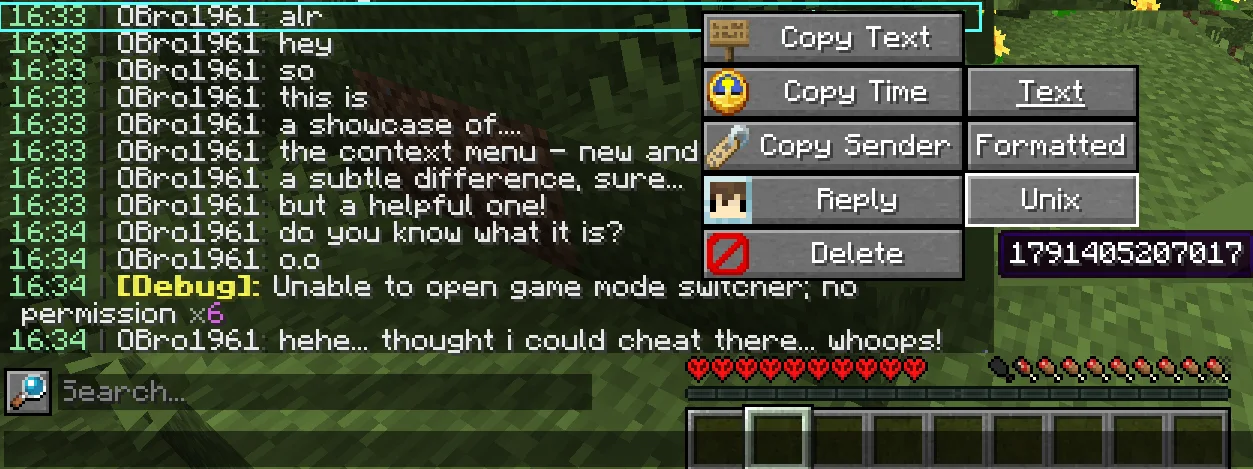
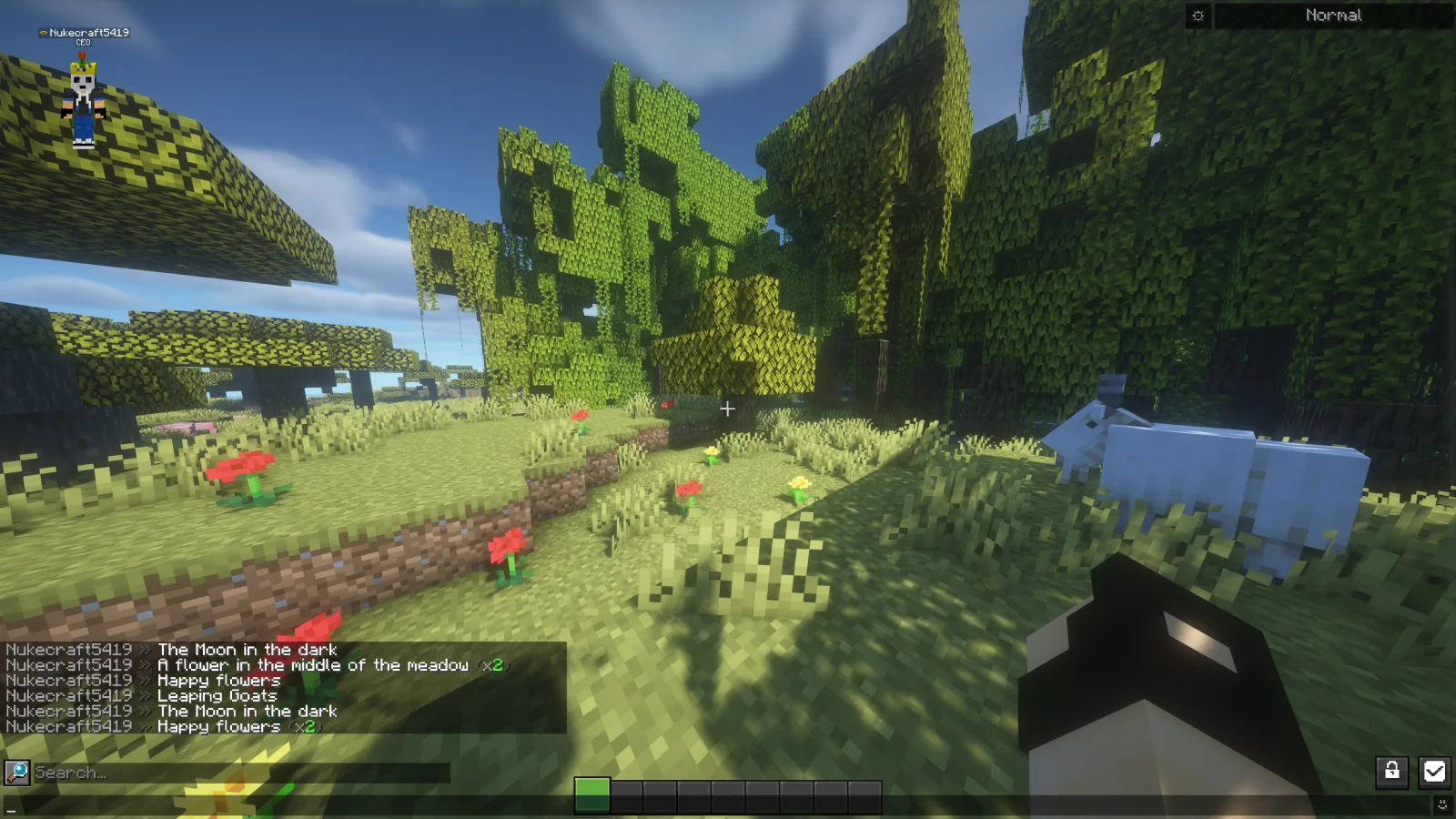
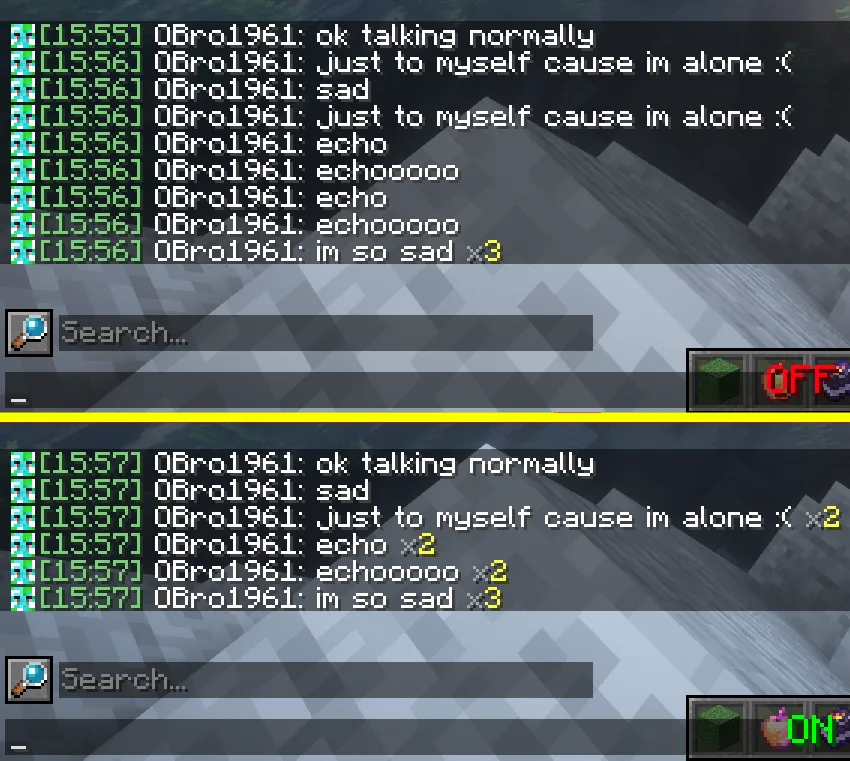
Chat Patches (mod) est une création de OBro1961. A Minecraft Fabric client-side mod that touches up a few aspects of Minecraft's mundane chat, with as much configurability as possible!
Versions prises en charge : Minecraft 1.18 – 26.x. On compte 7,324,493 téléchargements sur Modrinth. La dernière mise à jour date du 04/10/2026.
Chat Patches a publié 183 versions sur Modrinth depuis le 26/07/2022. 65 sont sorties au cours de l'année passée. La plus récente est 8.0.0+26.3-fabric, sortie le 04/10/2026. Elle est faite pour Minecraft 26.3. Elle fonctionne sur Fabric. Le téléchargement fait 1.5 MB.
| Version | Publié | Minecraft | Type |
|---|---|---|---|
8.0.0+26.3-fabric | 04/10/2026 | 26.3 | Stable |
8.0.0+26.2-fabric | 04/10/2026 | 26.2 | Stable |
8.0.0+26.1.2-fabric | 04/10/2026 | 26.1, 26.1.1, 26.1.2 | Stable |
8.0.0+1.21.11-fabric | 04/10/2026 | 1.21.11 | Stable |
8.0.0+1.21.1-fabric | 04/10/2026 | 1.21, 1.21.1 | Stable |
Chat Patches est open source. Sa dernière version sur GitHub est 217.6.16, publiée le 03/07/2025.
Avant : 216.6.16 (03/07/2025), 215.6.16 (03/07/2025).
A Minecraft client-side mod that touches up Minecraft's mundane chat, with configurability in mind!
It's most significant features include (but are not limited to):
Many of these features were adopted or inspired from the following existing mods
(of which Chat Patches serves as a replacement):
other things. But keep an eye out, one day it will be ready!
page, and if it hasn't been reported yet, you can create a new report! Make sure to fill out the entire thing as much as possible.
provide any logged errors if they exist.
(modrinth.com/mod/modmenu/versions?l=fabric&…).
copy at (directory)/config/chatpatches_old.json. By then opening both the new and old configs at the same time, you can copy and paste over the values.
Make sure the settings have correct inputs (ex. time should be true/false not 123 or "true").
pages (see above). If you're unsure, message me on Discord (@obro1961) about it.
If you would like to help translate Chat Patches into other languages, you can:
Once you contribute, join the Discord server so you can receive your complementary Contributor and Translator roles!
Écrite par OBro1961. À lire avec les images sur Modrinth.
Ce mod fonctionne uniquement dans ton jeu. Les serveurs n'en ont pas besoin, tu peux donc l'utiliser sur n'importe quel serveur.
Installe Fabric et Quilt pour Minecraft 1.18 – 26.x.
Ajoute les mods dont il a besoin : YetAnotherConfigLib (YACL) et API Fabric.
Télécharge le fichier .jar depuis Modrinth et place-le dans le dossier mods de ton répertoire .minecraft.
Lance Minecraft avec le profil Fabric.
Plus simple : dans Prism Launcher ou la Modrinth App, cherche Chat Patches dans les mods de ton instance et clique sur Install. Le loader et les mods requis sont ajoutés pour toi.
| Ressource | Téléchargements | Versions | Mise à jour | Prix |
|---|---|---|---|---|
| Chat Patchescelle que tu regardais | 7.3M | 1.18 – 26.x | 4 oct. 2026 | Gratuit |
| WayLinkPrimeli | 94 | 1.21 – 26.x | 11 oct. 2026 | Gratuit |
 No Chat ReportsAizistral | 62.1M | 1.19 – 26.x | 30 sept. 2026 | Gratuit |
 Essential ModSparkUniverse | 48.6M | 1.8 – 26.x | il y a 11 jours | Gratuit |
Oui. Chat Patches prend en charge Minecraft 26.x. Toutes les versions prises en charge : 26.x, 1.21, 1.20, 1.19, 1.18.
Oui. Chat Patches se télécharge gratuitement sur Modrinth.
Côté client. Chat Patches se place dans ton propre dossier mods et fonctionne sur n'importe quel serveur, même sans mods.
Oui : Mod Menu, YetAnotherConfigLib (YACL), Fabric API, No Chat Reports. Installe-le avant Chat Patches.
Oui. La dernière mise à jour date des dernières 24 heures.
Les plus proches sont WayLink, No Chat Reports et Essential Mod. Comparer toutes les alternatives
WayLinkMods · 1.21 – 26.xMakes waypoints shared in chat work across JourneyMap, Xaero's Minimap and NoRisk Client. Add them with one click and share your own. Client-side.
No Chat ReportsMods · 1.19 – 26.xMakes chat unreportable (where possible)
Essential ModMods · 1.8 – 26.xEnhance your Minecraft with one simple mod. Host worlds for free, chat with friends, and so much more!
 Longer Chat HistoryMods · 1.19 – 26.x
Makes chat history much longer
 Chat HeadsMods · 1.16 – 26.x
See who you're chatting with!
 MidiChatMods · 1.21 – 26.x
A client-side Simple Voice Chat addon that lets you play music using MIDI inputs
Connecte-toi pour laisser un avis.