
 WayLinkMody · 1.21 – 26.x
Makes waypoints shared in chat work across JourneyMap, Xaero's Minimap and NoRisk Client. Add them with one click and share your own. Client-side.
Za darmoPobrania: 94

A Minecraft Fabric client-side mod that touches up a few aspects of Minecraft's mundane chat, with as much configurability as possible!
Bezpośrednie pobieranie z Modrinth · 7,320,775 pobrań
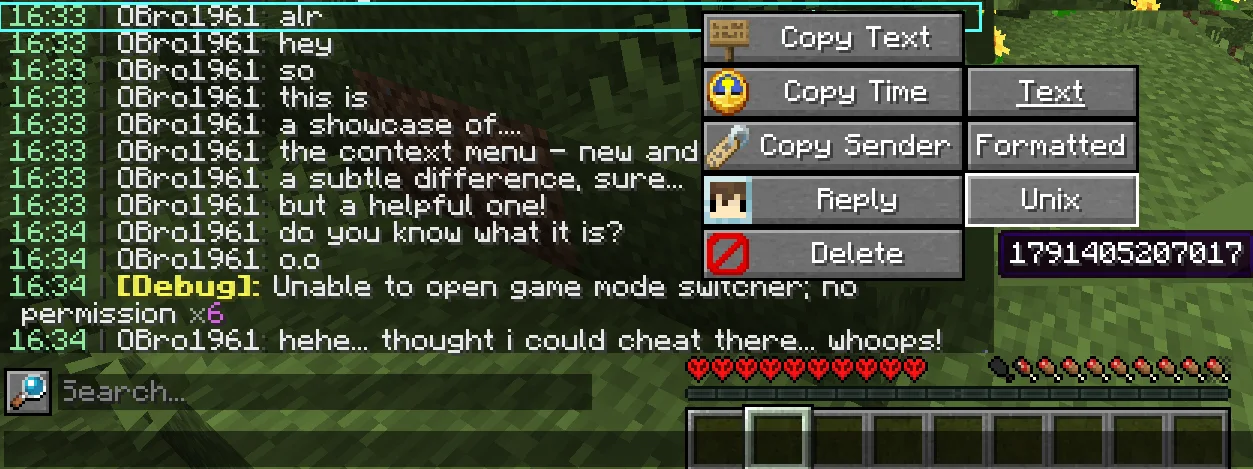
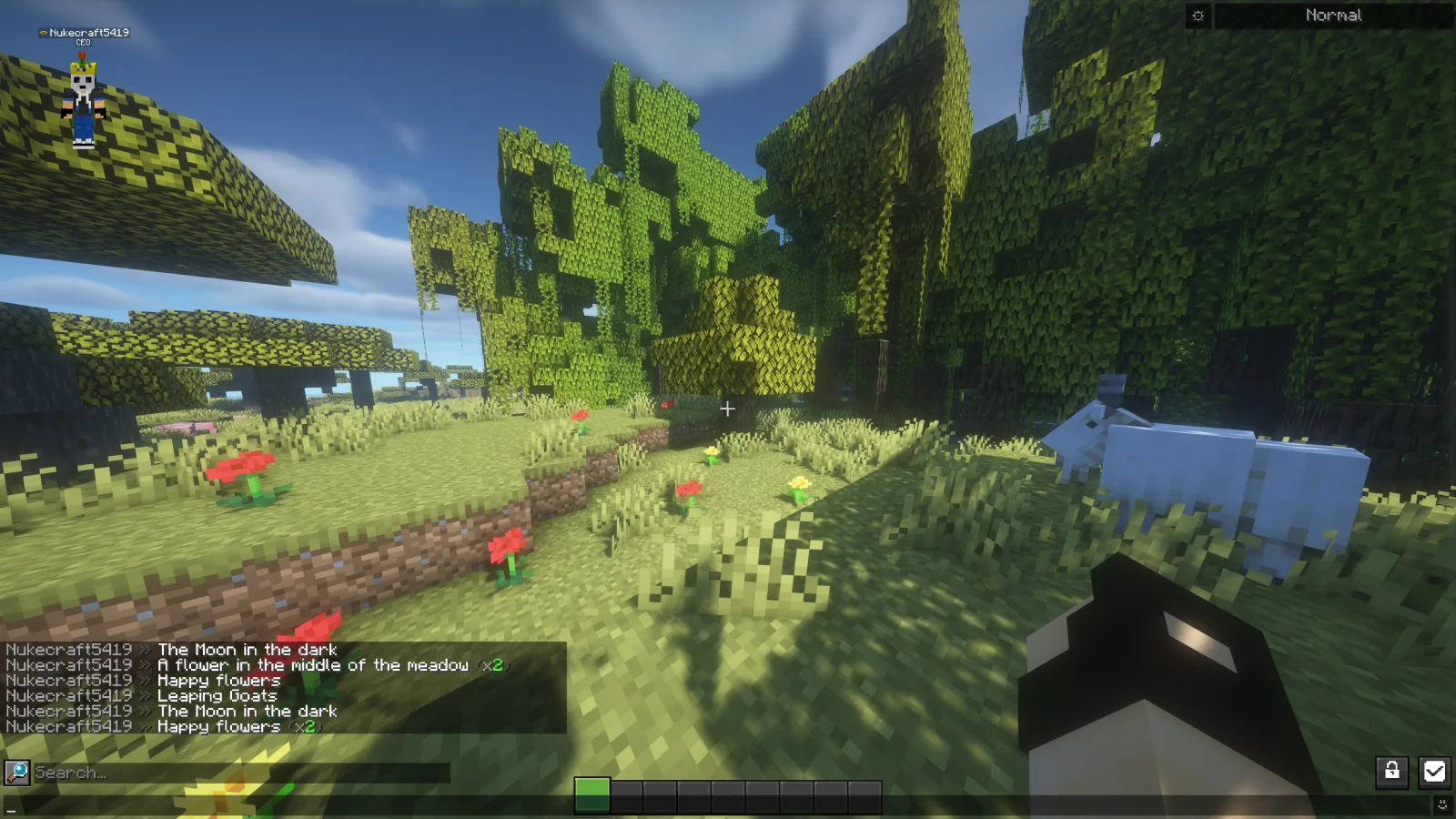
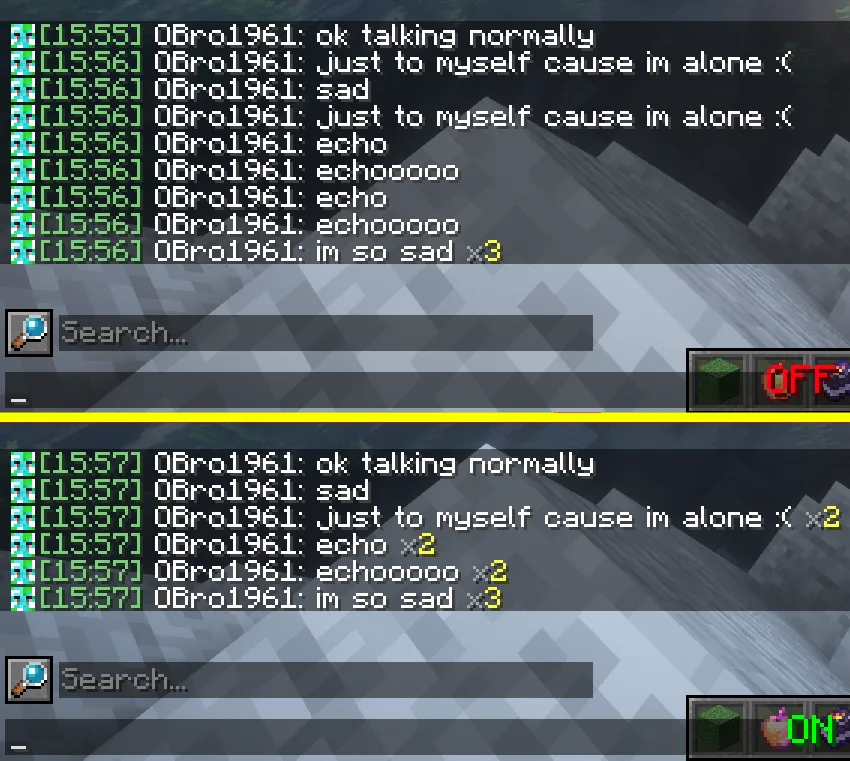
Chat Patches to mod, autor: OBro1961. A Minecraft Fabric client-side mod that touches up a few aspects of Minecraft's mundane chat, with as much configurability as possible!
Obsługiwane wersje: Minecraft 1.18 – 26.x. Liczba pobrań w serwisie Modrinth: 7,320,775. Ostatnia aktualizacja: 04.10.2026.
Chat Patches ma 183 wydań na Modrinth od 26.07.2022. 65 z nich wyszło w ostatnim roku. Najnowsza to 8.0.0+26.3-fabric, wydana 04.10.2026. Jest zrobiona dla Minecraft 26.3. Działa na Fabric. Plik ma 1.5 MB.
| Wersja | Wydano | Minecraft | Typ |
|---|---|---|---|
8.0.0+26.3-fabric | 04.10.2026 | 26.3 | Wydanie |
8.0.0+26.2-fabric | 04.10.2026 | 26.2 | Wydanie |
8.0.0+26.1.2-fabric | 04.10.2026 | 26.1, 26.1.1, 26.1.2 | Wydanie |
8.0.0+1.21.11-fabric | 04.10.2026 | 1.21.11 | Wydanie |
8.0.0+1.21.1-fabric | 04.10.2026 | 1.21, 1.21.1 | Wydanie |
Chat Patches ma otwarty kod. Najnowsze wydanie na GitHubie to 217.6.16, opublikowane 03.07.2025.
Wcześniej: 216.6.16 (03.07.2025), 215.6.16 (03.07.2025).
A Minecraft client-side mod that touches up Minecraft's mundane chat, with configurability in mind!
It's most significant features include (but are not limited to):
Many of these features were adopted or inspired from the following existing mods
(of which Chat Patches serves as a replacement):
other things. But keep an eye out, one day it will be ready!
page, and if it hasn't been reported yet, you can create a new report! Make sure to fill out the entire thing as much as possible.
provide any logged errors if they exist.
(modrinth.com/mod/modmenu/versions?l=fabric&…).
copy at (directory)/config/chatpatches_old.json. By then opening both the new and old configs at the same time, you can copy and paste over the values.
Make sure the settings have correct inputs (ex. time should be true/false not 123 or "true").
pages (see above). If you're unsure, message me on Discord (@obro1961) about it.
If you would like to help translate Chat Patches into other languages, you can:
Once you contribute, join the Discord server so you can receive your complementary Contributor and Translator roles!
Autor: OBro1961. Z obrazkami na Modrinth.
Ten mod działa tylko w twojej grze. Serwery go nie potrzebują, więc możesz go używać na każdym serwerze.
Zainstaluj Fabric i Quilt dla Minecraft 1.18 – 26.x.
Dodaj potrzebne mody: YetAnotherConfigLib (YACL) i API Fabric.
Pobierz plik .jar z Modrinth i wrzuć go do folderu mods w katalogu .minecraft.
Uruchom Minecraft z profilem Fabric.
Prościej: w Prism Launcher lub Modrinth App wyszukaj Chat Patches w modach swojej instancji i kliknij Install. Loader i potrzebne mody zostaną dodane za ciebie.
| Zasób | Pobrania | Wersje | Aktualizacja | Cena |
|---|---|---|---|---|
| Chat Patchesten, który oglądałeś | 7.3M | 1.18 – 26.x | 4 paź 2026 | Za darmo |
| WayLinkPrimeli | 94 | 1.21 – 26.x | 11 paź 2026 | Za darmo |
 No Chat ReportsAizistral | 62M | 1.19 – 26.x | 30 wrz 2026 | Za darmo |
 Essential ModSparkUniverse | 48.5M | 1.8 – 26.x | 10 d. temu | Za darmo |
Tak. Chat Patches działa w wersji Minecrafta 26.x. Wszystkie obsługiwane wersje: 26.x, 1.21, 1.20, 1.19, 1.18.
Tak. Chat Patches można pobrać za darmo z serwisu Modrinth.
Po stronie klienta. Chat Patches trafia do twojego folderu mods i działa na każdym serwerze, także bez modów.
Tak: Mod Menu, YetAnotherConfigLib (YACL), Fabric API, No Chat Reports. Zainstaluj to przed Chat Patches.
Tak. Ostatnia aktualizacja wyszła w ciągu ostatniej doby.
Najbliższe to WayLink, No Chat Reports i Essential Mod. Porównaj wszystkie alternatywy
WayLinkMody · 1.21 – 26.xMakes waypoints shared in chat work across JourneyMap, Xaero's Minimap and NoRisk Client. Add them with one click and share your own. Client-side.
No Chat ReportsMody · 1.19 – 26.xMakes chat unreportable (where possible)
Essential ModMody · 1.8 – 26.xEnhance your Minecraft with one simple mod. Host worlds for free, chat with friends, and so much more!
 Longer Chat HistoryMody · 1.19 – 26.x
Makes chat history much longer
 Chat HeadsMody · 1.16 – 26.x
See who you're chatting with!
 MidiChatMody · 1.21 – 26.x
A client-side Simple Voice Chat addon that lets you play music using MIDI inputs
Zaloguj się, aby wystawić opinię.