
 Panda's Falling TreesMods · 1.19 – 1.21
Make trees fall when cut down
Kostenlos3,825,780 Downloads
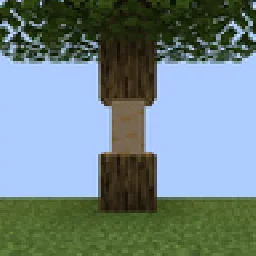
Take down trees chop-by-chop instead of block-by-block.
Direkter Download von Modrinth · 5,491,374 Downloads
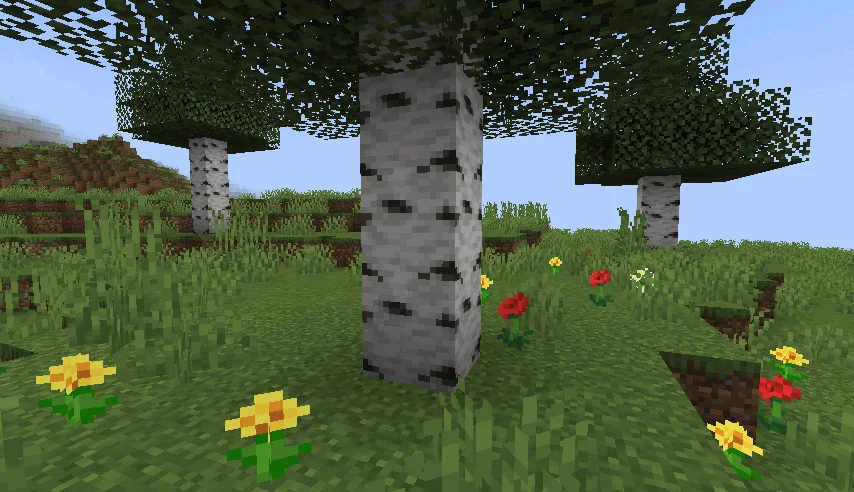
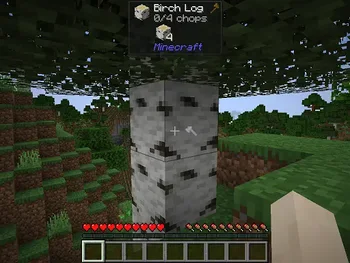
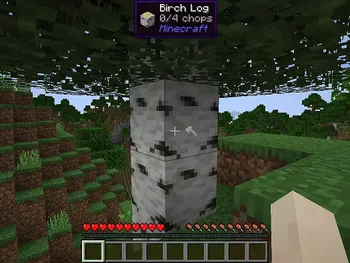
HT's TreeChop (Mod) stammt von hammertater. Take down trees chop-by-chop instead of block-by-block.
Unterstützt wird Minecraft 1.12 – 1.21. Auf Modrinth gibt es 5,491,374 Downloads. Das letzte Update erschien am 03.03.2025.
HT's TreeChop hat seit 22.04.2023 43 Versionen auf Modrinth veröffentlicht. Keine davon erschien im letzten Jahr. Die neueste ist 0.19.3a, erschienen am 03.03.2025. Sie ist für Minecraft 1.21, 1.21.1 gemacht. Sie läuft auf Fabric. Der Download ist 488 KB groß.
| Version | Veröffentlicht | Minecraft | Typ |
|---|---|---|---|
0.19.3a | 03.03.2025 | 1.21, 1.21.1 | Release |
0.19.3 | 02.03.2025 | 1.21, 1.21.1 | Release |
0.19.2 | 29.10.2024 | 1.21 | Release |
0.19.1 | 27.07.2024 | 1.19.2 | Release |
0.19.1 | 27.07.2024 | 1.19.2 | Release |
HT's TreeChop ist Open Source. Die neueste Version auf GitHub ist 0.19.4: Merge pull request #332 from elinka47/main, veröffentlicht am 13.08.2026.
Davor: 0.19.3 (02.03.2025), 0.19.2 (02.03.2025).
Allows trees to be chopped down by repeatedly breaking a single block. The whole tree will only break after a certain number of chops, and bigger trees require more chops. Inspired by mods like Treecapitator.
*By default, the number of chops required to fell a tree is computed logarithmically. Some example numbers are below. The number of chops can also be configured to scale linearly with the number of blocks to, for example, require one chop per block, or one chop per tree. More information can be found here.
Tree blocks · Chops required
1 · 1
3 · 3
5 · 4
10 · 7
20 · 12
50 · 19
100 · 25
Compatibility:
Want to make your mod compatible with TreeChop? See the wiki.
FAQ:
Press n to open TreeChop's in-game settings, then toggle off the "chopping" setting. A key can also be bound to toggle chopping without opening the settings screen; go to Options > Controls and find the section labeled "HT's TreeChop".
By default, sneaking inverts your current chop setting, so just toggle chopping off (press n to access the settings screen) so that chopping will be enabled by sneaking.
Press n to open TreeChop's in-game settings, then toggle off the "Sneaking inverts chopping" setting.
There's a setting to disable chopping if the "tree" is not connected to leaves. Press n to open TreeChop's in-game settings, then toggle "trees must have leaves".
If you find yourself chopping a block when you just wanted to break it normally, try breaking the block while sneaking, or toggle off chopping (press n to access the settings screen).
Probably the item you used to chop the tree doesn't play nice with TreeChop. Go to [your minecraft folder]/config/treechop-common.toml and add the item's registry name to choppingToolsBlacklist, or ask the server owner to, and then maybe let me know about the conflict and I'll try to fix it.
Maybe chopping is turned off; press n to open TreeChop's in-game settings, then toggle on the "chopping" setting. If chopping is enabled and changing tools doesn't help, then there might be a conflict with another mod. If you send me a recent log, I'll try to fix it.
Either
a) it's a modded tree and its leaves are not set up properly. Let me know what type of tree is misbehaving, and I'll politely inform the mod owners.
b) there are too many leaves! You can increase the max number of leaves by going to [your minecraft folder]/config/treechop-common.toml and increasing maxLeavesBlocks.
Either
a) it's a modded tree and is weirdly shaped. Let me know, and I'll try to make TreeChop do a better job of detecting that type of tree.
b) the tree is too big! You can increase the max tree size by going to [your minecraft folder]/config/treechop-common.toml and increasing maxTreeBlocks.
Go to [your minecraft folder]/config/treechop-common.toml and change
blockTagForDetectingLogs = "treechop:choppables"
to
blockTagForDetectingLogs = "treechop:choppables_except_mushrooms"
If you want more control over which blocks can be chopped, you have to make your own datapack and fiddle with the block tags (see minecraft.gamepedia.com/Tag for more info).
Only the newest version of Minecraft 1.16 is fully supported. Some older versions, especially 1.12.2, lack some of the fancier features.
Yes!
Sample configs:
treechop-common.toml
[permissions]
[permissions.choppingEnabled]
canBeFalse = true
canBeTrue = true
[permissions.fellingEnabled]
canBeFalse = true
canBeTrue = true
[permissions.sneakBehavior]
canBeNone = true
canBeInvertFelling = true
canBeInvertChopping = true
[permissions.treeMustHaveLeaves]
canBeFalse = true
canBeTrue = true
[permissions.chopInCreativeMode]
canBeFalse = true
canBeTrue = true
[general]
dropLootForChoppedBlocks = true
[treeDetection]
maxTreeBlocks = 320
maxLeavesBlocks = 1024
breakLeaves = true
ignorePersistentLeaves = true
maxBreakLeavesDistance = 7
[treeDetection.logs]
blocks = ["#treechop:choppables", "#minecraft:logs", "#forge:mushroom_stems"]
exceptions = ["minecraft:bamboo"]
[treeDetection.leaves]
blocks = ["#treechop:leaves_like", "#minecraft:leaves", "#minecraft:wart_blocks", "#forge:mushroom_caps", "minecraft:shroomlight"]
exceptions = []
[chopCounting]
algorithm = "LOGARITHMIC"
rounding = "NEAREST"
canRequireMoreChopsThanBlocks = false
[chopCounting.logarithmic]
a = 10.0
[chopCounting.linear]
chopsPerBlock = 1.0
baseNumChops = 0.0
[compatibility]
mushroomStems = true
carryOn = true
projectMMO = true
theOneProbe = true
[compatibility.general]
preventChoppingOnRightClick = false
preventChopRecursion = true
choppingRequiresCorrectToolForDrops = true
choppingRequiresFastBreakingTool = true
[compatibility.general.blacklist]
blacklistOrWhitelist = "BLACKLIST"
items = ["#tconstruct:modifiable/harvest", "botania:terra_axe", "mekanism:atomic_disassembler", "@lumberjack", "practicaltools:iron_greataxe", "practicaltools:golden_greataxe", "practicaltools:diamond_greataxe", "practicaltools:netherite_greataxe"]
[compatibility.general.fakePlayerChopSettings]
choppingEnabled = false
fellingEnabled = true
treesMustHaveLeaves = true
[compatibility.API]
verbose = false
[compatibility.silentgear]
enabled = true
sawChops = 5
[compatibility.tinkersConstruct]
enabled = true
treeBreakingTools = 5
woodBreakingTools = 1
expandedMultiplier = 2.0
[mod]
enabled = true
printDebugInfo = false
tre
Geschrieben von hammertater. Mit Bildern auf Modrinth lesen.
Diese Mod wird auf dem Server und bei jedem Spieler gebraucht.
Installiere Fabric, Forge und NeoForge für Minecraft 1.12 – 1.21.
Füge die benötigten Mods hinzu: Forge Config API Port.
Lade die .jar-Datei von Modrinth herunter und lege sie in den mods-Ordner deines .minecraft-Verzeichnisses.
Starte Minecraft mit dem Fabric-Profil.
Einfacher: Suche in Prism Launcher oder der Modrinth App in den Mods deiner Instanz nach HT's TreeChop und klicke auf Install. Loader und benötigte Mods werden für dich hinzugefügt.
| Ressource | Downloads | Versionen | Letztes Update | Preis |
|---|---|---|---|---|
| HT's TreeChopdie du angesehen hast | 5.5M | 1.12 – 1.21 | 3. März 2025 | Kostenlos |
| Panda's Falling TreesThePandaOliver | 3.8M | 1.19 – 1.21 | 2. Apr. 2026 | Kostenlos |
 Leaves Be GoneFuzs | 13.5M | 1.18 – 26.x | 26. Sept. 2026 | Kostenlos |
 FallingTreeRakambda | 13.2M | 1.16 – 26.x | vor 11 Tagen | Kostenlos |
Noch nicht. Die neueste unterstützte Version ist Minecraft 1.21.
Ja. HT's TreeChop kannst du kostenlos bei Modrinth herunterladen.
Beides. Der Server und jeder Spieler brauchen HT's TreeChop.
Ja: Forge Config API Port. Installiere es vor HT's TreeChop.
Ja. Das letzte Update kam innerhalb des letzten Tages.
Am ähnlichsten sind Panda's Falling Trees, Leaves Be Gone und FallingTree. Alle Alternativen vergleichen
Panda's Falling TreesMods · 1.19 – 1.21Make trees fall when cut down
Leaves Be GoneMods · 1.18 – 26.xQuick leaf decay from cutting down trees. Built for fast performance and mod compat!
FallingTreeMods · 1.16 – 26.xBreak down your trees by only cutting one piece of it
 Better BedsMods · 1.16 – 1.21
Changes the renderer of the bed to use json models instead of a block entity renderer!
 VeinMiner HotkeyMods · 1.20 – 26.x
Veinminer Addon - Use a hotkey to veinmine with a dynamic crosshair & block highlighting
 CarpetMods · 1.16 – 26.x
Take full control over your vanilla game
Logg dich ein, um eine Bewertung zu schreiben.