
 Elytra TrimsMods · 1.19 – 26.x
Customizable elytra mod with trims, banner patterns and more!
Gratis5,389,529 descargas

A customizable all-in-one Minecraft utility mod.
Descarga directa desde Modrinth · 46 descargas
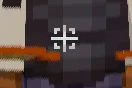

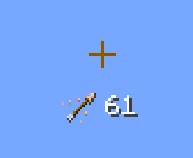
LifeTweaks (mod) es obra de OhBubba. A customizable all-in-one Minecraft utility mod.
Es compatible con Minecraft 1.21. Se ha descargado 46 veces en Modrinth. La última actualización salió el 31/08/2026.
La más reciente es 1.0.0, publicada el 31/08/2026. Está hecha para Minecraft 1.21.11. Funciona en Fabric. La descarga ocupa 121 KB.
| Versión | Publicado | Minecraft | Tipo |
|---|---|---|---|
1.0.0 | 31/08/2026 | 1.21.11 | Estable |
NOTE: Picture Gallery shows default settings, this mod is entirely customizable (that was the point when making it). Any questions/requests, ohbubba. on discord
///
///
NOTE: LifeTweaks is entirely client-side and purely cosmetic or informational. It does not automate play, reveal hidden information, or send anything to the server.
Created by OhBubba. All rights reserved.
Escrita por OhBubba. Léela con imágenes en Modrinth.
Este mod funciona solo en tu propio juego. Los servidores no lo necesitan, así que puedes usarlo en cualquier servidor.
Instala Fabric para Minecraft 1.21.
Añade los mods que necesita: API de Fabric.
Descarga el archivo .jar desde Modrinth y ponlo en la carpeta mods de tu directorio .minecraft.
Inicia Minecraft con el perfil de Fabric.
Más fácil: en Prism Launcher o la Modrinth App, busca LifeTweaks en los mods de tu instancia y haz clic en Install. Añade el loader y los mods que necesita por ti.
| Recurso | Descargas | Versiones | Última actualización | Precio |
|---|---|---|---|---|
| LifeTweaksel que estabas viendo | 46 | 1.21 | 31 ago 2026 | Gratis |
| Elytra TrimsKikuGie | 5.4M | 1.19 – 26.x | hace 1 día | Gratis |
 API de Radical Cobblemon Trainershd42 | 8.1M | 1.21 | 12 oct 2026 | Gratis |
 Better Compatibility CheckerGaz492 | 7.3M | 1.16 – 26.x | 19 sept 2026 | Gratis |
Todavía no. La versión más reciente que admite es Minecraft 1.21.
Sí. LifeTweaks se puede descargar gratis desde Modrinth.
Del lado del cliente. LifeTweaks va en tu propia carpeta mods y funciona en cualquier servidor, incluso en servidores sin mods.
Sí: Mod Menu, Fabric API. Instálalo antes de LifeTweaks.
Sí. La última actualización salió en el último día.
Los más parecidos son Elytra Trims, API de Radical Cobblemon Trainers y Better Compatibility Checker. Comparar todas las alternativas
Elytra TrimsMods · 1.19 – 26.xCustomizable elytra mod with trims, banner patterns and more!
API de Radical Cobblemon TrainersMods · 1.21Trainer management and battle API for Cobblemon.
Better Compatibility CheckerMods · 1.16 – 26.xChanges the default server compatibility check to compare modpack versions
 TrashSlotMods · 1.18 – 26.x
Adds a draggable trash slot to all inventory screens. Press T to toggle.
 Sounds Be GoneMods · 1.19 – 26.x
Allows you to disable specific sounds you don't like. Perfect for people with Misophonia!
 SeasonHud-FabricMods · 1.16 – 26.x
Display the current season on the Hud or under the minimap
Inicia sesión para dejar una reseña.