NouveauCraftRank SitesSite web et boutique gratuitsCrée la tienne ›
AshlarLogiciel serveur gratuit basé sur Paper, avec protection DDoS et anti-backdoor Voir Ashlar ›Security RadarA free check of your server's login, anti-bot and proxy settings, only with your OK Voir comment ça marche ›CommunautéPose des questions, partage tes constructions et trouve des joueurs Rejoindre le forum ›
Ressources / Mods / LifeTweaks

LifeTweaks

A customizable all-in-one Minecraft utility mod.

ModsGratuit1.21
par OhBubba · repris depuis Modrinth
Télécharger ›

Téléchargement direct depuis Modrinth · 46 téléchargements
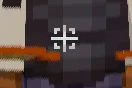
LifeTweaks, capture 1LifeTweaks, capture 2LifeTweaks, capture 3

Ce qu'il fait

LifeTweaks (mod) est une création de OhBubba. A customizable all-in-one Minecraft utility mod.

Versions prises en charge : Minecraft 1.21. On compte 46 téléchargements sur Modrinth. La dernière mise à jour date du 31/08/2026.

Versions prises en charge

1.21

Historique des versions

La plus récente est 1.0.0, sortie le 31/08/2026. Elle est faite pour Minecraft 1.21.11. Elle fonctionne sur Fabric. Le téléchargement fait 121 KB.

VersionPubliéMinecraftType
1.0.031/08/20261.21.11Stable
Description de l'auteur sur Modrinth

LifeTweaks

NOTE: Picture Gallery shows default settings, this mod is entirely customizable (that was the point when making it). Any questions/requests, ohbubba. on discord

  • LifeTweaks is a client-side quality-of-life mod. It bundles the small HUD and rendering tweaks that most players end up installing one by one into a single mod with one clean, categorised settings screen.
  • Every feature is off by default. Nothing here touches the server or gives an unfair advantage, it is all information you could already see, shown better.

Features

  • Fullbright — Every block is lit as if under full daylight, caves included, with no washed-out colours. Toggle it with a keybind (default K).
  • Flat Lighting — removes directional face shading, ambient occlusion and entity shadows for a clean, evenly-lit look. Pairs with Fullbright or stands on its own.

///

  • More Chat History — raises the message limit from 100 to 16,384 or over 1,000,000 so you stop losing messages.
  • Chat Scrollbar — a thin, draggable scrollbar on the chat while it is open.

///

  • Custom crosshair icon — paint your own crosshair on a 35×35 grid with a built-in editor. Optionally replace the vanilla + entirely.
  • Reach indicator — a bracket around the crosshair that appears only while the entity you are looking at is inside your attack range. Filter it to players, hostiles, or everything.
  • Projectile hitmarkers — a marker (and optional sound) whenever one of your arrows deals damage, including hits that only touch the target's armour. Separate colour for a killing blow, adjustable sound volume and on-screen duration, and a custom marker shape if you want one.
  • Elytra indicator — a small icon below the crosshair while an elytra is equipped, so you always know before you jump. Optional "only while gliding" mode.
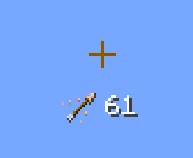
  • Arrow indicator — shows the actual arrow item you would fire next and how many you are carrying. Only appears with a bow or crossbow in hand (optional), with sliders for icon size, text size and a free grid position.
  • Every color above can be a hex value or set to adaptive, which uses the same inversion blend as the vanilla crosshair so the indicator stays readable against any background.

HUD

  • FPS & Ping counters — independent counters with several text formats, colour, shadow, a size slider each, and drag-to-place positioning on a snapping grid.
  • Effect Timer — a compact status-effect display with icons and a countdown, coloured by effect category, in the style of EffectTimerPlus. Six locked preset positions, including middle-left and middle-right.
  • Armor HUD — a self-contained four-slot strip built from the vanilla hotbar sprite so it matches your resource pack. Optional durability readout as a number or a percentage, coloured with the exact vanilla damage-bar gradient, with its own text-size slider and six preset anchors.
  • Movement & name
  • Sprint by Default — always sprint without holding the key. Toggle sprint to walk.
  • Own Name — renders your own name tag in third person, the way you see everyone else's.
  • Configuration
  • A categorised settings screen with a left sidebar — Fullbright, Chat, Crosshair, HUD, Movement, Nametag — and a scrollbar for long pages.
  • A drag-and-drop colour picker for every colour option: pick from the square, drag the hue and alpha bars, or type a hex code.
  • Opens from Mod Menu or from a keybind.
  • Compatibility
  • Minecraft: 1.21.11
  • Loader: Fabric
  • Environment: client-side only. Safe on any server, including vanilla — the server never sees the mod.
  • Works alongside Sodium, Iris and other rendering mods. If another mod already changes world lighting, run Fullbright or Flat Lighting on their own to avoid fighting over the lightmap.

Dependencies

  • Fabric API — required.
  • Mod Menu — optional, adds the settings button in the mods list. The keybind opens the same screen without it.

NOTE: LifeTweaks is entirely client-side and purely cosmetic or informational. It does not automate play, reveal hidden information, or send anything to the server.

Created by OhBubba. All rights reserved.

Écrite par OhBubba. À lire avec les images sur Modrinth.

Comment installer LifeTweaks

  1. Ce mod fonctionne uniquement dans ton jeu. Les serveurs n'en ont pas besoin, tu peux donc l'utiliser sur n'importe quel serveur.

  2. Installe Fabric pour Minecraft 1.21.

  3. Ajoute les mods dont il a besoin : API Fabric.

  4. Télécharge le fichier .jar depuis Modrinth et place-le dans le dossier mods de ton répertoire .minecraft.

  5. Lance Minecraft avec le profil Fabric.

  6. Plus simple : dans Prism Launcher ou la Modrinth App, cherche LifeTweaks dans les mods de ton instance et clique sur Install. Le loader et les mods requis sont ajoutés pour toi.

Compatibilité

Versions de Minecraft
1.21
Fonctionne sur
Fabric
Où il fonctionne
Client uniquement (ton jeu)
Édition
Java
Nécessite
API Mod Menu, Fabric
Licence
Utilisation gratuite
Prix
Gratuit
Suivi
Mis à jour activement (12/11/2026)

LifeTweaks comparé à des ressources similaires Comparer toutes les alternatives

RessourceTéléchargementsVersionsMise à jourPrix
LifeTweakscelle que tu regardais461.2131 août 2026Gratuit
Elytra TrimsKikuGie5.4M1.19 – 26.xil y a 1 jourGratuit
API Radical Cobblemon Trainershd428.1M1.2112 oct. 2026Gratuit
Better Compatibility CheckerGaz4927.3M1.16 – 26.x19 sept. 2026Gratuit

Questions

Est-ce que LifeTweaks fonctionne sur Minecraft 26.x ?

Pas encore. La version la plus récente prise en charge est Minecraft 1.21.

Est-ce que LifeTweaks est gratuit ?

Oui. LifeTweaks se télécharge gratuitement sur Modrinth.

LifeTweaks est-il côté client ou côté serveur ?

Côté client. LifeTweaks se place dans ton propre dossier mods et fonctionne sur n'importe quel serveur, même sans mods.

LifeTweaks a-t-il besoin d'autre chose ?

Oui : Mod Menu, Fabric API. Installe-le avant LifeTweaks.

LifeTweaks est-il encore mis à jour ?

Oui. La dernière mise à jour date des dernières 24 heures.

Quelles sont les meilleures alternatives à LifeTweaks ?

Les plus proches sont Elytra Trims, API Radical Cobblemon Trainers et Better Compatibility Checker. Comparer toutes les alternatives

Alternatives à LifeTweaks

Comparer toutes les alternatives ›

Avis

–★★★★★
0 avis
50
40
30
20
10

Connecte-toi pour laisser un avis.