
 Lumina ShaderShaders · 1.8 – 26.x
Cinematic shaders for Minecraft Java featuring a black hole and white hole in the End, atmospheric lighting, volumetric clouds, water reflections and…
Gratis197,002 descargas
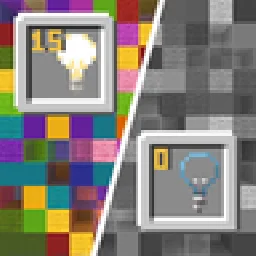
Blocks gradually turn black and white as light levels decrease.
Descarga directa desde Modrinth · 22,696 descargas
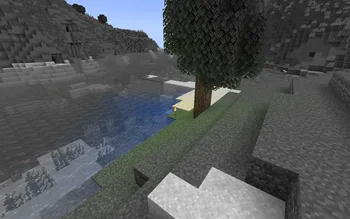


No Light (pack de shaders) es obra de SuperAnt_. Blocks gradually turn black and white as light levels decrease.
Es compatible con Minecraft 1.17 – 1.21. Se ha descargado 22,696 veces en Modrinth. La última actualización salió el 03/01/2026.
No Light ha publicado 5 versiones en Modrinth desde el 29/09/2024. Una salió en el último año. La más reciente es 1.2, publicada el 03/01/2026. Está hecha para Minecraft 1.20.2 – 1.21.11. Funciona en Minecraft. La descarga ocupa 281 KB.
| Versión | Publicado | Minecraft | Tipo |
|---|---|---|---|
1.2 | 03/01/2026 | 1.20.2 – 1.21.11 | Estable |
1.1 | 14/09/2025 | 1.20.2 – 1.21.8 | Estable |
1.0 | 29/09/2024 | 1.17 – 1.18.1 | Estable |
1.0 | 29/09/2024 | 1.18.2 – 1.20.1 | Estable |
1.0 | 29/09/2024 | 1.20.2 – 1.21.5 | Estable |
This resource pack makes blocks smoothly become less colorful when they have less block light. Sky light doesn't affect this, only block light. Please note — this resource pack applies only to most of the blocks. Entities, some block entities, particles and other stuff will not be affected due to a different lighting method. Maybe I'll try to make entities and block entities work in the future.
You can also adjust radius and smoothness of how light will colorize blocks.
Go into the resource pack into a file assets/minecraft/shaders/include/no_light_no_color.glsl. You can change the numbers in the first 2 lines. The variables don't work very intuitively so just play around until you are comfortable with the result.
Radius variable here is set to 82:
Escrita por SuperAnt_. Léela con imágenes en Modrinth.
Instala Iris (con Sodium) u OptiFine para tu versión de Minecraft: los shaders necesitan uno de ellos.
Descarga el archivo .zip desde Modrinth. No lo descomprimas.
En Minecraft, abre Opciones, luego Gráficos, luego Shader Packs y pulsa Abrir carpeta de shaders.
Suelta el archivo .zip en esa carpeta, elige No Light en la lista y pulsa Listo.
Los shaders exigen mucho a la tarjeta gráfica. Si el juego va lento, elige un perfil más bajo en sus ajustes.
| Recurso | Descargas | Versiones | Última actualización | Precio |
|---|---|---|---|---|
| No Lightel que estabas viendo | 23K | 1.17 – 1.21 | 3 ene 2026 | Gratis |
| Lumina ShaderBenjiaa | 197K | 1.8 – 26.x | 20 sept 2026 | Gratis |
 B&W ShaderCat4blep | 60K | 1.12 – 26.x | 28 sept 2025 | Gratis |
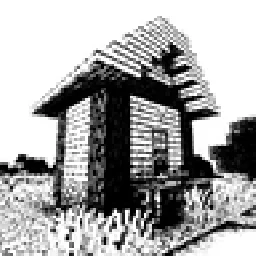 Bitmap Vanilla ShaderEevee_17 | 46K | 1.21 – 26.x | 23 jul 2026 | Gratis |
Todavía no. La versión más reciente que admite es Minecraft 1.21.
Sí. No Light se puede descargar gratis desde Modrinth.
Sí. La última actualización salió en el último día.
Los más parecidos son Lumina Shader, B&W Shader y Bitmap Vanilla Shader. Comparar todas las alternativas
Lumina ShaderShaders · 1.8 – 26.xCinematic shaders for Minecraft Java featuring a black hole and white hole in the End, atmospheric lighting, volumetric clouds, water reflections and…
B&W ShaderShaders · 1.12 – 26.xA shader that completely turns your game into a black and white version
Bitmap Vanilla ShaderShaders · 1.21 – 26.xRenders the game with only the colors black and white (bitmap).
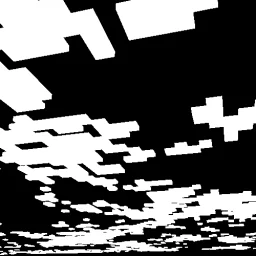 CMSShaders · 1.8 – 1.21
Shader that makes clouds white, and everything else, black
 0light1levels15Shaders · 1.21 – 26.x
A simple and lightweight rp that works in vanilla and allows you to see the exact light levels: 0, 1 and 15
 Black And White ShadersShaders · 1.16 – 26.x
Cinematic grayscale shader pack
Inicia sesión para dejar una reseña.