
 Lumina ShaderShaders · 1.8 – 26.x
Cinematic shaders for Minecraft Java featuring a black hole and white hole in the End, atmospheric lighting, volumetric clouds, water reflections and…
Free196,127 downloads
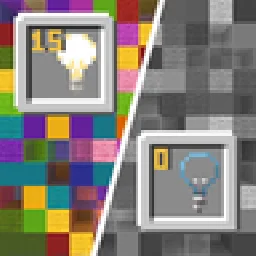
Blocks gradually turn black and white as light levels decrease.
Opens Modrinth · 22,686 downloads there
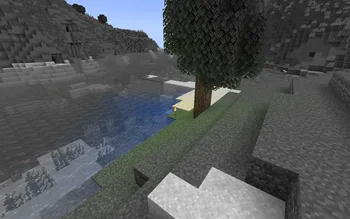


Blocks gradually turn black and white as light levels decrease.
No Light is a shader pack made by SuperAnt_. It supports Minecraft 1.17 – 1.21. It has been downloaded 22,686 times on Modrinth. The last update came out on Jan 3, 2026.
No Light has had 5 releases on Modrinth since Sep 29, 2024. One of them came out in the past year. The newest is 1.2, released on Jan 3, 2026. It is made for Minecraft 1.20.2 – 1.21.11. It runs on Minecraft. The download is 281 KB.
| Version | Released | Minecraft | Type |
|---|---|---|---|
1.2 | Jan 3, 2026 | 1.20.2 – 1.21.11 | Release |
1.1 | Sep 14, 2025 | 1.20.2 – 1.21.8 | Release |
1.0 | Sep 29, 2024 | 1.17 – 1.18.1 | Release |
1.0 | Sep 29, 2024 | 1.18.2 – 1.20.1 | Release |
1.0 | Sep 29, 2024 | 1.20.2 – 1.21.5 | Release |
This resource pack makes blocks smoothly become less colorful when they have less block light. Sky light doesn't affect this, only block light. Please note — this resource pack applies only to most of the blocks. Entities, some block entities, particles and other stuff will not be affected due to a different lighting method. Maybe I'll try to make entities and block entities work in the future.
You can also adjust radius and smoothness of how light will colorize blocks.
Go into the resource pack into a file assets/minecraft/shaders/include/no_light_no_color.glsl. You can change the numbers in the first 2 lines. The variables don't work very intuitively so just play around until you are comfortable with the result.
Radius variable here is set to 82:
Written by SuperAnt_. Read it with pictures on Modrinth.
Install Iris (with Sodium) or OptiFine for your Minecraft version: shaders need one of them.
Download the .zip file from Modrinth. Do not unzip it.
In Minecraft, open Options, then Video Settings, then Shader Packs, and click Open Shader Pack Folder.
Drop the .zip file into that folder, pick No Light in the list and click Done.
Shaders are heavy on the graphics card. If the game gets slow, pick a lower profile in the shader settings.
| Resource | Downloads | Versions | Last update | Price |
|---|---|---|---|---|
| No Lightthe one you looked at | 23K | 1.17 – 1.21 | Jan 3, 2026 | Free |
| Lumina ShaderBenjiaa | 196K | 1.8 – 26.x | Sep 20, 2026 | Free |
 B&W ShaderCat4blep | 60K | 1.12 – 26.x | Sep 28, 2025 | Free |
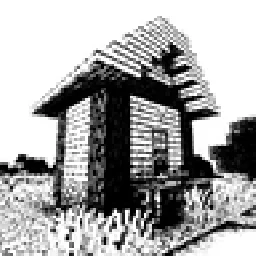 Bitmap Vanilla ShaderEevee_17 | 46K | 1.21 – 26.x | Jul 23, 2026 | Free |
Not yet. The newest version it supports is Minecraft 1.21.
Yes. No Light is free to download from Modrinth.
Yes. The last update came out in the past day.
The closest ones are Lumina Shader, B&W Shader and Bitmap Vanilla Shader. Compare all alternatives
Lumina ShaderShaders · 1.8 – 26.xCinematic shaders for Minecraft Java featuring a black hole and white hole in the End, atmospheric lighting, volumetric clouds, water reflections and…
B&W ShaderShaders · 1.12 – 26.xA shader that completely turns your game into a black and white version
Bitmap Vanilla ShaderShaders · 1.21 – 26.xRenders the game with only the colors black and white (bitmap).
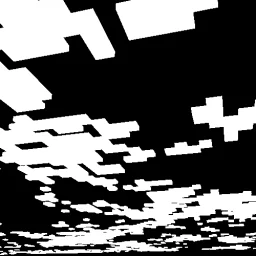 CMSShaders · 1.8 – 1.21
Shader that makes clouds white, and everything else, black
 0light1levels15Shaders · 1.21 – 26.x
A simple and lightweight rp that works in vanilla and allows you to see the exact light levels: 0, 1 and 15
 Black And White ShadersShaders · 1.16 – 26.x
Cinematic grayscale shader pack
Log in to leave a review.