
 Lumina ShaderShaders · 1.8 – 26.x
Cinematic shaders for Minecraft Java featuring a black hole and white hole in the End, atmospheric lighting, volumetric clouds, water reflections and…
Gratuit197,002 téléchargements
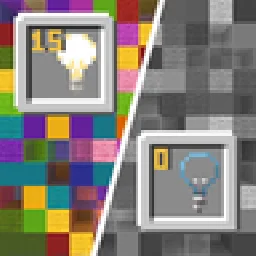
Blocks gradually turn black and white as light levels decrease.
Téléchargement direct depuis Modrinth · 22,696 téléchargements
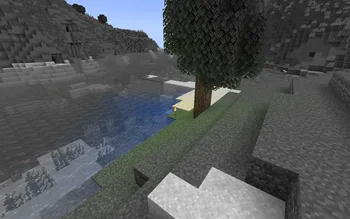


No Light (pack de shaders) est une création de SuperAnt_. Blocks gradually turn black and white as light levels decrease.
Versions prises en charge : Minecraft 1.17 – 1.21. On compte 22,696 téléchargements sur Modrinth. La dernière mise à jour date du 03/01/2026.
No Light a publié 5 versions sur Modrinth depuis le 29/09/2024. L'une d'elles est sortie au cours de l'année passée. La plus récente est 1.2, sortie le 03/01/2026. Elle est faite pour Minecraft 1.20.2 – 1.21.11. Elle fonctionne sur Minecraft. Le téléchargement fait 281 KB.
| Version | Publié | Minecraft | Type |
|---|---|---|---|
1.2 | 03/01/2026 | 1.20.2 – 1.21.11 | Stable |
1.1 | 14/09/2025 | 1.20.2 – 1.21.8 | Stable |
1.0 | 29/09/2024 | 1.17 – 1.18.1 | Stable |
1.0 | 29/09/2024 | 1.18.2 – 1.20.1 | Stable |
1.0 | 29/09/2024 | 1.20.2 – 1.21.5 | Stable |
This resource pack makes blocks smoothly become less colorful when they have less block light. Sky light doesn't affect this, only block light. Please note — this resource pack applies only to most of the blocks. Entities, some block entities, particles and other stuff will not be affected due to a different lighting method. Maybe I'll try to make entities and block entities work in the future.
You can also adjust radius and smoothness of how light will colorize blocks.
Go into the resource pack into a file assets/minecraft/shaders/include/no_light_no_color.glsl. You can change the numbers in the first 2 lines. The variables don't work very intuitively so just play around until you are comfortable with the result.
Radius variable here is set to 82:
Écrite par SuperAnt_. À lire avec les images sur Modrinth.
Installe Iris (avec Sodium) ou OptiFine pour ta version de Minecraft : les shaders ont besoin de l'un des deux.
Télécharge le fichier .zip depuis Modrinth. Ne le décompresse pas.
Dans Minecraft, ouvre Options, puis Paramètres vidéo, puis Shaders, et clique sur Ouvrir le dossier des shaders.
Dépose le fichier .zip dans ce dossier, choisis No Light dans la liste et clique sur Terminé.
Les shaders sollicitent beaucoup la carte graphique. Si le jeu ralentit, choisis un profil plus bas dans leurs réglages.
| Ressource | Téléchargements | Versions | Mise à jour | Prix |
|---|---|---|---|---|
| No Lightcelle que tu regardais | 23K | 1.17 – 1.21 | 3 janv. 2026 | Gratuit |
| Lumina ShaderBenjiaa | 197K | 1.8 – 26.x | 20 sept. 2026 | Gratuit |
 B&W ShaderCat4blep | 60K | 1.12 – 26.x | 28 sept. 2025 | Gratuit |
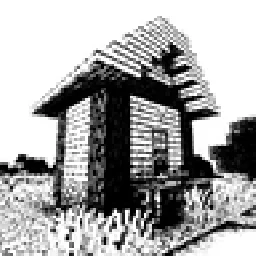 Bitmap Vanilla ShaderEevee_17 | 46K | 1.21 – 26.x | 23 juil. 2026 | Gratuit |
Pas encore. La version la plus récente prise en charge est Minecraft 1.21.
Oui. No Light se télécharge gratuitement sur Modrinth.
Oui. La dernière mise à jour date des dernières 24 heures.
Les plus proches sont Lumina Shader, B&W Shader et Bitmap Vanilla Shader. Comparer toutes les alternatives
Lumina ShaderShaders · 1.8 – 26.xCinematic shaders for Minecraft Java featuring a black hole and white hole in the End, atmospheric lighting, volumetric clouds, water reflections and…
B&W ShaderShaders · 1.12 – 26.xA shader that completely turns your game into a black and white version
Bitmap Vanilla ShaderShaders · 1.21 – 26.xRenders the game with only the colors black and white (bitmap).
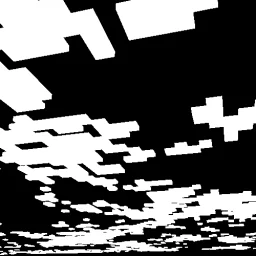 CMSShaders · 1.8 – 1.21
Shader that makes clouds white, and everything else, black
 0light1levels15Shaders · 1.21 – 26.x
A simple and lightweight rp that works in vanilla and allows you to see the exact light levels: 0, 1 and 15
 Black And White ShadersShaders · 1.16 – 26.x
Cinematic grayscale shader pack
Connecte-toi pour laisser un avis.