
 Bloom Auto PickupPlugins · 1.21 – 26.x
Highly Optimized and Supported Auto Pickup Plugin. Folia, All Paper Forks, Spigot. 1.21.x - 26.3
Gratis5 descargas

Highly Optimized and Supported Minions Plugin. Folia, All Paper Forks, Spigot. 1.21.x - 26.3
Descarga directa desde Modrinth · 4 descargas
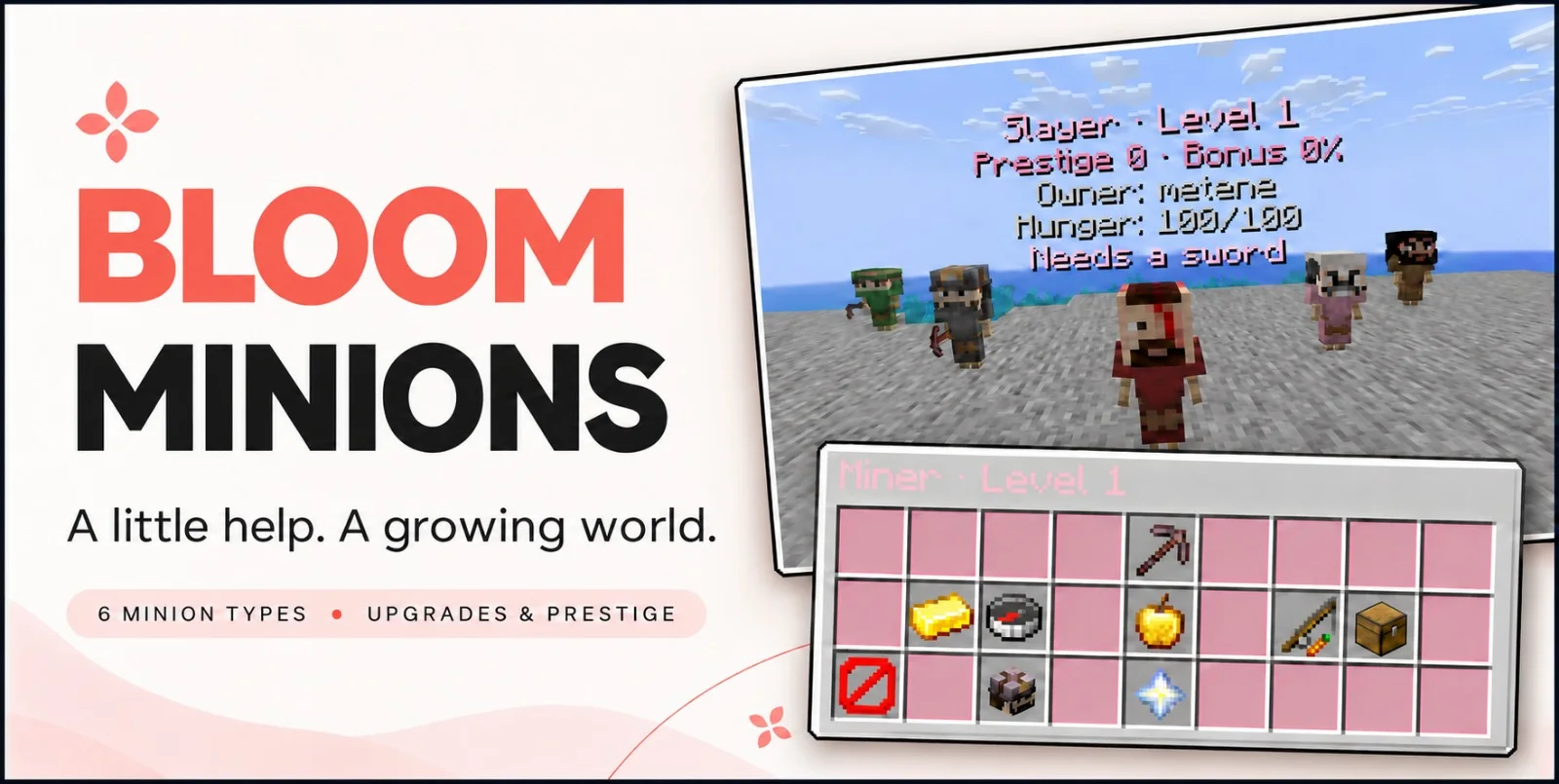
Metene creó Bloom Minions (plugin) para servidores Paper / Spigot. Highly Optimized and Supported Minions Plugin. Folia, All Paper Forks, Spigot. 1.21.x - 26.3.
Es compatible con Minecraft 1.21 – 26.x. Se ha descargado 4 veces en Modrinth. Eso lo sitúa en el puesto 110 de los 146 plugins de rendimiento de esta lista. La última actualización salió el 04/11/2026.
Bloom Minions ha publicado 4 versiones en Modrinth desde el 02/11/2026. 4 salieron en el último año. La más reciente es 1.4, publicada el 04/11/2026. Está hecha para Minecraft 1.21 – 26.3. Funciona en Bukkit, Folia, Paper, Purpur y Spigot. La descarga ocupa 397 KB.
| Versión | Publicado | Minecraft | Tipo |
|---|---|---|---|
1.4 | 04/11/2026 | 1.21 – 26.3 | Estable |
1.2 | 03/11/2026 | 1.21 – 26.3 | Estable |
1.1 | 03/11/2026 | 1.21 – 26.3 | Estable |
1.0.0-SNAPSHOT | 02/11/2026 | 1.21 – 26.3 | Estable |
Los comandos que aparecen en la página de Bloom Minions en Modrinth:
/minionsPermisos que se nombran allí, para dar con un plugin como LuckPerms:
bloomminions.limit.10bloom.**Give everyday gathering a little company. Bloom Minions brings six helpful professions, rewarding progression, and charming little workers to your server, with soft pink menus, profession-themed appearances, and gentle sounds.
Six professions · Five levels · Prestige progression · No resource pack required
Minion Photos
Build a team that suits your island, farm, or survival world.
Minion · What it does · Equipment
Lumberjack · Harvests eligible logs throughout its work area in one cycle, followed by a cooldown. · Axe
Miner · Breaks blocks ahead of it. Higher levels increase the number of forward targets per cycle. · Pickaxe
Farmer · Harvests mature supported crops and replants them using real planting items. · Hoe
Fisher · Catches fishing loot, with progression that improves its fishing benefits and rare-loot chance. · Fishing rod
Slayer · Attacks eligible hostile mobs throughout its area, with damage improvements through upgrades. · Sword
Feeder · Uses its own reserve to feed nearby minions belonging to the same owner when their hunger runs low. · No tool required
Working Minions
Right-click a minion to open its management menu.
Need to move your helper? Left-click to pick it up, keeping its progress and saved settings.
Owners manage their own minions, and OPs can help when needed.
Each working profession uses equipment suited to its job. Better tools and supported enchantments improve the relevant parts of your minion’s work.
Efficiency and Lure can improve working speed, while Luck of the Sea improves fishing opportunities.
The Feeder needs no equipment—just a supplied reserve and hungry teammates nearby.
Every minion has five levels, with upgrades requiring money and profession-specific progress.
Cut logs, break blocks, harvest crops, catch fish, defeat mobs, or feed your team to work toward the next upgrade.
Depending on the profession, upgrades offer:
The upgrade menu shows your progress, the requirements, and what changes next.
Maximum-level minions can enter Prestige, returning to level 1 to begin another progression cycle with an additional benefit.
Production minions can gain a chance of double item output, while Feeders receive their corresponding feeding benefit.
Higher prestige raises upgrade requirements. Lifetime statistics remain, while upgrade progress starts fresh for the new prestige.
Minions need feeding as they work.
Refill them manually through their menus, or place a Feeder Minion nearby to automatically care for hungry helpers belonging to the same owner.
The Feeder has its own reserve to maintain.
Holograms display useful information, including level, prestige, hunger, and current status, so you can see when a helper needs food, equipment, or attention.
Miner, Lumberjack, Farmer, and Fisher minions can send their production directly into a linked physical chest.
Chest linking is optional. Without a linked chest, produced items drop onto the ground.
Slayers leave natural mob loot where their targets fall. Feeders focus on feeding rather than item production.
Keep the soft pink defaults or customize the experience for your server.
Configuration options cover:
English and Turkish language files are included.
Assign deployment limits using permissions such as bloomminions.limit.10, within your configured server maximum.
Configurable visibility distance lets models and holograms disappear when players move away and return when someone approaches.
Command · Purpose
/minions give [level] · Give a player a minion.
/minions reload · Reload configuration and language files.
Available types: lumberjack, miner, farmer, fisher, slayer, feeder
See the selected release’s compatibility information for supported Minecraft versions, server platforms, and Java requirements.
Give your world a little help. Let it Bloom.
Escrita por Metene. Léela con imágenes en Modrinth.
Asegúrate de que tu servidor use Paper y Spigot en Minecraft 1.21 – 26.x.
Descarga el archivo .jar desde Modrinth y ponlo en la carpeta plugins de tu servidor.
Reinicia el servidor. Evita /reload, muchos plugins no lo llevan bien.
Escribe /plugins en la consola: Bloom Minions debería aparecer en verde. Sus archivos de configuración se crean en la carpeta plugins al primer arranque.
Guía completa: Cómo instalar plugins en un servidor de Minecraft
| Recurso | Descargas | Versiones | Última actualización | Precio |
|---|---|---|---|---|
| Bloom Minionsel que estabas viendo | 4 | 1.21 – 26.x | hace 10 días | Gratis |
| Bloom Auto PickupMetene | 5 | 1.21 – 26.x | hace 1 día | Gratis |
 Bloom ToolsMetene | 3 | 1.21 – 26.x | hace 11 días | Gratis |
 Bloom SpawnersMetene | 2 | 1.21 – 26.x | hace 8 días | Gratis |
Sí. Bloom Minions es compatible con Minecraft 26.x. Todas las versiones compatibles: 26.x, 1.21.
Sí. Bloom Minions se puede descargar gratis desde Modrinth.
Bloom Minions funciona en servidores Paper y Spigot.
Sí. La última actualización salió en el último día.
Los más parecidos son Bloom Auto Pickup, Bloom Tools y Bloom Spawners. Comparar todas las alternativas
Bloom Auto PickupPlugins · 1.21 – 26.xHighly Optimized and Supported Auto Pickup Plugin. Folia, All Paper Forks, Spigot. 1.21.x - 26.3
Bloom ToolsPlugins · 1.21 – 26.xHighly Optimized and Supported Tools Plugin. Folia, All Paper Forks, Spigot. 1.21.x - 26.x
Bloom SpawnersPlugins · 1.21 – 26.xHighly Optimized and Supported Spawner Plugin. Folia, All Paper Forks, Spigot. 1.21.x - 26.3
 Bloom CratesPlugins · 1.21 – 26.x
Highly Optimized and Supported Crate Plugin. Folia, All Paper Forks, Spigot. 1.21.x - 26.3
 Bloom GravesPlugins · 1.21 – 26.x
Highly Optimized and Supported Graves Plugin. Folia, All Paper Forks, Spigot. 1.21.x - 26.x
 Bloom Command FilterPlugins · 1.21 – 26.x
Highly Optimized and Supported Command Filter Plugin. Folia, All Paper Forks, Spigot. 1.21.x - 26.x
Inicia sesión para dejar una reseña.