
 Bloom Auto PickupПлагины · 1.21 – 26.x
Highly Optimized and Supported Auto Pickup Plugin. Folia, All Paper Forks, Spigot. 1.21.x - 26.3
БесплатноЗагрузок: 5
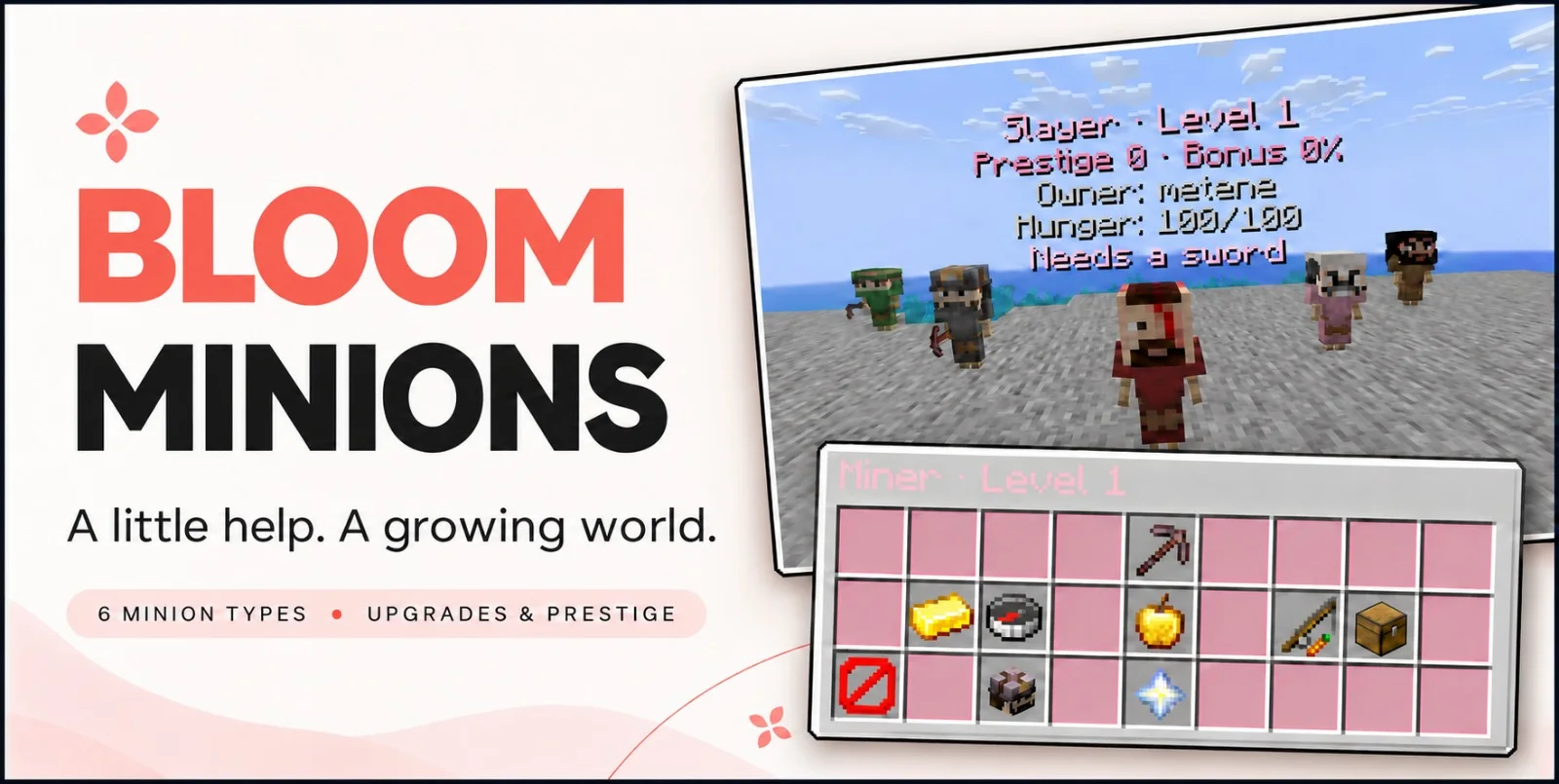
Bloom Minions — плагин для серверов Paper / Spigot от Metene. Highly Optimized and Supported Minions Plugin. Folia, All Paper Forks, Spigot. 1.21.x - 26.3.
Поддерживаемые версии: Minecraft 1.21 – 26.x. Скачиваний на Modrinth: 5. Это место №109 в разделе «плагины оптимизации» (всего в списке: 147). Последнее обновление: 04.11.2026.
С 02.11.2026 у Bloom Minions вышло 4 версий на Modrinth. 4 из них вышли за последний год. Новейшая — 1.4, вышла 04.11.2026. Она сделана для Minecraft 1.21 – 26.3. Работает на Bukkit, Folia, Paper, Purpur и Spigot. Размер файла — 397 KB.
| Версия | Выпущен | Minecraft | Тип |
|---|---|---|---|
1.4 | 04.11.2026 | 1.21 – 26.3 | Релиз |
1.2 | 03.11.2026 | 1.21 – 26.3 | Релиз |
1.1 | 03.11.2026 | 1.21 – 26.3 | Релиз |
1.0.0-SNAPSHOT | 02.11.2026 | 1.21 – 26.3 | Релиз |
Команды, указанные на странице Bloom Minions на Modrinth:
/minionsПрава, упомянутые там (выдаются плагином вроде LuckPerms):
bloomminions.limit.10bloom.**Give everyday gathering a little company. Bloom Minions brings six helpful professions, rewarding progression, and charming little workers to your server, with soft pink menus, profession-themed appearances, and gentle sounds.
Six professions · Five levels · Prestige progression · No resource pack required
Minion Photos
Build a team that suits your island, farm, or survival world.
Minion · What it does · Equipment
Lumberjack · Harvests eligible logs throughout its work area in one cycle, followed by a cooldown. · Axe
Miner · Breaks blocks ahead of it. Higher levels increase the number of forward targets per cycle. · Pickaxe
Farmer · Harvests mature supported crops and replants them using real planting items. · Hoe
Fisher · Catches fishing loot, with progression that improves its fishing benefits and rare-loot chance. · Fishing rod
Slayer · Attacks eligible hostile mobs throughout its area, with damage improvements through upgrades. · Sword
Feeder · Uses its own reserve to feed nearby minions belonging to the same owner when their hunger runs low. · No tool required
Working Minions
Right-click a minion to open its management menu.
Need to move your helper? Left-click to pick it up, keeping its progress and saved settings.
Owners manage their own minions, and OPs can help when needed.
Each working profession uses equipment suited to its job. Better tools and supported enchantments improve the relevant parts of your minion’s work.
Efficiency and Lure can improve working speed, while Luck of the Sea improves fishing opportunities.
The Feeder needs no equipment—just a supplied reserve and hungry teammates nearby.
Every minion has five levels, with upgrades requiring money and profession-specific progress.
Cut logs, break blocks, harvest crops, catch fish, defeat mobs, or feed your team to work toward the next upgrade.
Depending on the profession, upgrades offer:
The upgrade menu shows your progress, the requirements, and what changes next.
Maximum-level minions can enter Prestige, returning to level 1 to begin another progression cycle with an additional benefit.
Production minions can gain a chance of double item output, while Feeders receive their corresponding feeding benefit.
Higher prestige raises upgrade requirements. Lifetime statistics remain, while upgrade progress starts fresh for the new prestige.
Minions need feeding as they work.
Refill them manually through their menus, or place a Feeder Minion nearby to automatically care for hungry helpers belonging to the same owner.
The Feeder has its own reserve to maintain.
Holograms display useful information, including level, prestige, hunger, and current status, so you can see when a helper needs food, equipment, or attention.
Miner, Lumberjack, Farmer, and Fisher minions can send their production directly into a linked physical chest.
Chest linking is optional. Without a linked chest, produced items drop onto the ground.
Slayers leave natural mob loot where their targets fall. Feeders focus on feeding rather than item production.
Keep the soft pink defaults or customize the experience for your server.
Configuration options cover:
English and Turkish language files are included.
Assign deployment limits using permissions such as bloomminions.limit.10, within your configured server maximum.
Configurable visibility distance lets models and holograms disappear when players move away and return when someone approaches.
Command · Purpose
/minions give [level] · Give a player a minion.
/minions reload · Reload configuration and language files.
Available types: lumberjack, miner, farmer, fisher, slayer, feeder
See the selected release’s compatibility information for supported Minecraft versions, server platforms, and Java requirements.
Give your world a little help. Let it Bloom.
Автор: Metene. С картинками — на Modrinth.
Убедись, что твой сервер работает на Paper и Spigot с Minecraft 1.21 – 26.x.
Скачай .jar-файл с Modrinth и положи его в папку plugins на сервере.
Перезапусти сервер. Не используй /reload, многие плагины плохо это переносят.
Введи /plugins в консоли: Bloom Minions должен быть зелёным. Файлы настроек создаются в папке plugins при первом запуске.
Подробное руководство: Как установить плагины на сервер Minecraft
| Ресурс | Загрузки | Версии | Обновление | Цена |
|---|---|---|---|---|
 Bloom Minionsтот, что ты смотрел | 5 | 1.21 – 26.x | 10 дн. назад | Бесплатно |
| Bloom Auto PickupMetene | 5 | 1.21 – 26.x | 1 день назад | Бесплатно |
 Bloom ToolsMetene | 4 | 1.21 – 26.x | 11 дн. назад | Бесплатно |
 Bloom GravesMetene | 3 | 1.21 – 26.x | 11 дн. назад | Бесплатно |
Да. Bloom Minions поддерживает Minecraft 26.x. Все поддерживаемые версии: 26.x, 1.21.
Да. Bloom Minions можно бесплатно скачать на Modrinth.
Bloom Minions работает на серверах Paper и Spigot.
Да. Последнее обновление вышло за последние сутки.
Ближе всего к нему Bloom Auto Pickup, Bloom Tools и Bloom Graves. Сравнить все альтернативы
Bloom Auto PickupПлагины · 1.21 – 26.xHighly Optimized and Supported Auto Pickup Plugin. Folia, All Paper Forks, Spigot. 1.21.x - 26.3
Bloom ToolsПлагины · 1.21 – 26.xHighly Optimized and Supported Tools Plugin. Folia, All Paper Forks, Spigot. 1.21.x - 26.x
Bloom GravesПлагины · 1.21 – 26.xHighly Optimized and Supported Graves Plugin. Folia, All Paper Forks, Spigot. 1.21.x - 26.x
 Bloom Command FilterПлагины · 1.21 – 26.x
Highly Optimized and Supported Command Filter Plugin. Folia, All Paper Forks, Spigot. 1.21.x - 26.x
 Bloom SpawnersПлагины · 1.21 – 26.x
Highly Optimized and Supported Spawner Plugin. Folia, All Paper Forks, Spigot. 1.21.x - 26.3
 Bloom CratesПлагины · 1.21 – 26.x
Highly Optimized and Supported Crate Plugin. Folia, All Paper Forks, Spigot. 1.21.x - 26.3
Войди, чтобы оставить отзыв.