
 Bloom AFKПлагины · 1.21 – 26.x
Highly Optimized and Supported AFK Plugin. Folia, All Paper Forks, Spigot. 1.21.x - 26.x
БесплатноЗагрузок: 3
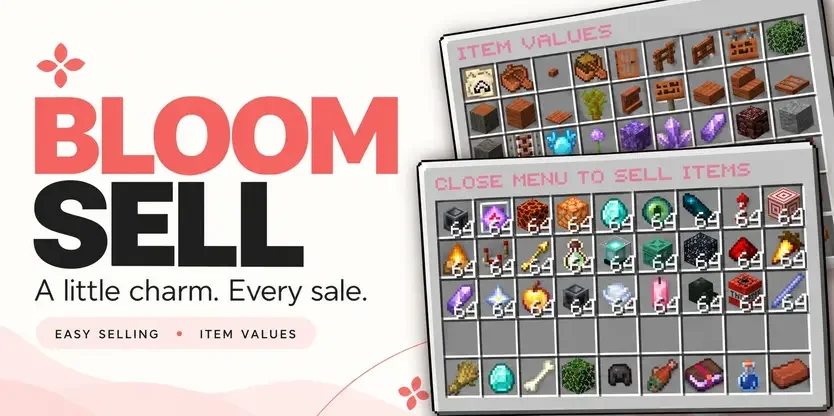
Bloom Sell — плагин для серверов Paper / Spigot от Metene. Highly Optimized and Supported Sell Plugin. Folia, All Paper Forks, Spigot. 1.21.x - 26.x.
Поддерживаемые версии: Minecraft 1.21 – 26.x. Скачиваний на Modrinth: 4. Это место №111 в разделе «плагины оптимизации» (всего в списке: 146). Последнее обновление: 03.11.2026.
С 29.10.2026 у Bloom Sell вышло 4 версий на Modrinth. 4 из них вышли за последний год. Новейшая — 1.4, вышла 03.11.2026. Она сделана для Minecraft 1.21 – 26.3. Работает на Bukkit, Folia, Paper, Purpur и Spigot. Размер файла — 320 KB.
| Версия | Выпущен | Minecraft | Тип |
|---|---|---|---|
1.4 | 03.11.2026 | 1.21 – 26.3 | Релиз |
1.0.0 | 03.11.2026 | 1.21 – 26.3 | Релиз |
1.0.0 | 02.11.2026 | 1.21 – 26.3 | Релиз |
1.0.0 | 29.10.2026 | 1.21 – 26.3 | Релиз |
Команды, указанные на странице Bloom Sell на Modrinth:
/sell/worthПрава, упомянутые там (выдаются плагином вроде LuckPerms):
bloomsell.usebloomsell.worthbloomsell.historybloomsell.admin.reloadbloomsell.admin.resetbloomsell.admin.*A little charm. More from every sale.
Turn everyday items into rewarding progress. Bloom Sell combines simple selling, personal category multipliers, and a browsable item-value menu with soft pink details and gentle sounds.
Beautiful menus. Growing rewards. No resource pack required.
Your next sale is only a few clicks away.
Build your own selling multiplier in each category, starting at 1.0x and progressing up to 3.0x by default.
Progress comes from the money you earn in that category, not the number of items you sell.
Each category progresses independently, giving players more reasons to explore different ways of earning. Default milestones begin at $25K, $50K, and $100K, with increasing requirements for later tiers. Server owners can customize the thresholds.
Left-click a category in the sell menu to explore its multiplier path:
Open /worth to browse item values across all categories. See your current selling price, category multiplier, and stack value directly on each item.
(Tip: You can also right-click a category in /sell to jump straight to its item values.)
Sell shulker boxes together with their contents! Bloom calculates the box’s value and adds the value of the items inside. Each item uses its own category multiplier.
Open /sell history to review your completed sales. Check previous payouts, quantities, and category breakdowns through a paginated history menu.
Keep the welcoming pink defaults or create a style that belongs to your server.
Bloom Sell pays players using your server’s money through Vault. No separate selling currency to manage—just familiar balances and rewards that grow with your players.
Command · Description
/sell · Opens the selling menu. Close it to sell deposited eligible items.
/worth · Opens the item-value browser.
/sell history · Shows your completed sales.
/sell reload · Reloads configuration and language settings.
/sell reset · Resets a player’s category multiplier progress.
Permission · Description · Default
bloomsell.use · Access to /sell. · Everyone
bloomsell.worth · Access to /worth. · Everyone
bloomsell.history · Access to personal sale history. · Everyone
bloomsell.admin.reload · Reload configuration and languages. · OP
bloomsell.admin.reset · Reset a player’s category progress. · OP
bloomsell.admin.* · Grants the administrative permission group. · OP
(Check the included compatibility documentation for exact supported and tested Minecraft versions, server platforms, and Folia requirements.)
✿ Small details. Sweeter selling. Let every sale Bloom.
Автор: Metene. С картинками — на Modrinth.
Убедись, что твой сервер работает на Paper и Spigot с Minecraft 1.21 – 26.x.
Скачай .jar-файл с Modrinth и положи его в папку plugins на сервере.
Перезапусти сервер. Не используй /reload, многие плагины плохо это переносят.
Введи /plugins в консоли: Bloom Sell должен быть зелёным. Файлы настроек создаются в папке plugins при первом запуске.
Подробное руководство: Как установить плагины на сервер Minecraft
| Ресурс | Загрузки | Версии | Обновление | Цена |
|---|---|---|---|---|
 Bloom Sellтот, что ты смотрел | 4 | 1.21 – 26.x | 11 дн. назад | Бесплатно |
| Bloom AFKMetene | 3 | 1.21 – 26.x | 11 дн. назад | Бесплатно |
 Bloom CratesMetene | 2 | 1.21 – 26.x | 7 дн. назад | Бесплатно |
 Bloom GravesMetene | 2 | 1.21 – 26.x | 11 дн. назад | Бесплатно |
Да. Bloom Sell поддерживает Minecraft 26.x. Все поддерживаемые версии: 26.x, 1.21.
Да. Bloom Sell можно бесплатно скачать на Modrinth.
Bloom Sell работает на серверах Paper и Spigot.
Да. Последнее обновление вышло за последние сутки.
Ближе всего к нему Bloom AFK, Bloom Crates и Bloom Graves. Сравнить все альтернативы
Bloom AFKПлагины · 1.21 – 26.xHighly Optimized and Supported AFK Plugin. Folia, All Paper Forks, Spigot. 1.21.x - 26.x
Bloom CratesПлагины · 1.21 – 26.xHighly Optimized and Supported Crate Plugin. Folia, All Paper Forks, Spigot. 1.21.x - 26.3
Bloom GravesПлагины · 1.21 – 26.xHighly Optimized and Supported Graves Plugin. Folia, All Paper Forks, Spigot. 1.21.x - 26.x
 Bloom AuthПлагины · 1.21 – 26.x
Highly Optimized and Supported Auth Plugin. Folia, All Paper Forks, Spigot. 1.21.x - 26.x
 Bloom BountyПлагины · 1.21 – 26.x
Highly Optimized and Supported Bounty Plugin. Folia, All Paper Forks, Spigot. 1.21.x - 26.x
 Bloom ShopПлагины · 1.21 – 26.x
Highly Optimized and Supported Shop Plugin. Folia, All Paper Forks, Spigot. 1.21.x - 26.x
Войди, чтобы оставить отзыв.