
 Bloom AFKPlugins · 1.21 – 26.x
Highly Optimized and Supported AFK Plugin. Folia, All Paper Forks, Spigot. 1.21.x - 26.x
Gratuit3 téléchargements

Highly Optimized and Supported Sell Plugin. Folia, All Paper Forks, Spigot. 1.21.x - 26.x
Téléchargement direct depuis Modrinth · 4 téléchargements
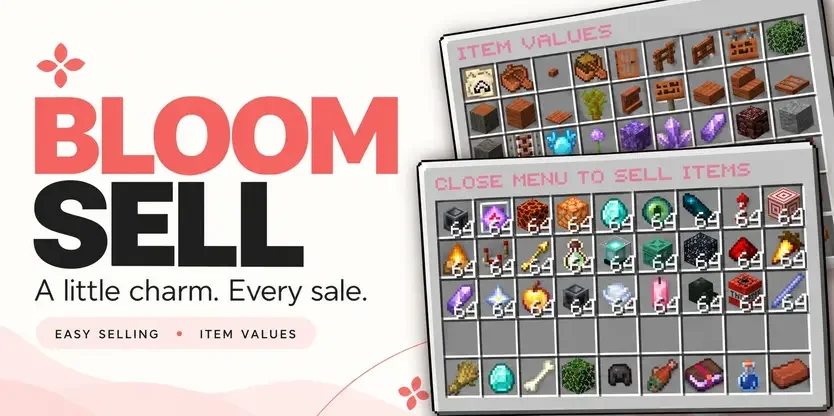
Metene a créé Bloom Sell (plugin) pour les serveurs Paper / Spigot. Highly Optimized and Supported Sell Plugin. Folia, All Paper Forks, Spigot. 1.21.x - 26.x.
Versions prises en charge : Minecraft 1.21 – 26.x. On compte 4 téléchargements sur Modrinth. Il arrive ainsi en position n° 111 sur les 146 plugins de performance listés ici. La dernière mise à jour date du 03/11/2026.
Bloom Sell a publié 4 versions sur Modrinth depuis le 29/10/2026. 4 sont sorties au cours de l'année passée. La plus récente est 1.4, sortie le 03/11/2026. Elle est faite pour Minecraft 1.21 – 26.3. Elle fonctionne sur Bukkit, Folia, Paper, Purpur et Spigot. Le téléchargement fait 320 KB.
| Version | Publié | Minecraft | Type |
|---|---|---|---|
1.4 | 03/11/2026 | 1.21 – 26.3 | Stable |
1.0.0 | 03/11/2026 | 1.21 – 26.3 | Stable |
1.0.0 | 02/11/2026 | 1.21 – 26.3 | Stable |
1.0.0 | 29/10/2026 | 1.21 – 26.3 | Stable |
Les commandes citées sur la page Modrinth de Bloom Sell :
/sell/worthPermissions citées là-bas, à donner avec un plugin comme LuckPerms :
bloomsell.usebloomsell.worthbloomsell.historybloomsell.admin.reloadbloomsell.admin.resetbloomsell.admin.*A little charm. More from every sale.
Turn everyday items into rewarding progress. Bloom Sell combines simple selling, personal category multipliers, and a browsable item-value menu with soft pink details and gentle sounds.
Beautiful menus. Growing rewards. No resource pack required.
Your next sale is only a few clicks away.
Build your own selling multiplier in each category, starting at 1.0x and progressing up to 3.0x by default.
Progress comes from the money you earn in that category, not the number of items you sell.
Each category progresses independently, giving players more reasons to explore different ways of earning. Default milestones begin at $25K, $50K, and $100K, with increasing requirements for later tiers. Server owners can customize the thresholds.
Left-click a category in the sell menu to explore its multiplier path:
Open /worth to browse item values across all categories. See your current selling price, category multiplier, and stack value directly on each item.
(Tip: You can also right-click a category in /sell to jump straight to its item values.)
Sell shulker boxes together with their contents! Bloom calculates the box’s value and adds the value of the items inside. Each item uses its own category multiplier.
Open /sell history to review your completed sales. Check previous payouts, quantities, and category breakdowns through a paginated history menu.
Keep the welcoming pink defaults or create a style that belongs to your server.
Bloom Sell pays players using your server’s money through Vault. No separate selling currency to manage—just familiar balances and rewards that grow with your players.
Command · Description
/sell · Opens the selling menu. Close it to sell deposited eligible items.
/worth · Opens the item-value browser.
/sell history · Shows your completed sales.
/sell reload · Reloads configuration and language settings.
/sell reset · Resets a player’s category multiplier progress.
Permission · Description · Default
bloomsell.use · Access to /sell. · Everyone
bloomsell.worth · Access to /worth. · Everyone
bloomsell.history · Access to personal sale history. · Everyone
bloomsell.admin.reload · Reload configuration and languages. · OP
bloomsell.admin.reset · Reset a player’s category progress. · OP
bloomsell.admin.* · Grants the administrative permission group. · OP
(Check the included compatibility documentation for exact supported and tested Minecraft versions, server platforms, and Folia requirements.)
✿ Small details. Sweeter selling. Let every sale Bloom.
Écrite par Metene. À lire avec les images sur Modrinth.
Vérifie que ton serveur tourne sous Paper et Spigot en Minecraft 1.21 – 26.x.
Télécharge le fichier .jar depuis Modrinth et place-le dans le dossier plugins de ton serveur.
Redémarre le serveur. Évite /reload, beaucoup de plugins le supportent mal.
Tape /plugins dans la console : Bloom Sell doit apparaître en vert. Ses fichiers de config sont créés dans le dossier plugins au premier démarrage.
Guide complet: Comment installer des plugins sur un serveur Minecraft
| Ressource | Téléchargements | Versions | Mise à jour | Prix |
|---|---|---|---|---|
| Bloom Sellcelle que tu regardais | 4 | 1.21 – 26.x | il y a 11 jours | Gratuit |
| Bloom AFKMetene | 3 | 1.21 – 26.x | il y a 11 jours | Gratuit |
 Bloom CratesMetene | 2 | 1.21 – 26.x | il y a 7 jours | Gratuit |
 Bloom GravesMetene | 2 | 1.21 – 26.x | il y a 11 jours | Gratuit |
Oui. Bloom Sell prend en charge Minecraft 26.x. Toutes les versions prises en charge : 26.x, 1.21.
Oui. Bloom Sell se télécharge gratuitement sur Modrinth.
Bloom Sell fonctionne sur les serveurs Paper et Spigot.
Oui. La dernière mise à jour date des dernières 24 heures.
Les plus proches sont Bloom AFK, Bloom Crates et Bloom Graves. Comparer toutes les alternatives
Bloom AFKPlugins · 1.21 – 26.xHighly Optimized and Supported AFK Plugin. Folia, All Paper Forks, Spigot. 1.21.x - 26.x
Bloom CratesPlugins · 1.21 – 26.xHighly Optimized and Supported Crate Plugin. Folia, All Paper Forks, Spigot. 1.21.x - 26.3
Bloom GravesPlugins · 1.21 – 26.xHighly Optimized and Supported Graves Plugin. Folia, All Paper Forks, Spigot. 1.21.x - 26.x
 Bloom AuthPlugins · 1.21 – 26.x
Highly Optimized and Supported Auth Plugin. Folia, All Paper Forks, Spigot. 1.21.x - 26.x
 Bloom BountyPlugins · 1.21 – 26.x
Highly Optimized and Supported Bounty Plugin. Folia, All Paper Forks, Spigot. 1.21.x - 26.x
 Bloom ShopPlugins · 1.21 – 26.x
Highly Optimized and Supported Shop Plugin. Folia, All Paper Forks, Spigot. 1.21.x - 26.x
Connecte-toi pour laisser un avis.