
 BalancedShadersShaders · 1.16 – 26.x
An ultra-lightweight shader pack optimized specifically for weak PCs and laptops without a dedicated graphics card. It delivers a smooth 60+ FPS while…
Gratis187 descargas
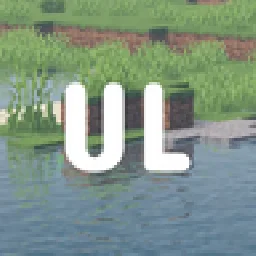
basically a lightweight shader specifically tuned for older generation devices, providing wonderful graphics.
Descarga directa desde Modrinth · 1 descargas
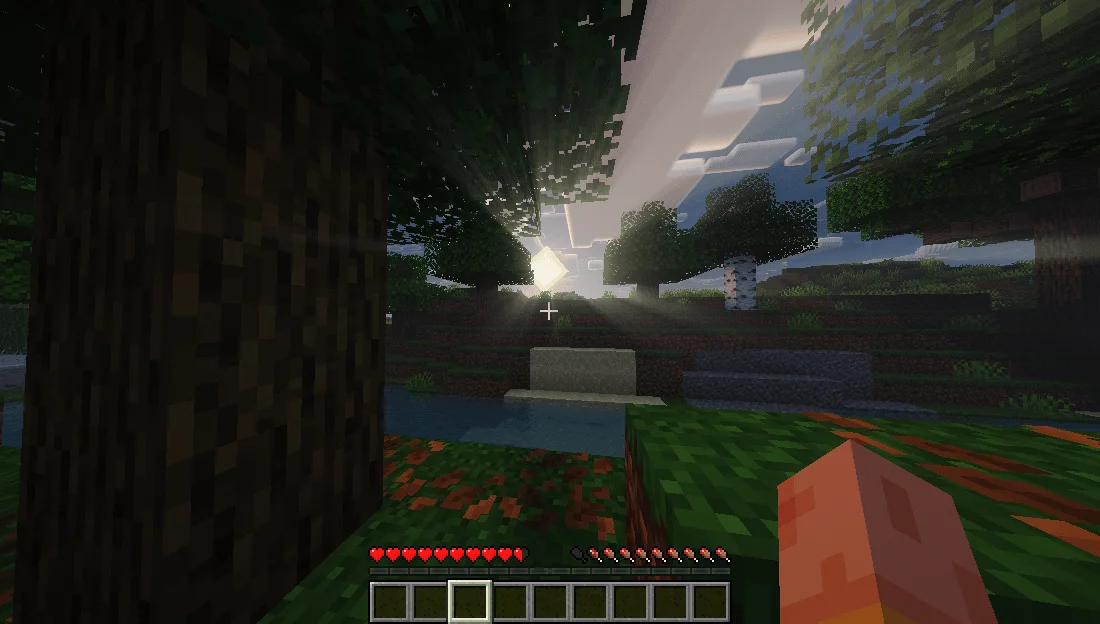
UltraLightShader (pack de shaders) es obra de kaiso5693. basically a lightweight shader specifically tuned for older generation devices, providing wonderful graphics.
Es compatible con Minecraft 1.12 – 26.x. Se ha descargado 1 veces en Modrinth. La última actualización salió el 15/11/2026.
La más reciente es 1.0.0, publicada el 15/11/2026. Está hecha para Minecraft 1.12.2 – 26.3. Funciona en Iris y Optifine. La descarga ocupa 429 KB.
| Versión | Publicado | Minecraft | Tipo |
|---|---|---|---|
1.0.0 | 15/11/2026 | 1.12.2 – 26.3 | Estable |
A realistic, low-end-first shader pack for Minecraft 1.21.x on Iris + Sodium.
UltraLight is built around one rule: every effect has a cheap path. It was developed and tuned on an AMD Radeon R4 iGPU (2 compute units, 6.7 GB RAM) at 1600x900 — not on a desktop GPU with headroom to waste. You get soft shadow-mapped lighting, reflective water, volumetric clouds and a graded image without the frame-time cliff that usually comes with them.
Water
Reflections
Sky & atmosphere
Lighting
Post
Minecraft · 1.21.x (developed on 1.21.11)
Loader · Fabric + Sodium + Iris (1.8 or newer)
GPU · OpenGL 3.2+; tuned for integrated graphics
RAM · 4 GB+
Defaults target a 2-CU integrated GPU. If you need more frames, cut in this order:
Step · Setting · Change
1 · Shadow Map Resolution · 1024 → 512
2 · Cloud Coverage / Volumetric Clouds · 1.0 → 0.5, or off
3 · Bloom Strength · 1.0 → 0.5
4 · Render Distance · 8–10 chunks
All rights reserved. Do not redistribute or republish without permission.
Escrita por kaiso5693. Léela con imágenes en Modrinth.
Instala Iris (con Sodium) u OptiFine para tu versión de Minecraft: los shaders necesitan uno de ellos.
Descarga el archivo .zip desde Modrinth. No lo descomprimas.
En Minecraft, abre Opciones, luego Gráficos, luego Shader Packs y pulsa Abrir carpeta de shaders.
Suelta el archivo .zip en esa carpeta, elige UltraLightShader en la lista y pulsa Listo.
Los shaders exigen mucho a la tarjeta gráfica. Si el juego va lento, elige un perfil más bajo en sus ajustes.
| Recurso | Descargas | Versiones | Última actualización | Precio |
|---|---|---|---|---|
| UltraLightShaderel que estabas viendo | 1 | 1.12 – 26.x | hace 10 horas | Gratis |
| BalancedShadersramizarbailow | 187 | 1.16 – 26.x | hace 9 días | Gratis |
 Fullbright+ ShadersNiix-Dan | 41K | 1.12 – 26.x | 30 sept 2026 | Gratis |
 Terder's Potato ShaderTerdernah | 24K | 1.20 – 26.x | hace 21 días | Gratis |
Sí. UltraLightShader es compatible con Minecraft 26.x. Todas las versiones compatibles: 26.x, 1.21, 1.20, 1.19, 1.18, 1.17, 1.16, 1.13, 1.12.
Sí. UltraLightShader se puede descargar gratis desde Modrinth.
Sí. La última actualización salió en el último día.
Los más parecidos son BalancedShaders, Fullbright+ Shaders y Terder's Potato Shader. Comparar todas las alternativas
BalancedShadersShaders · 1.16 – 26.xAn ultra-lightweight shader pack optimized specifically for weak PCs and laptops without a dedicated graphics card. It delivers a smooth 60+ FPS while…
Fullbright+ ShadersShaders · 1.12 – 26.xA lightweight Minecraft shader that removes darkness by providing full brightness, making caves, nights, and dim areas fully visible while keeping gameplay…
Terder's Potato ShaderShaders · 1.20 – 26.xA lightweight, optimized shader designed specifically for low-end and potato PCs.
 Low WaterShaders · 1.19 – 1.21
Low Water is a shader pack for any Minecraft Java Edition version. It's a simple, lightweight, shader pack built for low-end-devices. It adds refractions…
 LumeauShaders · 1.16 – 26.x
A shader adding shadows, light and waves, while being lightweight to allow older hardware to run at a good number of fps.
 UltraVanilla+Shaders · 1.16 – 26.x
Ultravanilla+ is a lightweight shader designed to run smoothly on older or low-end computers. It enhances the game’s visuals while maintaining strong…
Inicia sesión para dejar una reseña.