
 FloodPassPlugins · 1.13 – 26.x
Floodgate Auto Login for AuthMe — passwordless Bedrock sign-in: Xbox-verified, automatic, zero typing
Gratuit6 téléchargements

Login and registration for Paper servers, with premium and Bedrock auto-login, sessions, captcha, anti-bot checks and AuthMe import.
Téléchargement direct depuis Modrinth · 1 téléchargements
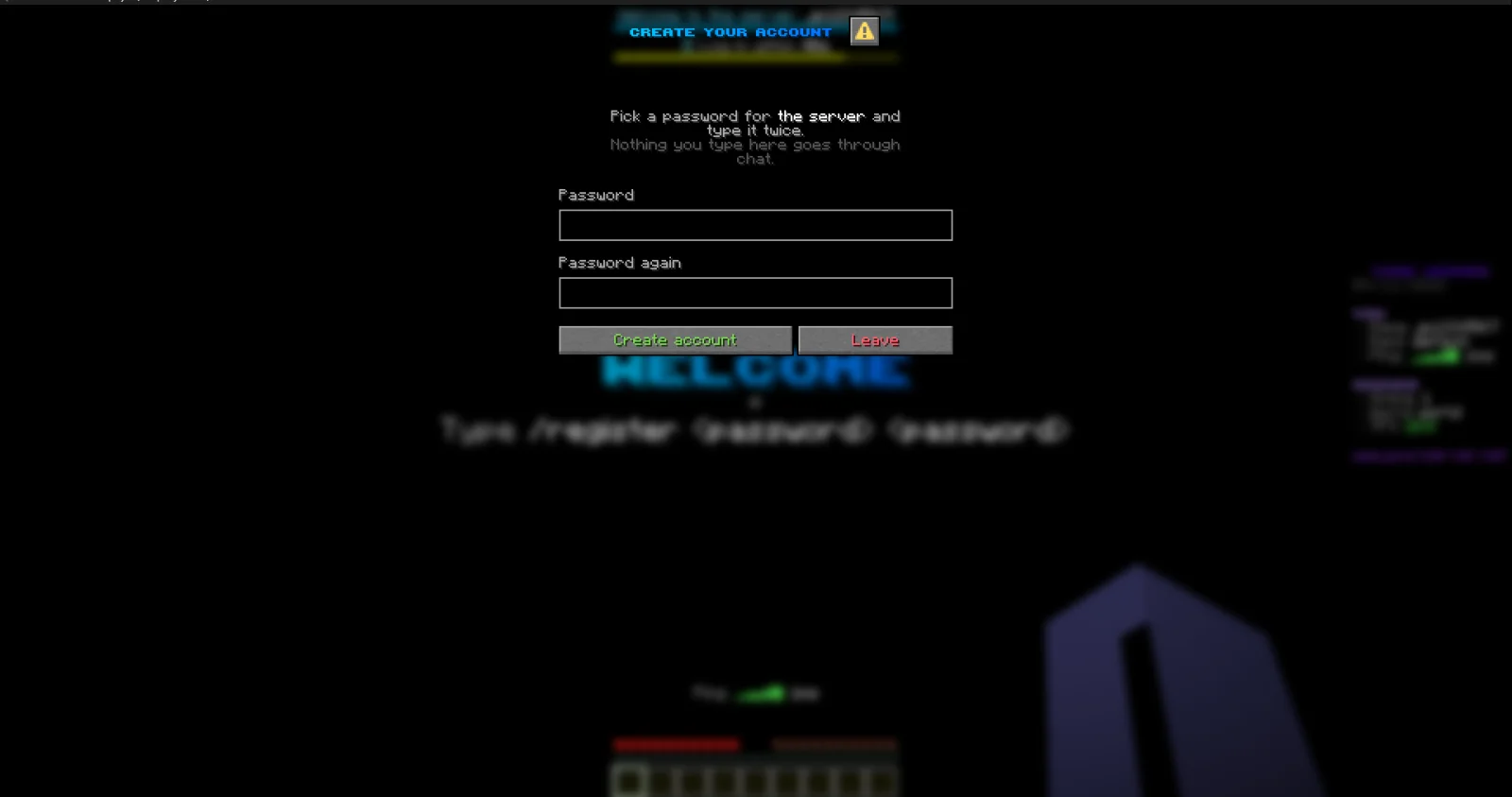
JPPlugins a créé JPAuth (plugin) pour les serveurs Paper / Spigot. Login and registration for Paper servers, with premium and Bedrock auto-login, sessions, captcha, anti-bot checks and AuthMe import.
Versions prises en charge : Minecraft 26.x. On compte 1 téléchargements sur Modrinth. Il arrive ainsi en position n° 434 sur les 437 plugins utilitaires listés ici. La dernière mise à jour date du 09/11/2026.
La plus récente est 1.0.0, sortie le 08/11/2026. Elle est faite pour Minecraft 26.3. Elle fonctionne sur Paper. Le téléchargement fait 392 KB.
| Version | Publié | Minecraft | Type |
|---|---|---|---|
1.0.0 | 08/11/2026 | 26.3 | Stable |
Les commandes citées sur la page Modrinth de JPAuth :
/register/login/email/recover/auth/jp/reg/changepassword/changepw/cpw/premium/captcha/mail/forgotpassword/authfreeze/afreezePermissions citées là-bas, à donner avec un plugin comme LuckPerms :
jpauth.adminjpauth.bypass.antibotjpauth.bypass.captchajpauth.bypass.accountlimitLogin and registration for offline-mode Paper servers. Players with a paid Minecraft account and Bedrock players can skip the password, and everyone else gets a login that's hard to abuse.
Part of JP Plugins, but it works on its own.
Logging in
Premium players
Bedrock players
Protection
For server owners
Optional
Type /jp as an operator to see every JP plugin you have installed, its version and which optional plugins it found.
Full docs, the default config and setup guides are on the JPAuth page of the JP Plugins website.
Questions, bugs or ideas? Join the JP Plugins Discord.
JPAuth is free to use on any server, including servers that make money, but it is not open source. Don't reupload, sell or share modified copies of it. The full terms are in LICENSE.txt inside the jar.
Écrite par JPPlugins. À lire avec les images sur Modrinth.
Vérifie que ton serveur tourne sous Paper et Spigot en Minecraft 26.x.
Télécharge le fichier .jar depuis Modrinth et place-le dans le dossier plugins de ton serveur.
Redémarre le serveur. Évite /reload, beaucoup de plugins le supportent mal.
Tape /plugins dans la console : JPAuth doit apparaître en vert. Ses fichiers de config sont créés dans le dossier plugins au premier démarrage.
Guide complet: Comment installer des plugins sur un serveur Minecraft
| Ressource | Téléchargements | Versions | Mise à jour | Prix |
|---|---|---|---|---|
| JPAuthcelle que tu regardais | 1 | 26.x | il y a 5 jours | Gratuit |
| FloodPassDalict | 6 | 1.13 – 26.x | il y a 13 heures | Gratuit |
 Omni AnticheatOneGamingv2 | 2,392 | 1.8 – 26.x | il y a 6 jours | Gratuit |
 authmebiaMytai20100 | 995 | 1.21 – 26.x | il y a 5 jours | Gratuit |
Oui. JPAuth prend en charge Minecraft 26.x. Toutes les versions prises en charge : 26.x.
Oui. JPAuth se télécharge gratuitement sur Modrinth.
JPAuth fonctionne sur les serveurs Paper et Spigot.
Oui : Floodgate, PacketEvents. Installe-le avant JPAuth.
Oui. La dernière mise à jour date des dernières 24 heures.
Les plus proches sont FloodPass, Omni Anticheat et authmebia. Comparer toutes les alternatives
FloodPassPlugins · 1.13 – 26.xFloodgate Auto Login for AuthMe — passwordless Bedrock sign-in: Xbox-verified, automatic, zero typing
Omni AnticheatPlugins · 1.8 – 26.xAnti-cheat for Minecraft 1.8–26.x on Spigot, Paper and Purpur. Java and Bedrock, 63 checks, staff tools. One jar, commented config, a normal plugin nothing…
authmebiaPlugins · 1.21 – 26.xAn addon for AuthMe Reloaded that replaces dialog-based authentication of authme reloaded with dialogs customizable for login, registration, captcha, email…
 Simple LoginPlugins · 1.17 – 26.x
SimpleLogin is a plugin/mod that provides a secure login and registration system. It uses SQLite for storage, BCrypt for password hashing, and supports…
 MinerTrack Anti XRayPlugins · 1.18 – 26.x
The Powerful antixray, help you auto catch X-rayers and punish them according to your configuration.
 LoginToPlugins · 1.8 – 26.x
A complete authentication solution for Minecraft servers, providing secure login, database storage, premium autologin and secure otp code with qrcode
Connecte-toi pour laisser un avis.