
 HudForgePluginy · 1.20 – 26.x
Sidebar, TAB, name tags and boss bars from one file. Animated gradients, no flicker.
Za darmoPobrania: 28
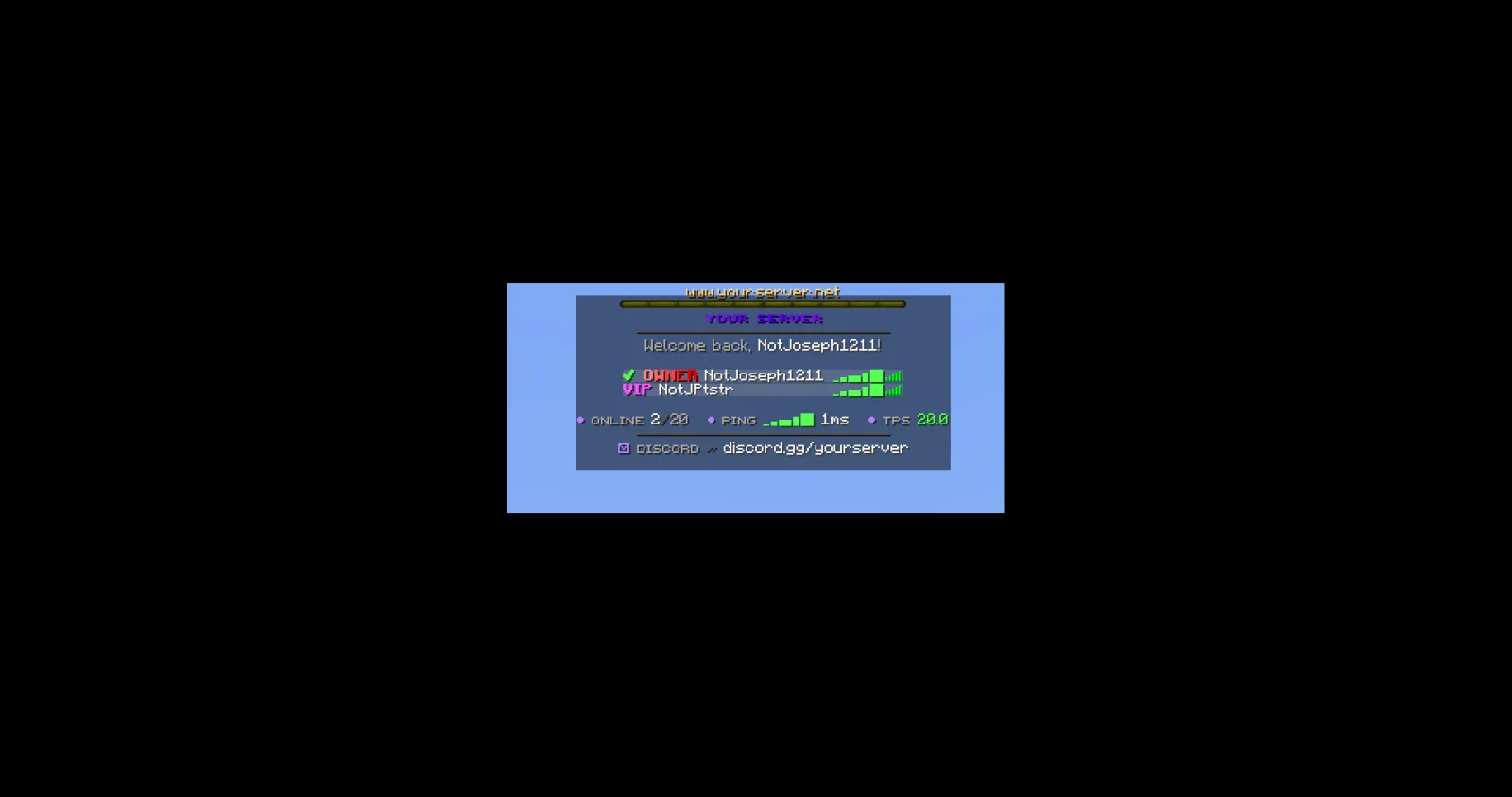
JPTab to plugin do serwerów Paper / Spigot, autor: JPPlugins. Tab list, name tags, sidebar, boss bar and action bar for Paper servers: animated header and footer, sorting by rank and ping bars.
Obsługiwane wersje: Minecraft 26.x. Liczba pobrań w serwisie Modrinth: 1. Zajmuje 143. miejsce w kategorii „pluginy kosmetyczne i wizualne” (łącznie: 145). Ostatnia aktualizacja: 09.11.2026.
Najnowsza to 1.0.0, wydana 08.11.2026. Jest zrobiona dla Minecraft 26.3. Działa na Paper. Plik ma 89 KB.
| Wersja | Wydano | Minecraft | Typ |
|---|---|---|---|
1.0.0 | 08.11.2026 | 26.3 | Wydanie |
Komendy wymienione na stronie JPTab w Modrinth:
/jptab/jp/tabWymienione tam uprawnienia, do nadania pluginem takim jak LuckPerms:
jptab.usejptab.sidebar.togglejptab.bars.togglejptab.adminjptab.staffYour Paper server's tab list, name tags and sidebar, all from one plugin.
Part of JP Plugins, but it works on its own.
Tab list
Above and beside players
Boss bar and action bar
For server owners
Optional
Type /jp as an operator to see every JP plugin you have installed, its version and which optional plugins it found.
Needs PlaceholderAPI.
Full docs, the default config and setup guides are on the JPTab page of the JP Plugins website.
Questions, bugs or ideas? Join the JP Plugins Discord.
JPTab is free to use on any server, including servers that make money, but it is not open source. Don't reupload, sell or share modified copies of it. The full terms are in LICENSE.txt inside the jar.
Autor: JPPlugins. Z obrazkami na Modrinth.
Upewnij się, że twój serwer działa na Paper i Spigot w Minecraft 26.x.
Pobierz plik .jar z Modrinth i wrzuć go do folderu plugins na serwerze.
Zrestartuj serwer. Unikaj /reload, wiele pluginów źle to znosi.
Wpisz /plugins w konsoli: JPTab powinien być na zielono. Pliki konfiguracyjne tworzą się w folderze plugins przy pierwszym starcie.
Pełny poradnik: Jak zainstalować pluginy na serwerze Minecraft
| Zasób | Pobrania | Wersje | Aktualizacja | Cena |
|---|---|---|---|---|
 JPTabten, który oglądałeś | 1 | 26.x | 5 d. temu | Za darmo |
| HudForgeTheCuouz | 28 | 1.20 – 26.x | 19 d. temu | Za darmo |
 Simple RanksTomMustBe12 | 32K | 1.20 – 26.x | 7 cze 2026 | Za darmo |
 TabTPSjpenilla | 349K | 1.8 – 26.x | 9 d. temu | Za darmo |
Tak. JPTab działa w wersji Minecrafta 26.x. Wszystkie obsługiwane wersje: 26.x.
Tak. JPTab można pobrać za darmo z serwisu Modrinth.
JPTab działa na serwerach Paper i Spigot.
Tak: LuckPerms, PlaceholderAPI. Zainstaluj to przed JPTab.
Tak. Ostatnia aktualizacja wyszła w ciągu ostatniej doby.
Najbliższe to HudForge, Simple Ranks i TabTPS. Porównaj wszystkie alternatywy
HudForgePluginy · 1.20 – 26.xSidebar, TAB, name tags and boss bars from one file. Animated gradients, no flicker.
Simple RanksPluginy · 1.20 – 26.xSimple rank plugin allowing for custom-colored, ordered ranks in tab list, name tags, chat, and Placeholder API placeholders!
TabTPSPluginy · 1.8 – 26.xMonitor your server's performance in the tab menu, boss bar, and action bar
 TabTPS-EnhancedPluginy · 1.20 – 26.x
Live TPS and MSPT in tab list, action bar and boss bar. Per region on Folia, in-game settings menu and lag alerts
 TabListPingPluginy · 1.18 – 26.x
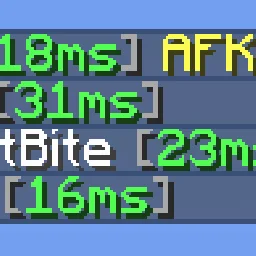
Shows players' ping times in the tab list
 Custom Join MessagesPluginy · 1.12 – 26.x
Welcome players with first-join, join, and quit messages, publicly or privately, via Chat, Titles, Action Bars, Boss Bars, and Sounds. Permission-based and…
Zaloguj się, aby wystawić opinię.