
 HudForgePlugins · 1.20 – 26.x
Sidebar, TAB, name tags and boss bars from one file. Animated gradients, no flicker.
Free28 downloads

Tab list, name tags, sidebar, boss bar and action bar for Paper servers: animated header and footer, sorting by rank and ping bars.
Direct download from Modrinth · 1 downloads
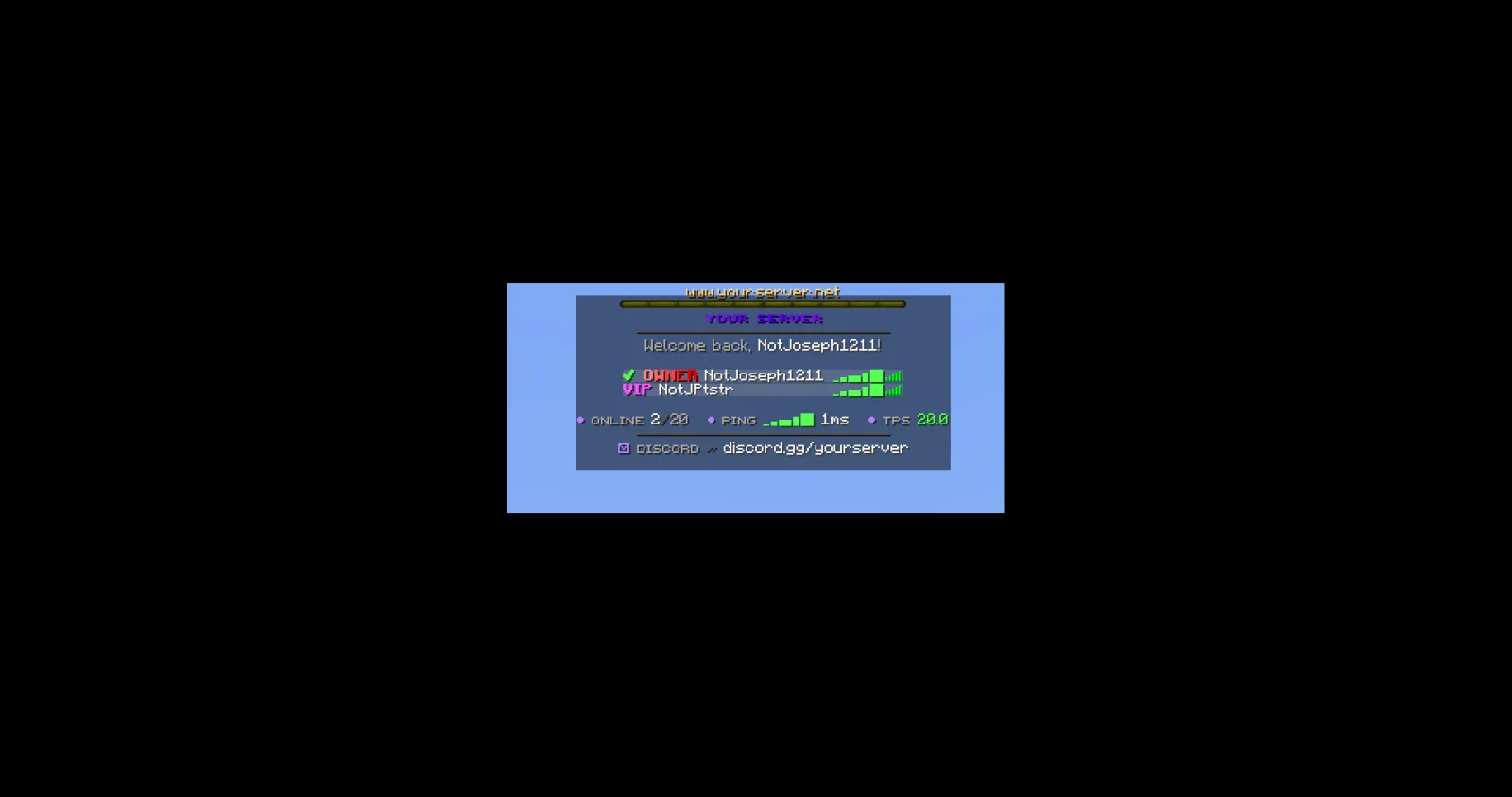
JPTab is a plugin for Paper / Spigot servers, made by JPPlugins. Tab list, name tags, sidebar, boss bar and action bar for Paper servers: animated header and footer, sorting by rank and ping bars.
It supports Minecraft 26.x. It has been downloaded 1 times on Modrinth. That puts it at #143 of the 145 cosmetic and display plugins listed here. The last update came out on Nov 9, 2026.
The newest is 1.0.0, released on Nov 8, 2026. It is made for Minecraft 26.3. It runs on Paper. The download is 89 KB.
| Version | Released | Minecraft | Type |
|---|---|---|---|
1.0.0 | Nov 8, 2026 | 26.3 | Release |
The commands named on the Modrinth page of JPTab:
/jptab/jp/tabPermission nodes named there, to give with a plugin like LuckPerms:
jptab.usejptab.sidebar.togglejptab.bars.togglejptab.adminjptab.staffYour Paper server's tab list, name tags and sidebar, all from one plugin.
Part of JP Plugins, but it works on its own.
Tab list
Above and beside players
Boss bar and action bar
For server owners
Optional
Type /jp as an operator to see every JP plugin you have installed, its version and which optional plugins it found.
Needs PlaceholderAPI.
Full docs, the default config and setup guides are on the JPTab page of the JP Plugins website.
Questions, bugs or ideas? Join the JP Plugins Discord.
JPTab is free to use on any server, including servers that make money, but it is not open source. Don't reupload, sell or share modified copies of it. The full terms are in LICENSE.txt inside the jar.
Written by JPPlugins. Read it with pictures on Modrinth.
Make sure your server runs Paper and Spigot on Minecraft 26.x.
Download the .jar file from Modrinth and put it in the plugins folder of your server.
Restart the server. Avoid /reload, many plugins do not handle it well.
Type /plugins in the console: JPTab should be listed in green. Its config files are created in the plugins folder on the first start.
Full guide: How to install plugins on a Minecraft server
| Resource | Downloads | Versions | Last update | Price |
|---|---|---|---|---|
| JPTabthe one you looked at | 1 | 26.x | 5 days ago | Free |
| HudForgeTheCuouz | 28 | 1.20 – 26.x | 19 days ago | Free |
 Simple RanksTomMustBe12 | 32K | 1.20 – 26.x | Jun 7, 2026 | Free |
 TabTPSjpenilla | 349K | 1.8 – 26.x | 9 days ago | Free |
Yes. JPTab supports Minecraft 26.x. All supported versions: 26.x.
Yes. JPTab is free to download from Modrinth.
JPTab runs on Paper and Spigot servers.
Yes: LuckPerms, PlaceholderAPI. Install it before JPTab.
Yes. The last update came out in the past day.
The closest ones are HudForge, Simple Ranks and TabTPS. Compare all alternatives
HudForgePlugins · 1.20 – 26.xSidebar, TAB, name tags and boss bars from one file. Animated gradients, no flicker.
Simple RanksPlugins · 1.20 – 26.xSimple rank plugin allowing for custom-colored, ordered ranks in tab list, name tags, chat, and Placeholder API placeholders!
TabTPSPlugins · 1.8 – 26.xMonitor your server's performance in the tab menu, boss bar, and action bar
 TabTPS-EnhancedPlugins · 1.20 – 26.x
Live TPS and MSPT in tab list, action bar and boss bar. Per region on Folia, in-game settings menu and lag alerts
 TabListPingPlugins · 1.18 – 26.x
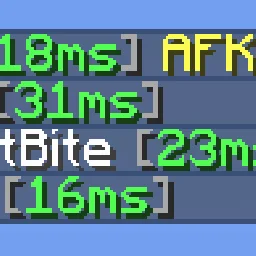
Shows players' ping times in the tab list
 Custom Join MessagesPlugins · 1.12 – 26.x
Welcome players with first-join, join, and quit messages, publicly or privately, via Chat, Titles, Action Bars, Boss Bars, and Sounds. Permission-based and…
Log in to leave a review.