
 HudForgeПлагины · 1.20 – 26.x
Sidebar, TAB, name tags and boss bars from one file. Animated gradients, no flicker.
БесплатноЗагрузок: 28
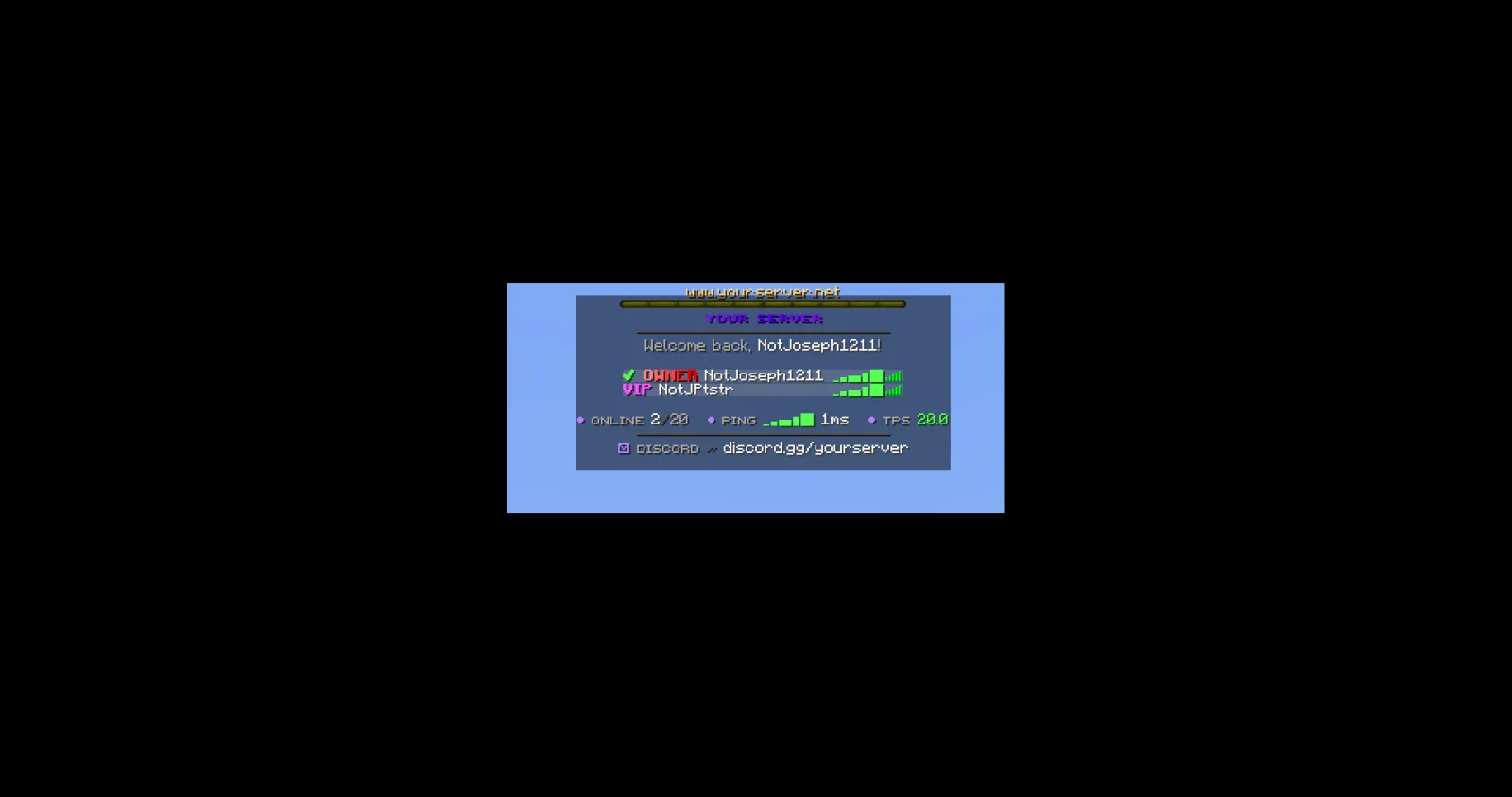
JPTab — плагин для серверов Paper / Spigot от JPPlugins. Tab list, name tags, sidebar, boss bar and action bar for Paper servers: animated header and footer, sorting by rank and ping bars.
Поддерживаемые версии: Minecraft 26.x. Скачиваний на Modrinth: 1. Это место №143 в разделе «плагины косметики и отображения» (всего в списке: 145). Последнее обновление: 09.11.2026.
Новейшая — 1.0.0, вышла 08.11.2026. Она сделана для Minecraft 26.3. Работает на Paper. Размер файла — 89 KB.
| Версия | Выпущен | Minecraft | Тип |
|---|---|---|---|
1.0.0 | 08.11.2026 | 26.3 | Релиз |
Команды, указанные на странице JPTab на Modrinth:
/jptab/jp/tabПрава, упомянутые там (выдаются плагином вроде LuckPerms):
jptab.usejptab.sidebar.togglejptab.bars.togglejptab.adminjptab.staffYour Paper server's tab list, name tags and sidebar, all from one plugin.
Part of JP Plugins, but it works on its own.
Tab list
Above and beside players
Boss bar and action bar
For server owners
Optional
Type /jp as an operator to see every JP plugin you have installed, its version and which optional plugins it found.
Needs PlaceholderAPI.
Full docs, the default config and setup guides are on the JPTab page of the JP Plugins website.
Questions, bugs or ideas? Join the JP Plugins Discord.
JPTab is free to use on any server, including servers that make money, but it is not open source. Don't reupload, sell or share modified copies of it. The full terms are in LICENSE.txt inside the jar.
Автор: JPPlugins. С картинками — на Modrinth.
Убедись, что твой сервер работает на Paper и Spigot с Minecraft 26.x.
Скачай .jar-файл с Modrinth и положи его в папку plugins на сервере.
Перезапусти сервер. Не используй /reload, многие плагины плохо это переносят.
Введи /plugins в консоли: JPTab должен быть зелёным. Файлы настроек создаются в папке plugins при первом запуске.
Подробное руководство: Как установить плагины на сервер Minecraft
| Ресурс | Загрузки | Версии | Обновление | Цена |
|---|---|---|---|---|
 JPTabтот, что ты смотрел | 1 | 26.x | 5 дн. назад | Бесплатно |
| HudForgeTheCuouz | 28 | 1.20 – 26.x | 19 дн. назад | Бесплатно |
 Simple RanksTomMustBe12 | 32K | 1.20 – 26.x | 7 июн. 2026 | Бесплатно |
 TabTPSjpenilla | 349K | 1.8 – 26.x | 9 дн. назад | Бесплатно |
Да. JPTab поддерживает Minecraft 26.x. Все поддерживаемые версии: 26.x.
Да. JPTab можно бесплатно скачать на Modrinth.
JPTab работает на серверах Paper и Spigot.
Да: LuckPerms, PlaceholderAPI. Установи это до JPTab.
Да. Последнее обновление вышло за последние сутки.
Ближе всего к нему HudForge, Simple Ranks и TabTPS. Сравнить все альтернативы
HudForgeПлагины · 1.20 – 26.xSidebar, TAB, name tags and boss bars from one file. Animated gradients, no flicker.
Simple RanksПлагины · 1.20 – 26.xSimple rank plugin allowing for custom-colored, ordered ranks in tab list, name tags, chat, and Placeholder API placeholders!
TabTPSПлагины · 1.8 – 26.xMonitor your server's performance in the tab menu, boss bar, and action bar
 TabTPS-EnhancedПлагины · 1.20 – 26.x
Live TPS and MSPT in tab list, action bar and boss bar. Per region on Folia, in-game settings menu and lag alerts
 TabListPingПлагины · 1.18 – 26.x
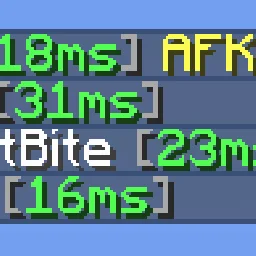
Shows players' ping times in the tab list
 Custom Join MessagesПлагины · 1.12 – 26.x
Welcome players with first-join, join, and quit messages, publicly or privately, via Chat, Titles, Action Bars, Boss Bars, and Sounds. Permission-based and…
Войди, чтобы оставить отзыв.